
Need help applying this to your account?
Contact support and we will keep this article attached to your request.
You can use n8n to connect Referral Factory with your CRM and other business tools so actions in one system automatically trigger actions in another.
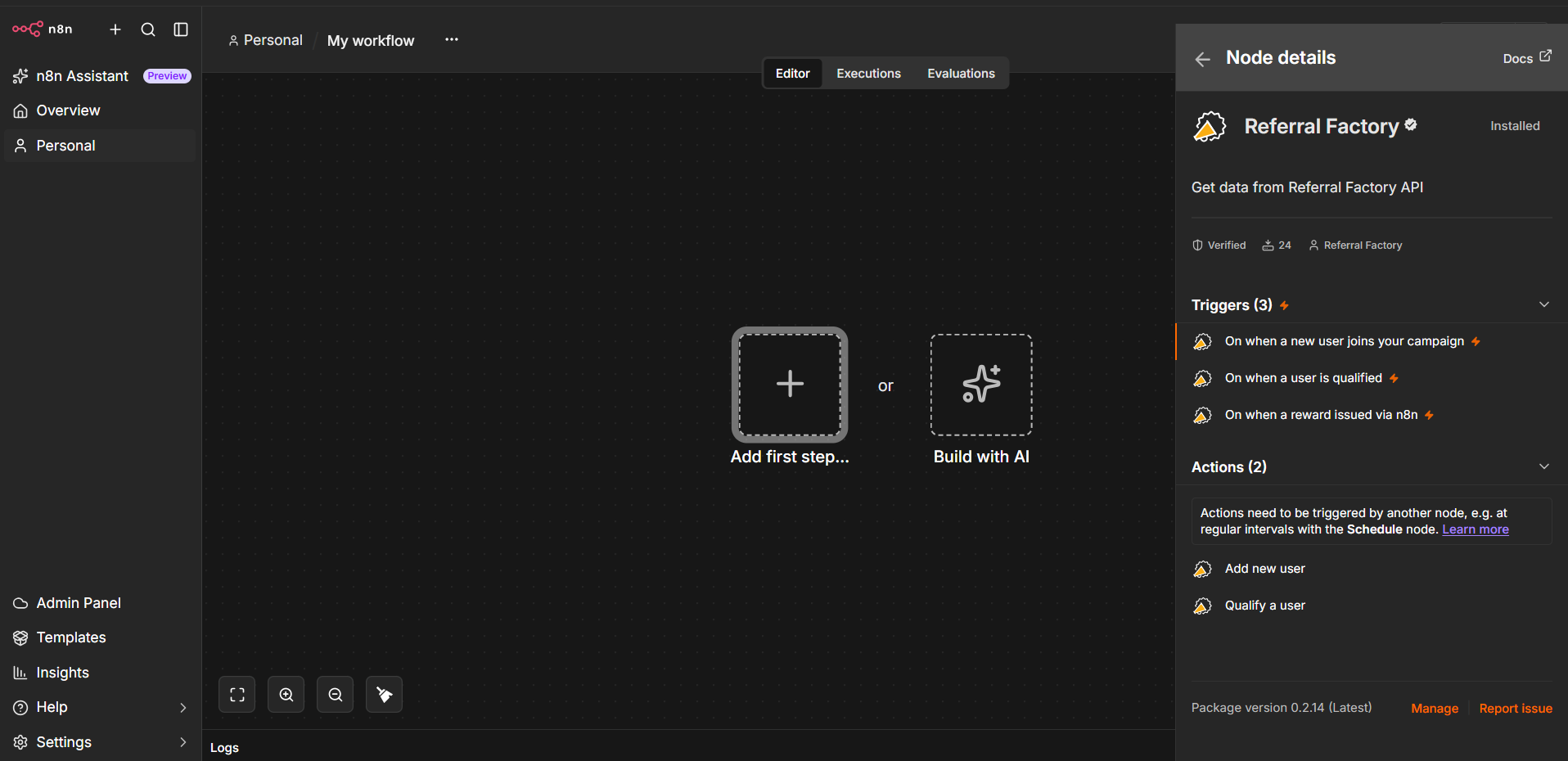
Referral Factory has native n8n triggers and actions, which means you can build workflows without creating custom HTTP requests for the supported operations.
Practical automation examples between Referral Factory and n8n
Here are some common ways to use Referral Factory with n8n.
Create new Referrers in Referral Factory
Use the Add User action when an event in another app should enroll someone as a Referrer in your Referral Factory campaign.
For example:
New customer created in your CRM → n8n → Add User in Referral Factory
The new Referrer is added to the campaign and receives their unique referral link.
Send new Referrers or Leads to your CRM
Use a Referral Factory trigger when you want activity in your referral campaign to create or update records in another system.
For example:
New Referrer joins Referral Factory → n8n → Create or update Contact in your CRM
Or:
New Lead is referred → n8n → Create or update Lead in your CRM
You can map information from Referral Factory to the corresponding CRM fields and add duplicate-handling logic before creating a new record.
Update CRM records when a Lead qualifies
You can start a workflow when a Referral Factory Lead is qualified and use n8n to update the matching CRM record.
For example:
Lead is qualified in Referral Factory → n8n → Update Contact or Deal in your CRM
You could update a lifecycle stage, Lead status, custom field, Deal stage, or another field your team uses to track conversions.
Qualify Leads in Referral Factory
Use the Qualify User action when an event in another system means that a Referral Factory Lead has converted.
For example:
Customer makes a payment → n8n → Qualify User in Referral Factory
Or:
CRM Deal moves to Closed Won → n8n → Qualify User in Referral Factory
The Qualify User action can identify the Lead using supported identifiers such as their email address, referral code, or coupon code.
If you have a Referral Factory reward rule tied to Qualification, qualifying the Lead can also trigger the reward according to the rules configured in your campaign.
Trigger notifications or follow-up actions
You can also use Referral Factory events to start workflows in other apps.
For example:
New referral → n8n → Send a Slack notification
Lead qualified → n8n → Send an internal email
Reward issued → n8n → Add the reward details to a spreadsheet
The Referral Factory Reward Issued trigger is useful when you want another system to take action after a reward has been issued. It does not issue the reward itself.
Prerequisites
Before building your workflow, make sure you have:
In n8n, search for Referral Factory when adding a node. Select the trigger or action you want to use, then connect your Referral Factory account using your API Key when prompted.
You will also need to connect the credentials for any other apps used in the workflow.
- An n8n account or self-hosted n8n instance
- Your Referral Factory API Key
- Your Referral Factory Campaign ID
- Access to the Referral Factory campaign you want to automate
- Access to any CRM or other app you want to connect
Identifiers
Identifiers are important because they tell n8n and Referral Factory which user, Lead, campaign, or CRM record the workflow should act on.
Depending on the workflow, you may use identifiers such as:
For example, when using Qualify User, you can identify the Lead using their email address, referral code, or coupon code.
When syncing data to a CRM, email is commonly used to search for an existing person before creating a new record.
Where possible, map identifiers from the previous step in the workflow instead of entering them manually. This allows the same workflow to process different users automatically.
- Email address
- Referral code
- Coupon code
- Referral Factory User ID
- Campaign ID
- A CRM Contact, Lead, Deal, or other record ID
Error handling
If a workflow does not run as expected, open the workflow's Executions in n8n and check which node failed.
Start by confirming that:
If the Referral Factory trigger runs successfully but a later step fails, check the error returned by that specific n8n node.
For example, a CRM step may fail because a mandatory field is missing, the CRM record cannot be found, a field contains an invalid value, or the connected account no longer has permission to perform the action.
Always test the complete workflow with test users before activating it for your live campaign.
- Your Referral Factory API Key is connected correctly.
- The correct campaign is selected.
- The correct trigger or action is being used.
- Required fields have been mapped.
- The identifier used to find the user or Lead matches the value stored in Referral Factory.
- Credentials for your CRM or other connected app are still valid.
- The destination app accepts the values being sent.
- Your duplicate-handling logic is behaving as expected.