Need help applying this to your account?
Contact support and we will keep this article attached to your request.
Overview
When someone joins your referral program, for example Anna, Referral Factory can create Anna in Braze, or update her profile if she is already there. Her profile gets her referral link and code, so your Braze messages can ask her to share it.
Learn more: the Braze referral messages guide
How do I turn it on?
Step 1
Open the Braze page. Select your campaign, then open Integrations and API › Messaging. If Braze is already set up, select Edit under People.
Step 2
Tick “Send referrers, like Anna”.
Step 3
Choose what happens if the referrer is already in Braze: “Do nothing” or “Update if exists”.
Step 4
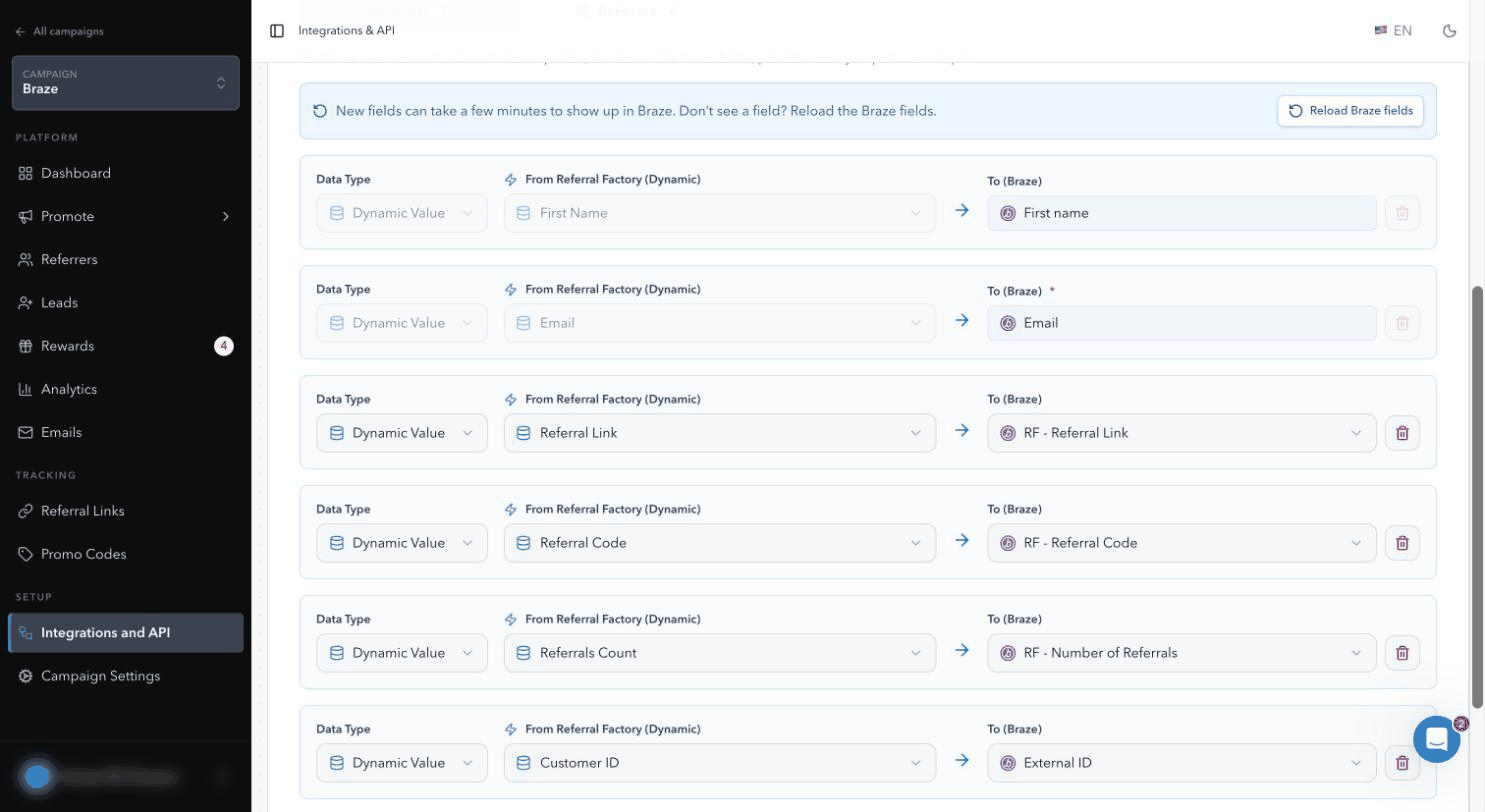
Check the referrer fields in Profile fields, and on the Referrers tab of Map fields.
Step 5
Select Finish setup, or Save if you are editing.
Which fields can be saved on the referrer’s Braze profile?
- First name and Email. These are always sent.
- RF - Referral Link and RF - Referral Code: the link and code the referrer shares. Ticked at the start.
- RF - Number of Referrals: how many friends signed up with their link. Ticked at the start.
- RF - Customers Referred: how many of those friends became customers.
- RF - Campaign: the Referral Factory campaign name.
- Any other field you add in Map fields.
Are your referrers already in Braze?
Many referrers are your customers, so they are often in Braze already. With “Do nothing”, they only get the events, and their profile fields stay as they are. Choose “Update if exists” so their Braze profile also gets their referral link and code.
Do you use your own user IDs in Braze?
Many apps use their own user ID as the External ID in Braze. Do your referrers have this ID in Referral Factory, for example in a field on your sign-up form? Then map that field to External ID on the Referrers tab of Map fields. In the picture, the field is called Customer ID.
Set Data Type to Dynamic Value, not Fixed Value. Then Referral Factory finds people in Braze by External ID instead of email, so the referral data goes to the right profile.
How do I see if a referrer was sent to Braze?
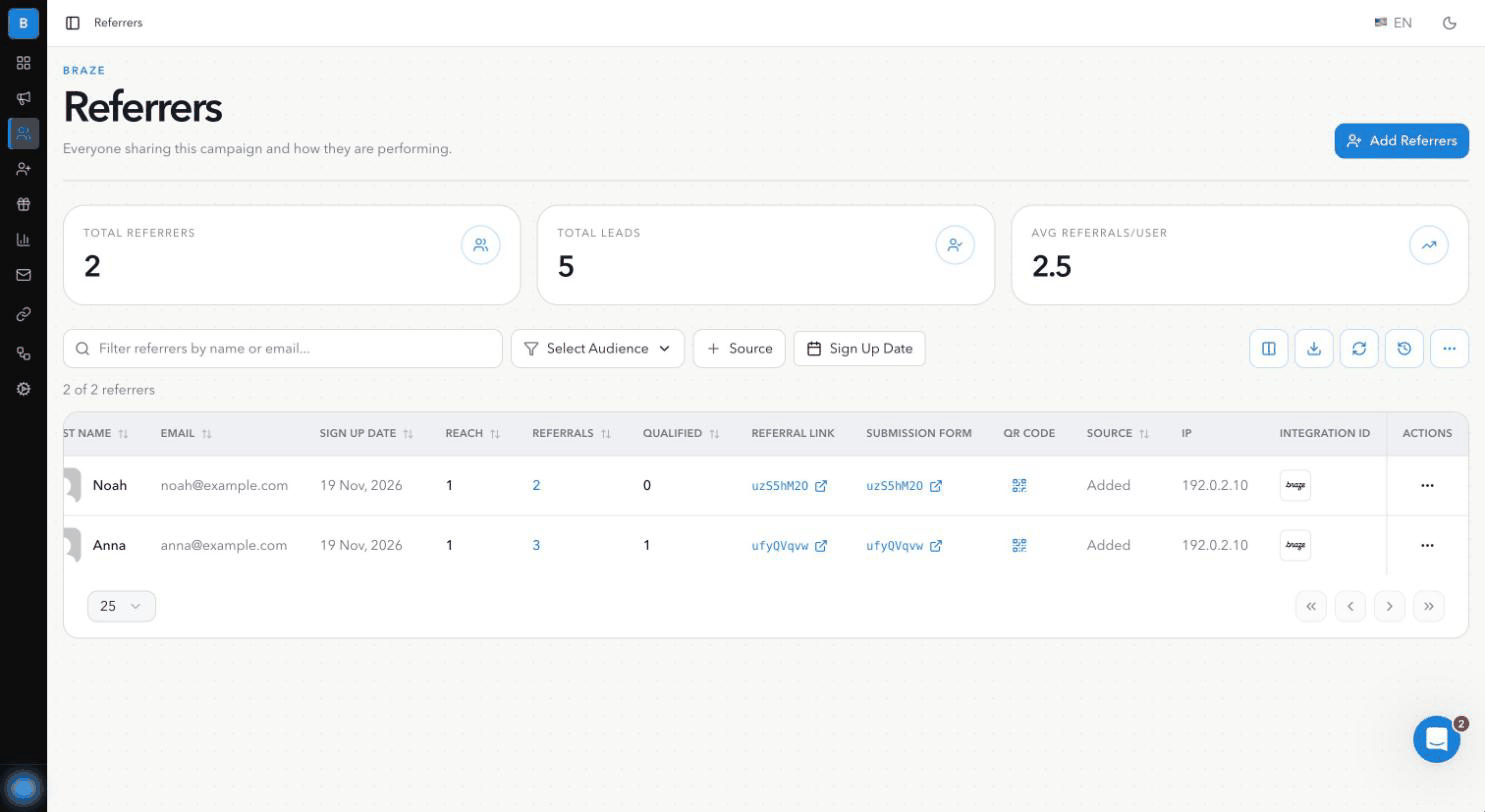
Open Referrers. The Integration ID column shows the Braze icon for referrers we sent to Braze. Hover the icon to see their Braze ID or status.
How do I send a referrer who joined before the setup?
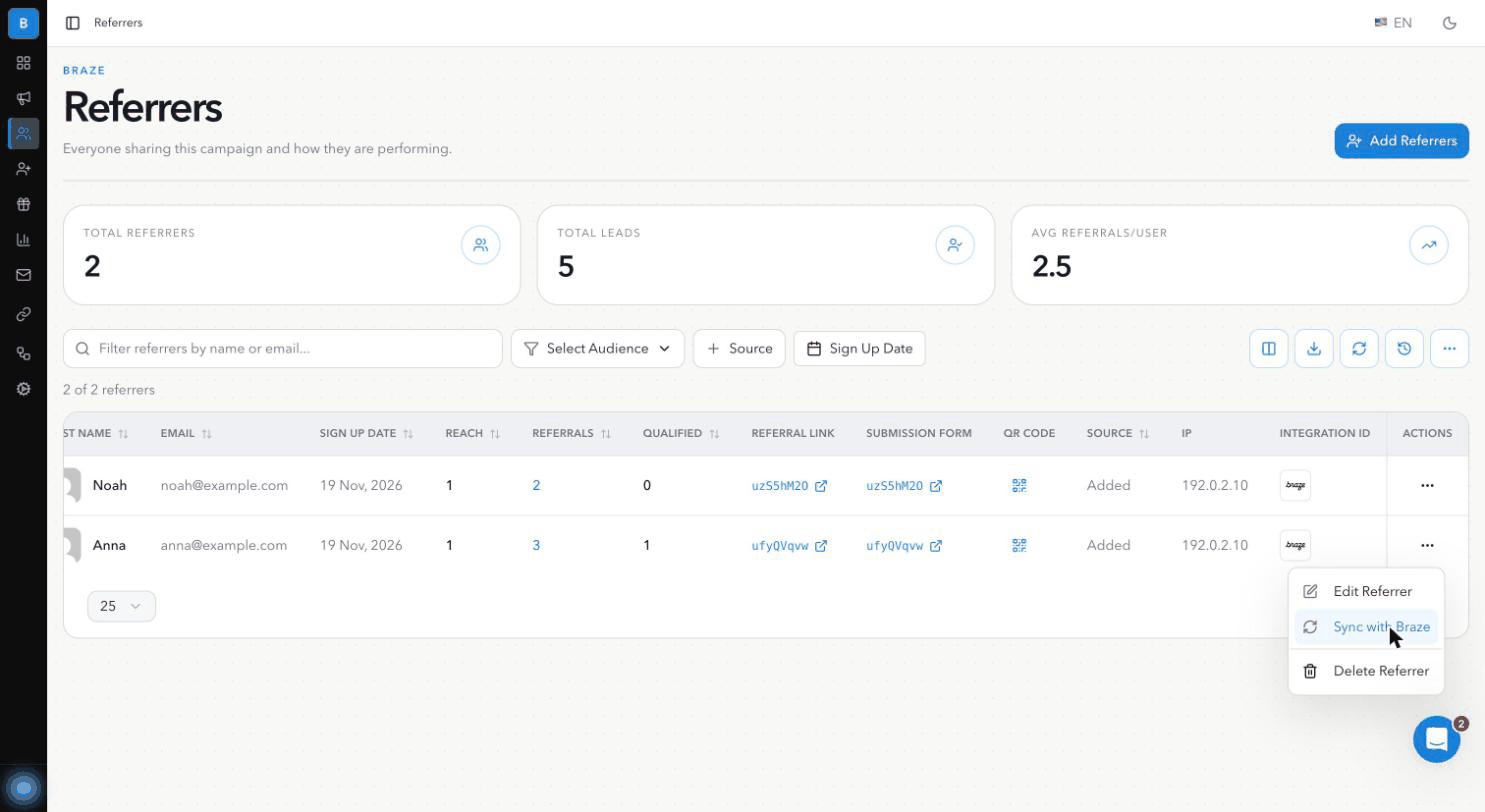
Referrers who joined before you finished the setup are sent the next time something happens for them, for example when a friend signs up with their link. To send one now, or to send someone again, use Sync with Braze.
Step 1
Open Referrers and find the referrer.
Step 2
Open the actions menu (…) on the referrer’s row.
Step 3
Select Sync with Braze. You see “Sent to Braze. It can take a minute to show there.”