Need help applying this to your account?
Contact support and we will keep this article attached to your request.
Referral Factory can be used to create and manage an affiliate program where affiliates join your program, receive unique referral links or codes, refer new customers, and earn commissions or other rewards when those referrals meet the qualification criteria you define.
You can use Referral Factory to manage the full affiliate journey — from affiliate signup and referral tracking to qualification, commissions, payouts, and reporting.
What is an affiliate program and when should I use one?
An affiliate program allows people or businesses to promote your company and earn a commission or reward when the customers they refer complete a specific action.
In Referral Factory, affiliates are managed as Referrers. Each affiliate can receive their own unique referral link or referral promo code, which allows Referral Factory to attribute Leads back to the correct affiliate.
An affiliate program is a good fit when you want people such as partners, creators, agencies, consultants, or other promoters to actively bring new customers to your business in exchange for a performance-based reward.
For example, you could reward an affiliate when their Lead:
- Makes a purchase
- Becomes a paying customer
- Signs a contract
- Reaches a specific stage in your CRM
- Meets another qualification rule that is important to your business
How do affiliates join the program?
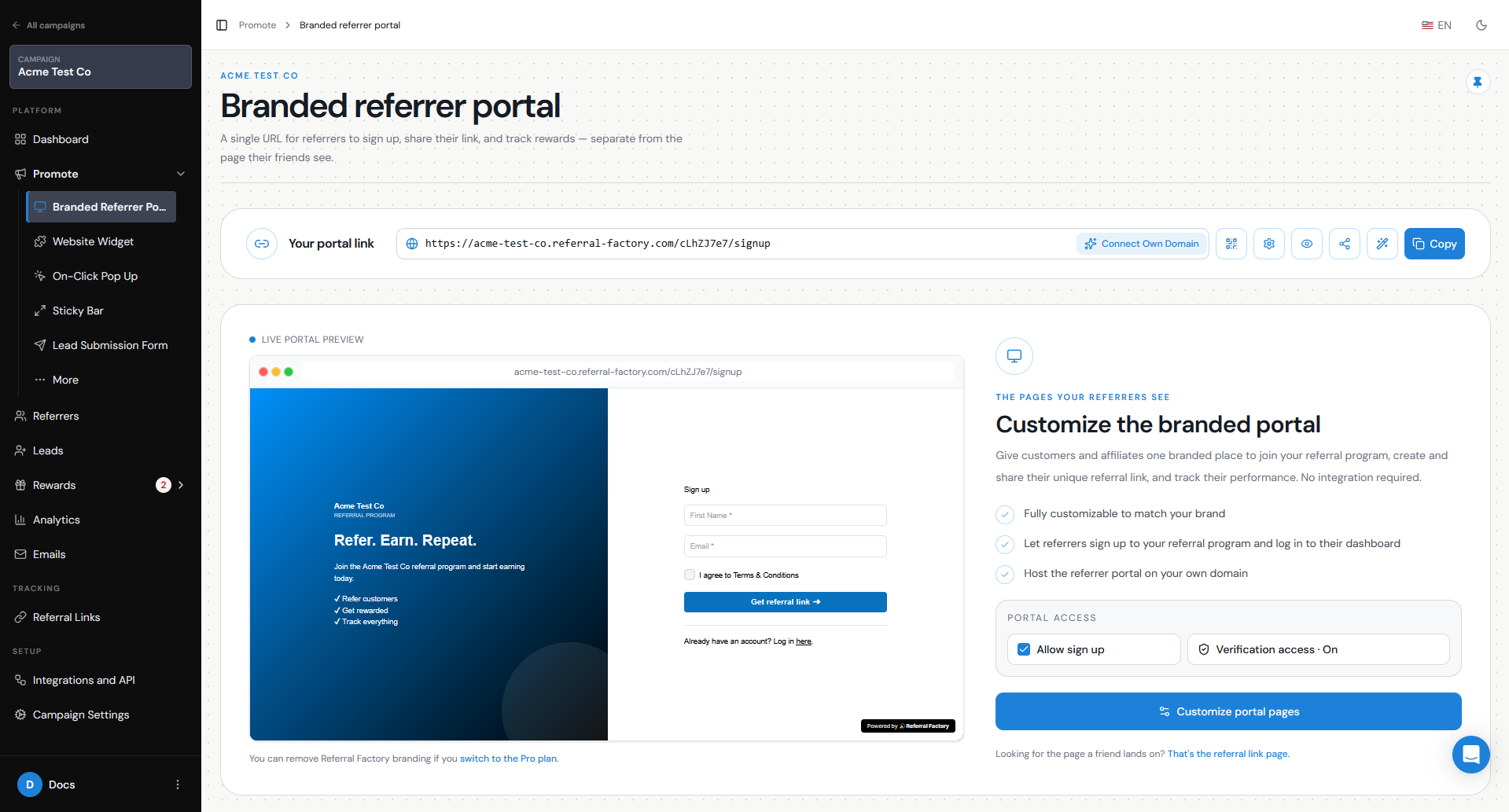
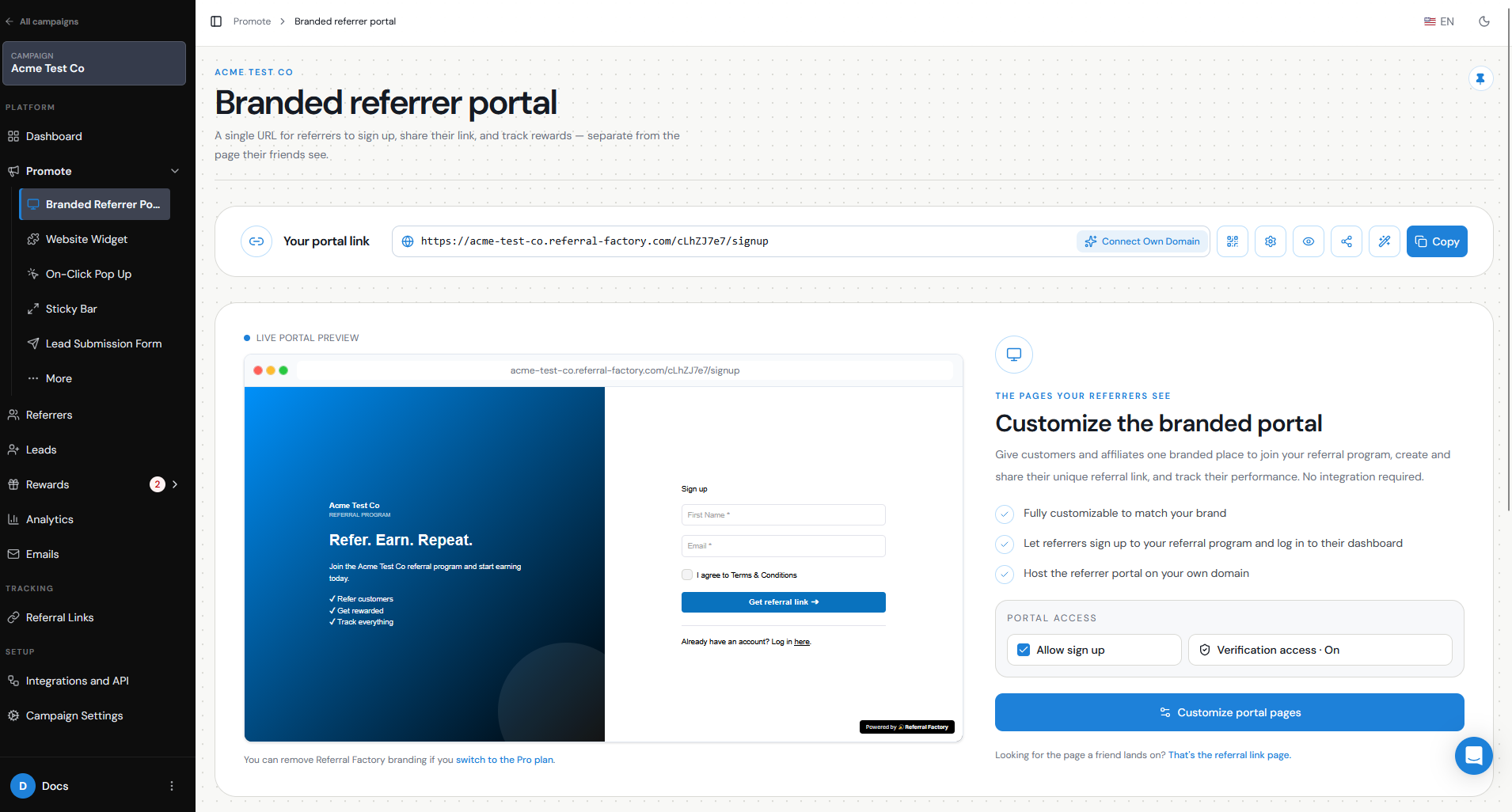
The easiest way to let affiliates join your program is through the Branded Referrer Portal.
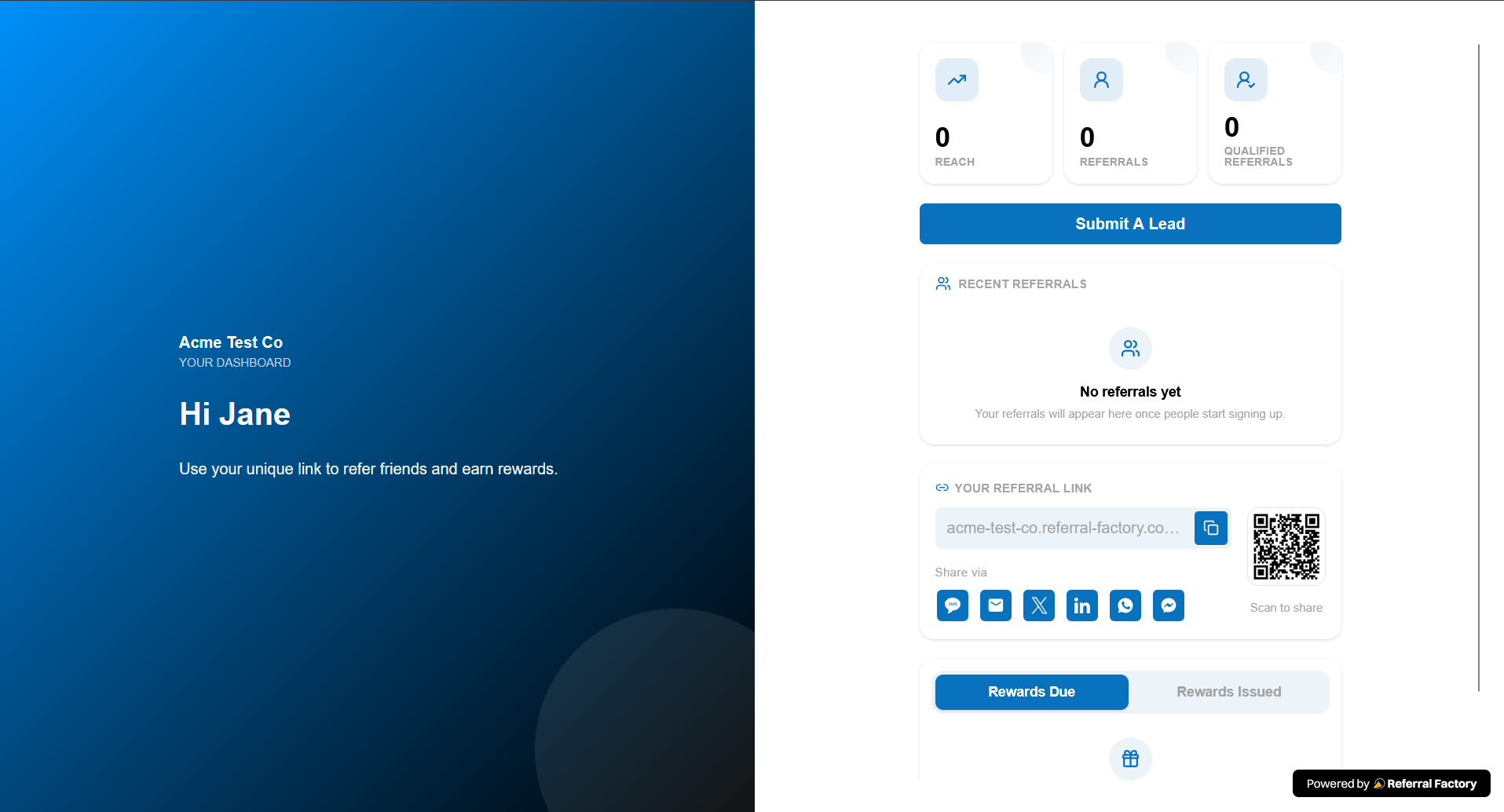
The portal is a standalone, branded page where affiliates can sign up, receive their unique referral link, and access a dashboard to track their activity.
To set this up:
When an affiliate signs up, they are taken to their dashboard where they can access and share their unique referral link.
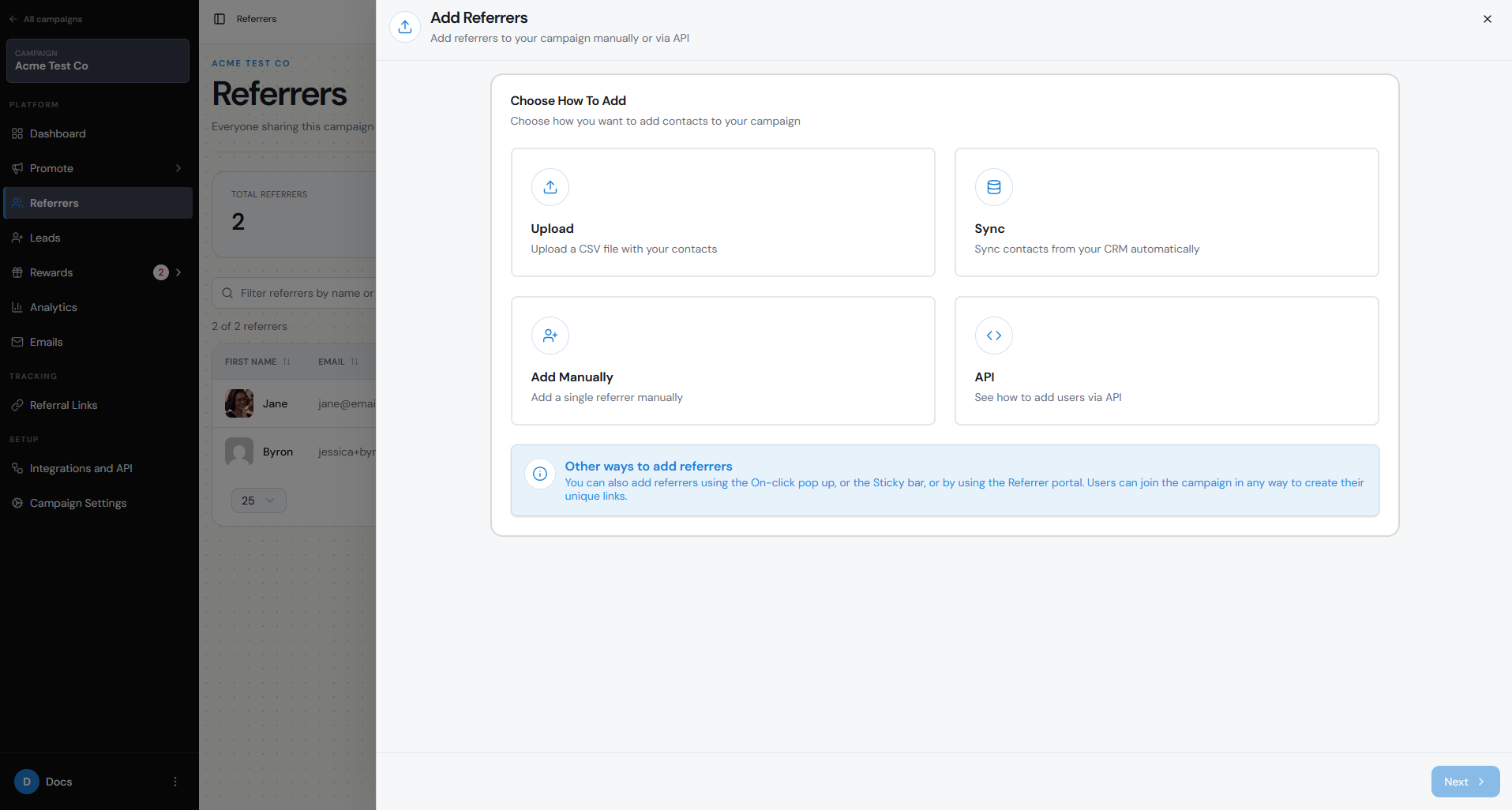
If you do not want anyone to be able to join freely, you can disable sign-up and add approved affiliates yourself. Referrers can also be added manually, by CSV upload, through supported sync options, or using the API.
- Go to Promote → Branded Referrer Portal.
- Make sure Allow sign up is enabled if you want affiliates to register themselves.
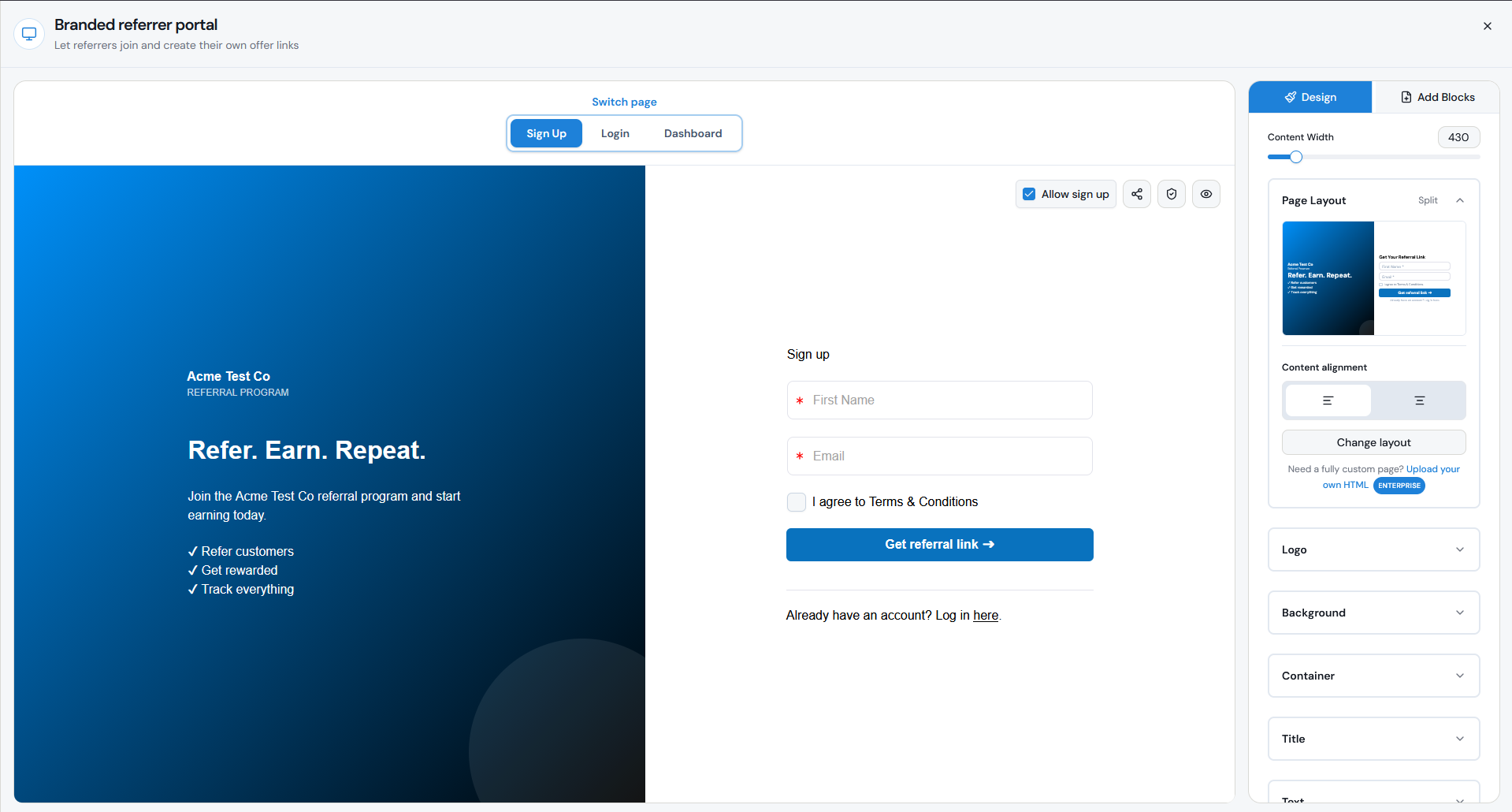
- Customize the Sign Up, Login, and Dashboard pages to match your affiliate program.
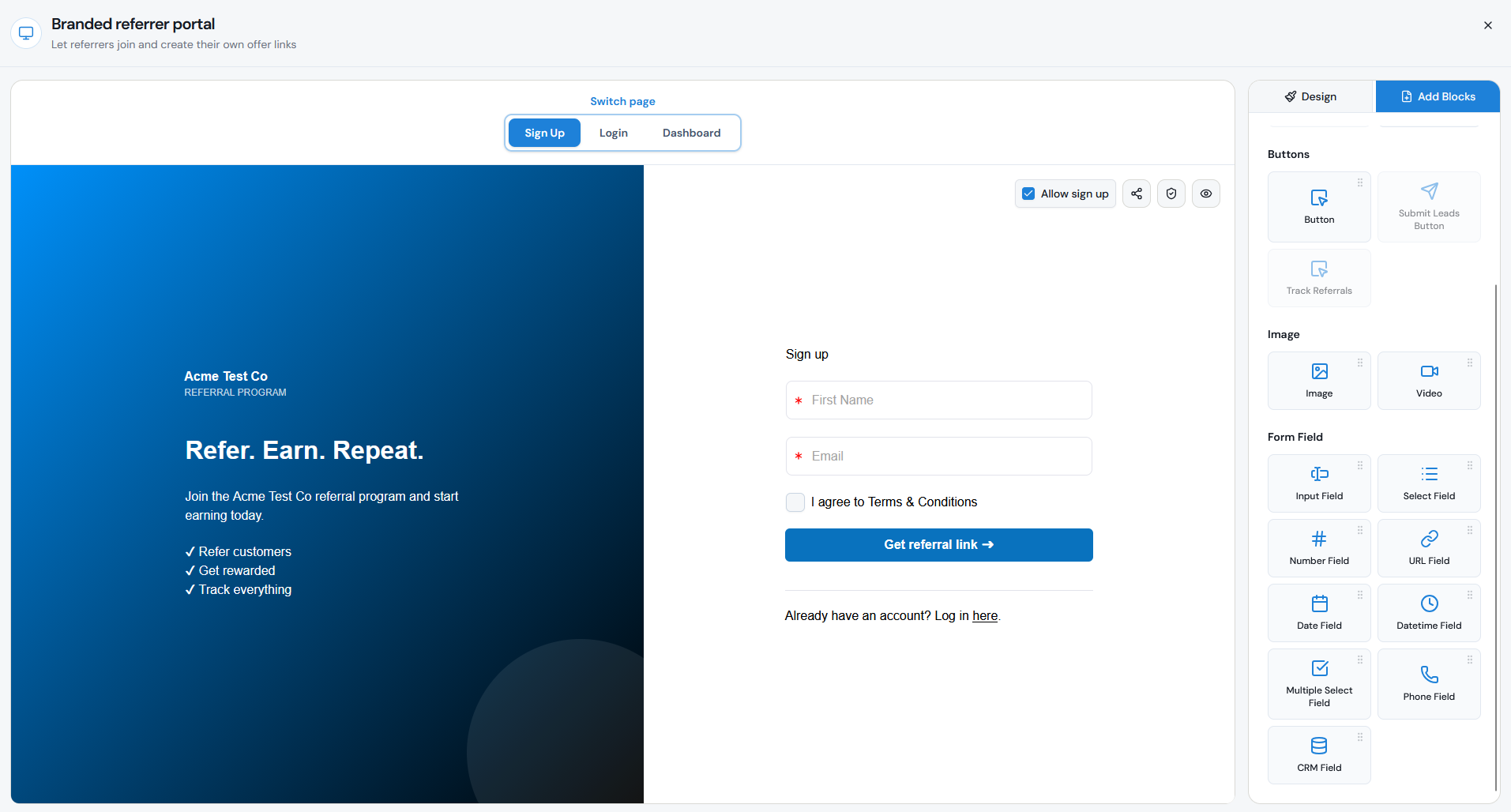
- Add the fields you want affiliates to complete when joining, such as their name, email address, website, or other information you need.
- Save your changes.
- Share the Branded Referrer Portal URL with prospective affiliates.
How are affiliate links or codes created and tracked?
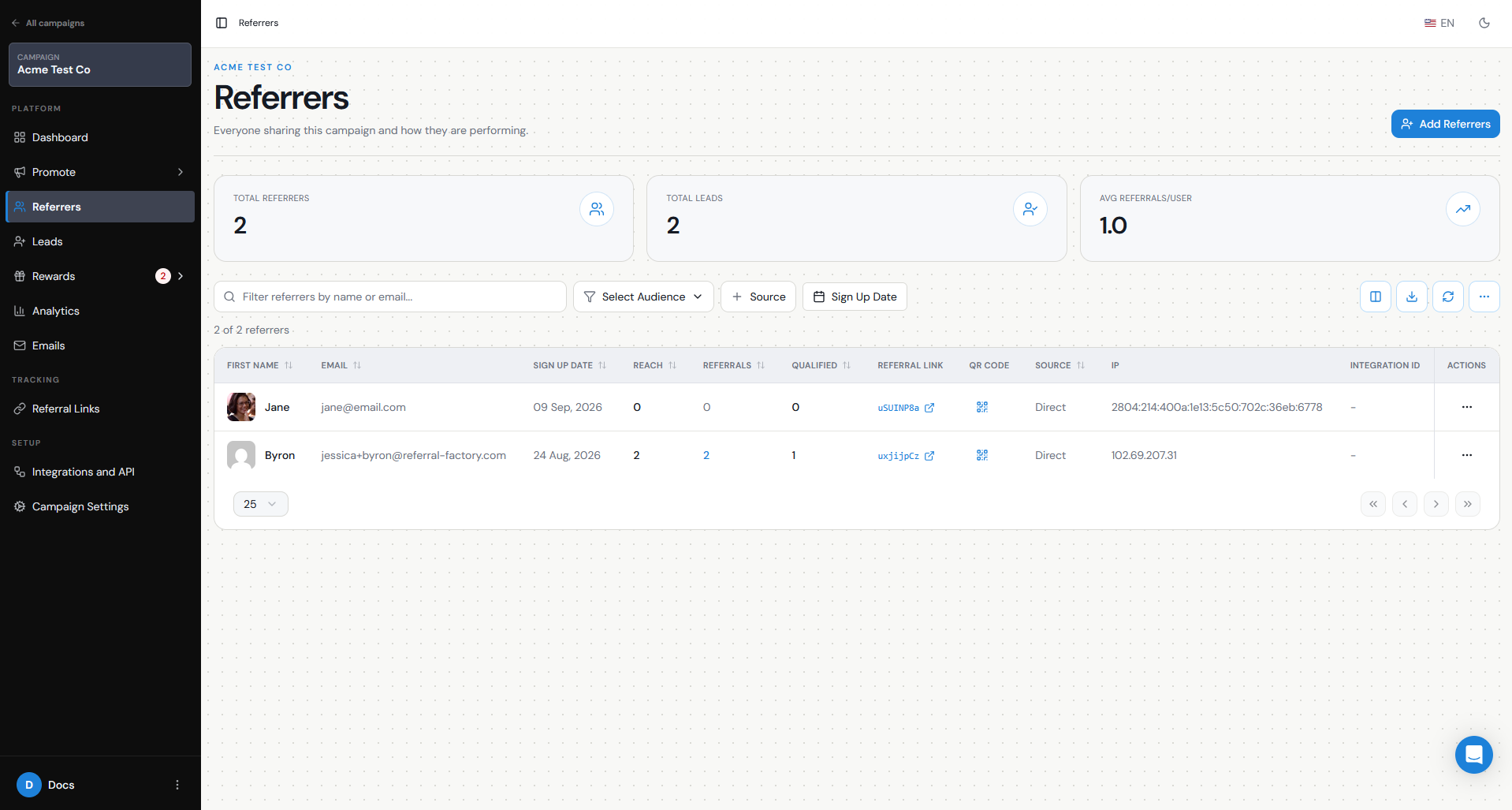
Referral Factory automatically creates a unique referral link for every affiliate added to the campaign.
Each referral link contains an embedded tracking code that identifies the affiliate. When someone follows that link and submits their details on the Referral Link Page, Referral Factory records them as a Lead and attributes them to the affiliate who referred them.
Each affiliate has one unique referral link per campaign, and they can share it through email, social media, WhatsApp, their website, newsletters, or any other channel.
You can also use referral promo codes if you have connected Stripe to Referral Factory. Promo codes are available specifically for campaigns using the Stripe integration and can be shared by affiliates for use during Stripe checkout.
Referral promo codes can be generated for affiliates and displayed through Referral Factory experiences such as the Branded Referrer Portal or campaign emails. You can also generate them manually from the Referrers page.
When a customer uses an affiliate’s promo code in Stripe, Referral Factory can use that code to identify the correct referrer and attribute the referral.
Referral links and referral promo codes can be used in the same affiliate campaign.
What should count as a Qualified affiliate referral?
A qualified affiliate referral should represent the point where the Lead has completed the action that makes the referral valuable to your business.
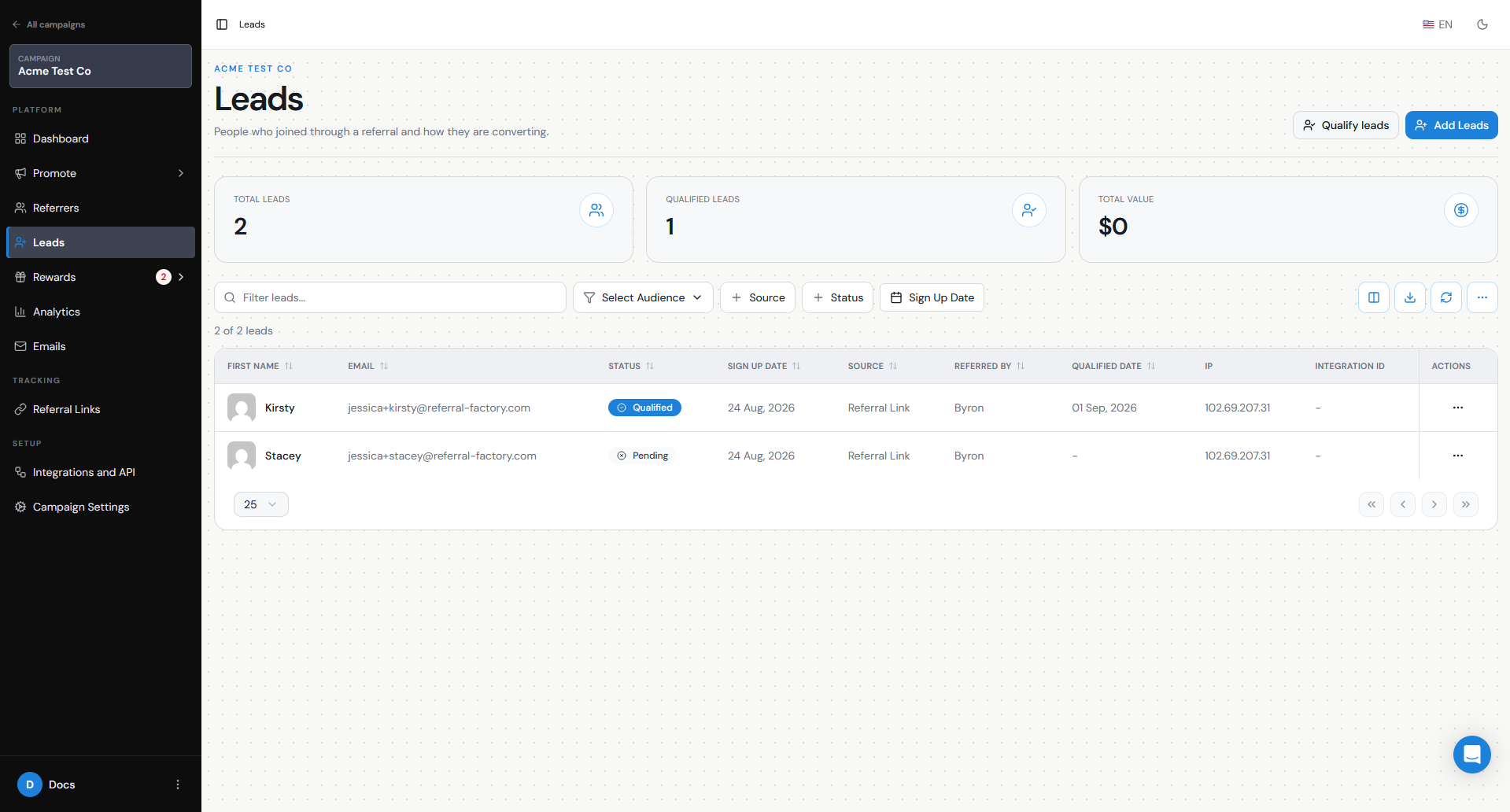
In Referral Factory, new Leads are initially Pending. Qualification is the step that confirms the Lead has successfully met your criteria — for example, they made a purchase, became a customer, or signed a contract.
For an affiliate program, it is usually better to qualify a Lead based on a meaningful business outcome rather than simply when someone clicks an affiliate link or submits their details.
Referral Factory can qualify Leads manually or automatically. For example, qualification can be connected to activity in your CRM, payment platform, or your own system using integrations or the API.
Your qualification rule should match the point at which you are comfortable paying the affiliate.
For example:
When the Lead becomes Qualified, Referral Factory evaluates the active reward rules and can create the affiliate's commission or reward.
- Ecommerce: qualify after a successful purchase.
- SaaS: qualify when the customer starts a paid subscription.
- Service business: qualify when the deal is won or service is completed.
- B2B: qualify when an opportunity reaches your chosen CRM stage.
How do I set up commission or rewards?
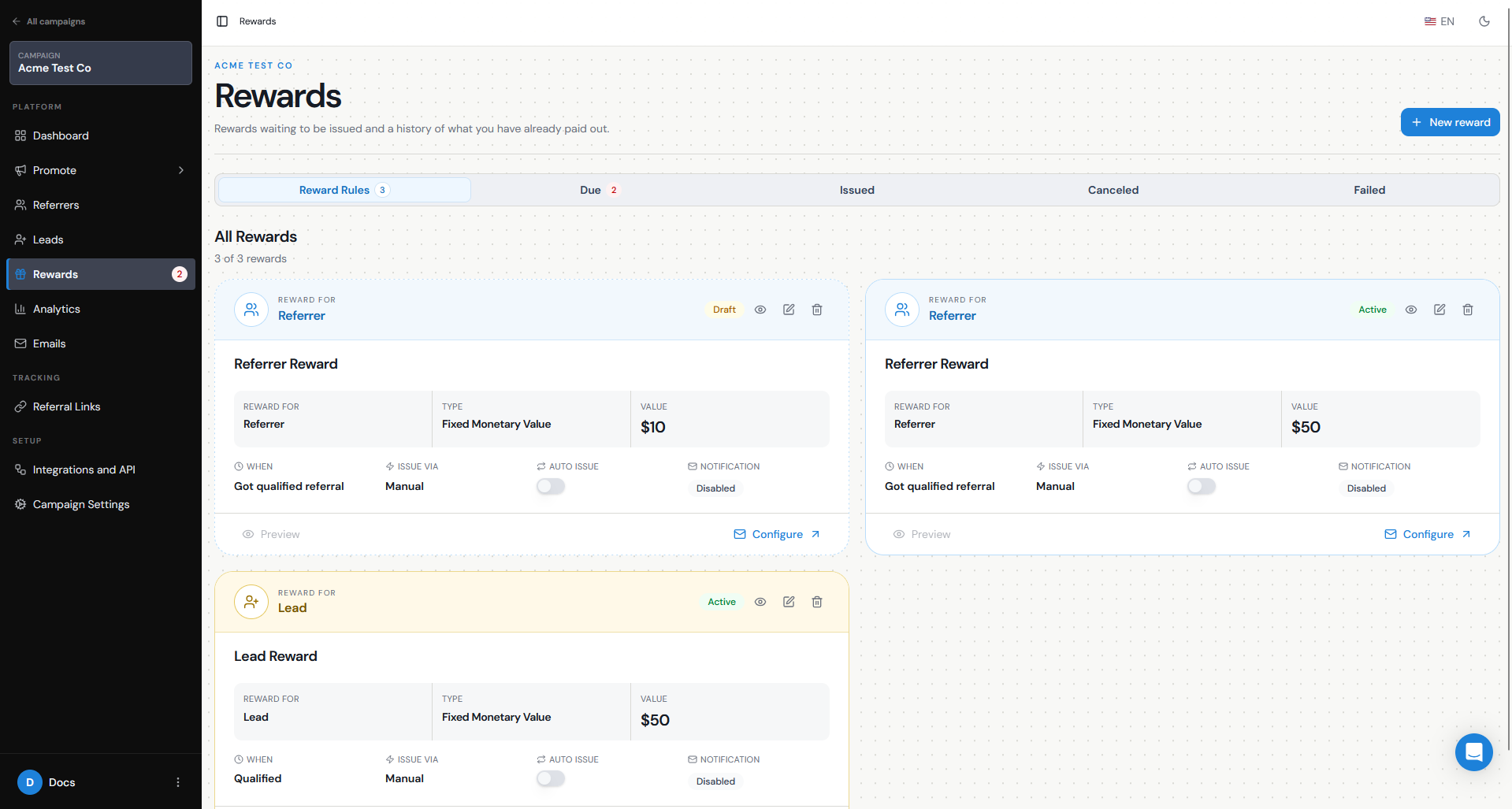
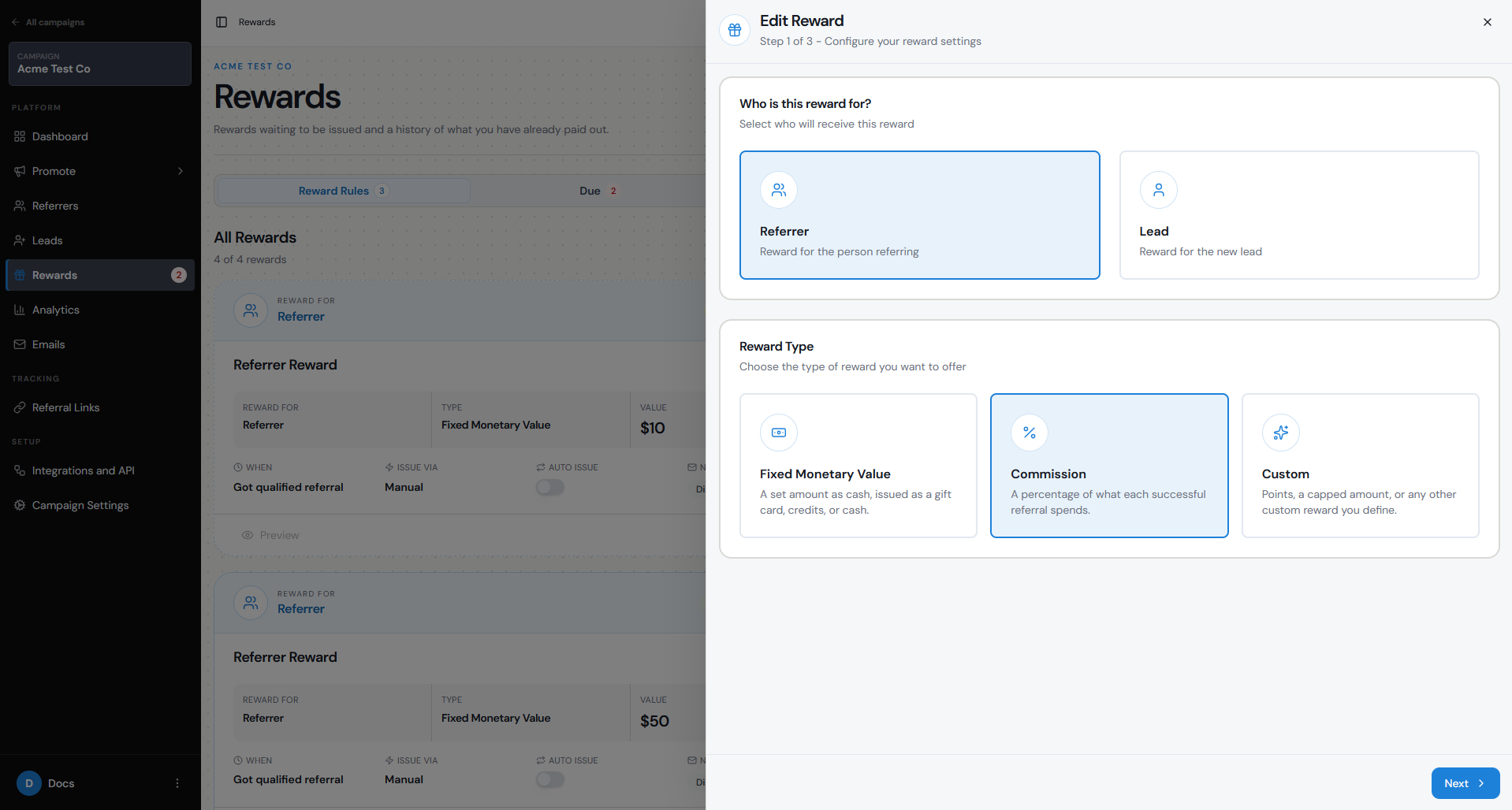
Referral Factory lets you reward affiliates with a fixed amount, commission amount, or custom reward. For most commission-based affiliate programs, you would select Commission Amount.
To set up an affiliate commission:
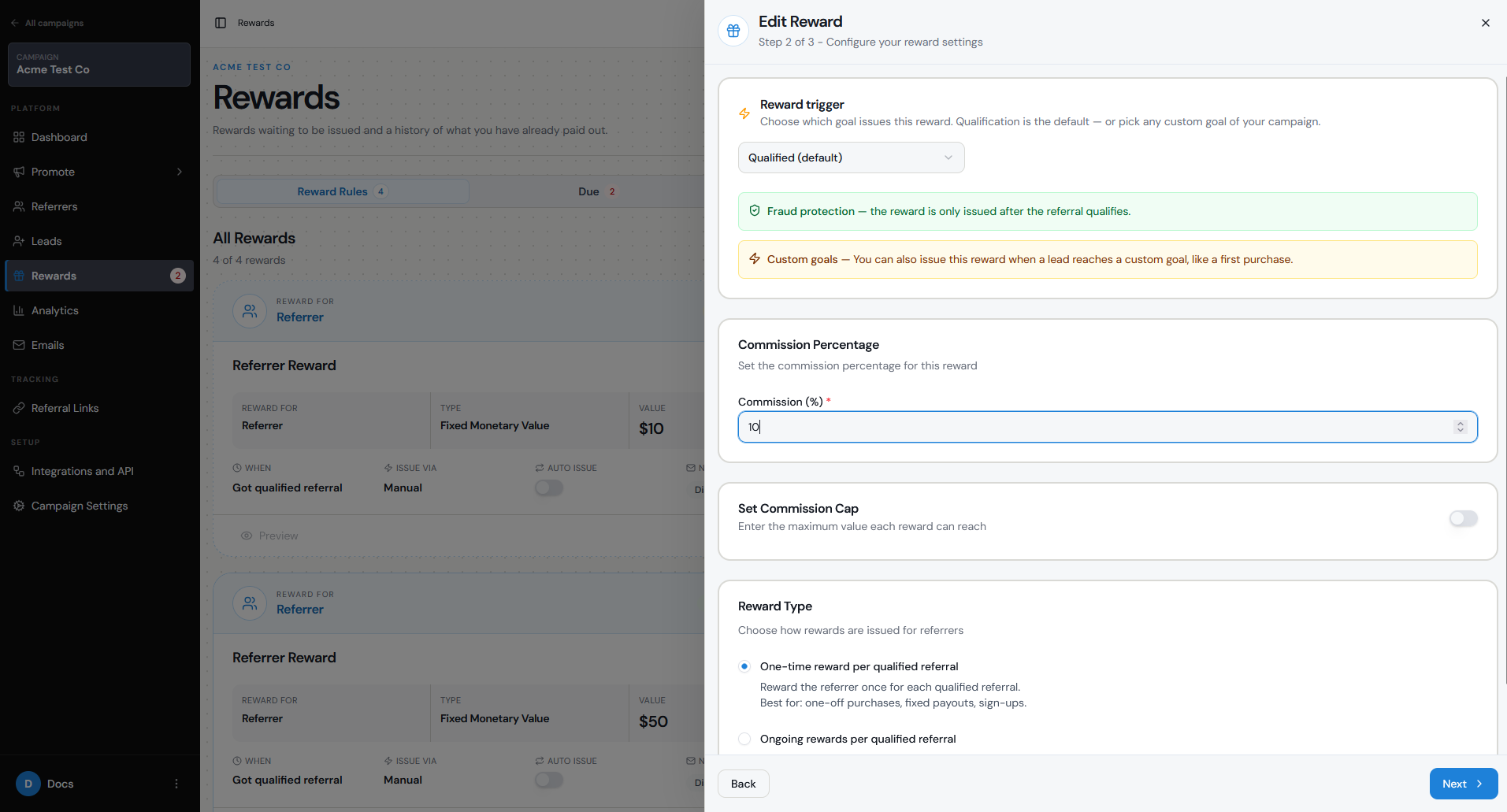
For example, you could give an affiliate 10% of the referred customer's spend.
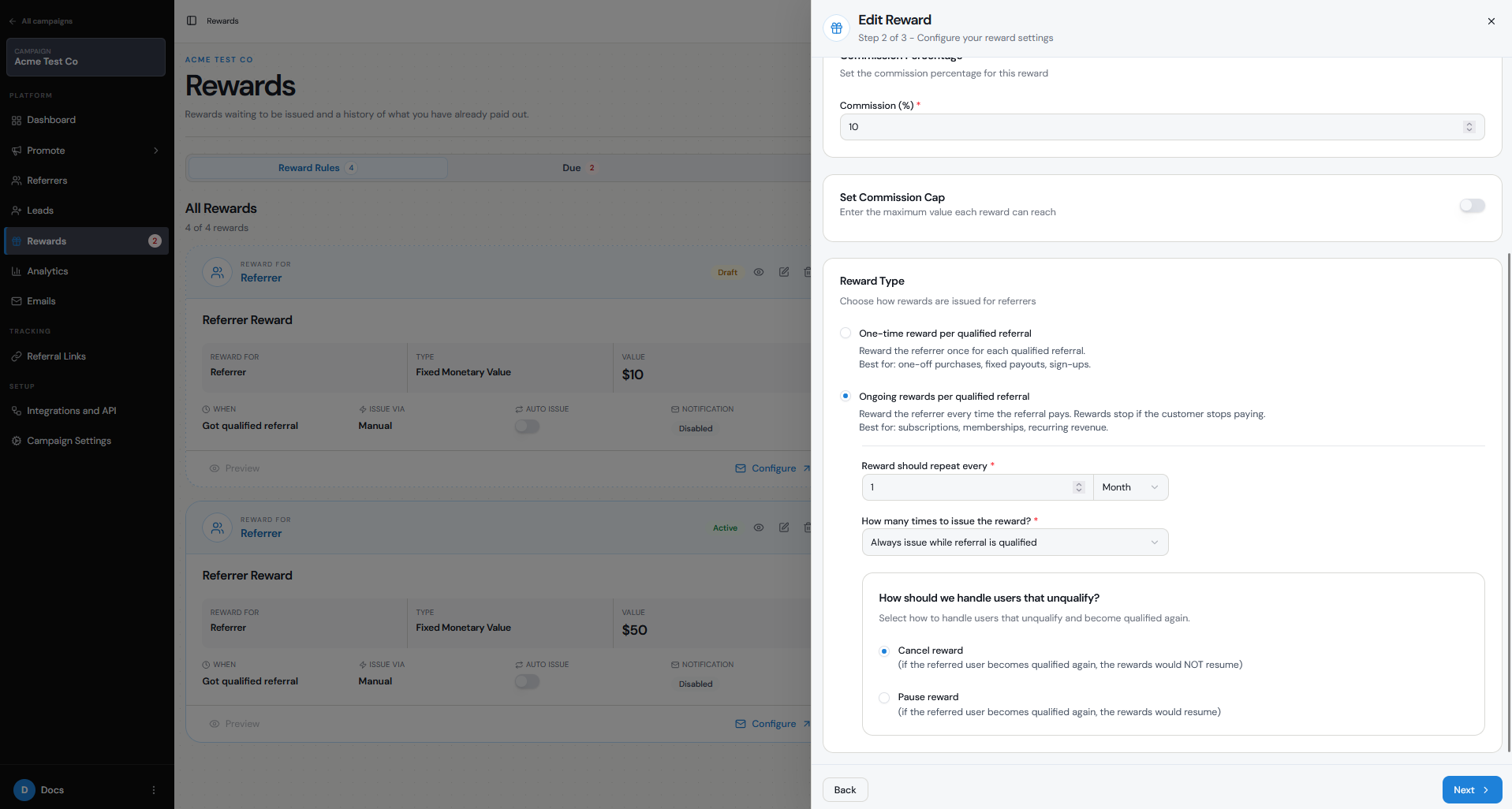
For subscription or membership businesses, you can use Ongoing rewards per qualified referral. You can choose how often the reward repeats — by day, week, month, or year — and how many times it should be issued, from 1 to 10 times or for as long as the referral remains qualified.
You can also use a Fixed Amount if you prefer to pay affiliates a set amount for every qualified referral rather than a percentage.
- Go to Rewards in the left sidebar.
- Click + New Reward
- Select Referrer as the person receiving the reward.
- Select Commission Amount if you want to pay a percentage of the referred customer's spend.
- Enter the Commission Percentage.
- If needed, enable Set Commission Cap to limit the maximum commission that can be earned from each referral.
- Keep Fraud Protection enabled if you only want affiliates rewarded for Qualified Leads.
- Choose whether the reward should be One-time or Ongoing.
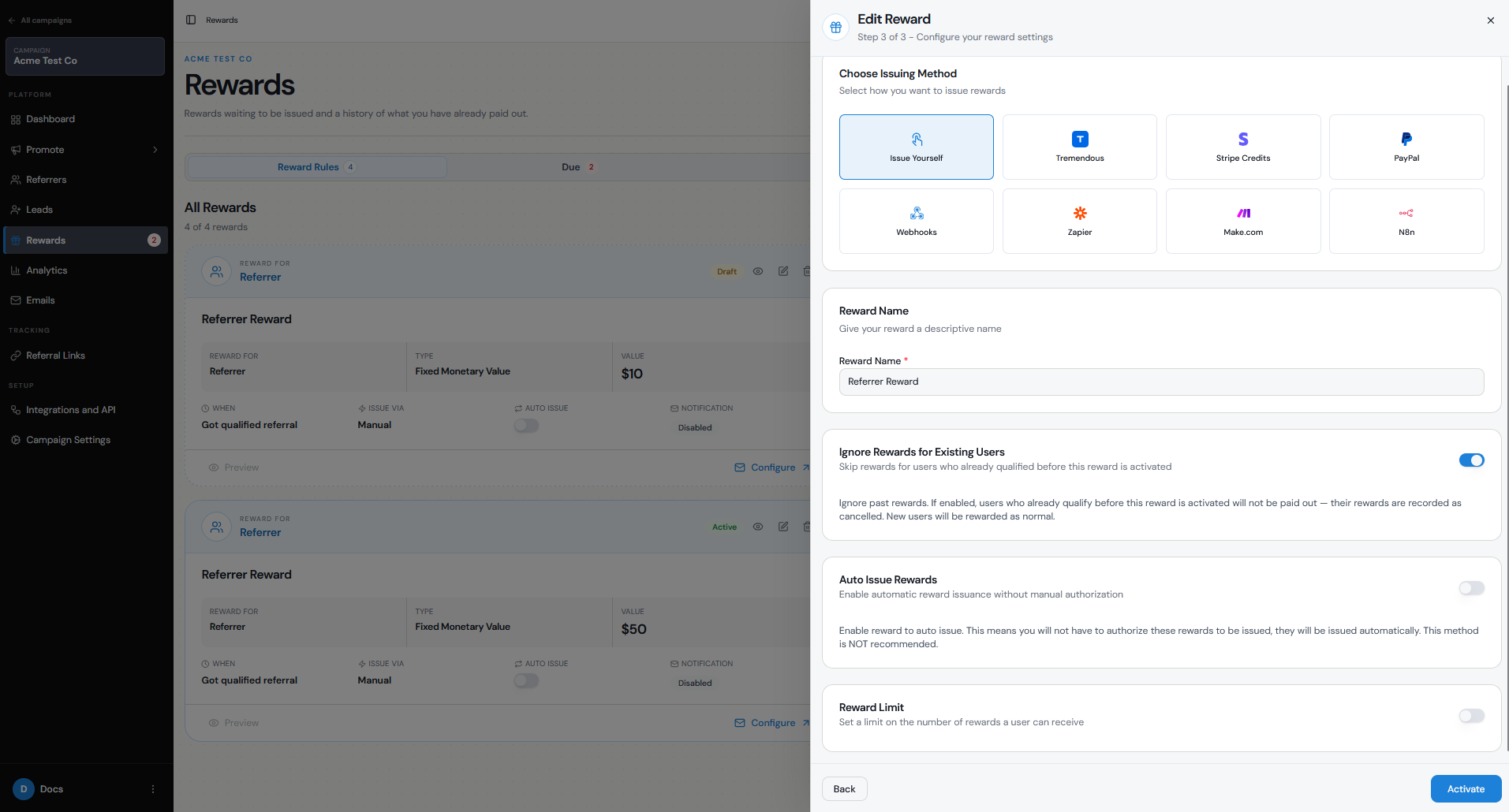
- Choose how the reward will be issued and activate it.
How are payouts handled?
Referral Factory controls when a reward becomes due and how it should be issued, but Referral Factory does not hold or pay out your reward funds on your behalf.
The money or reward comes from your own connected account or payout provider.
When setting up the reward, you can choose from issuing methods including:
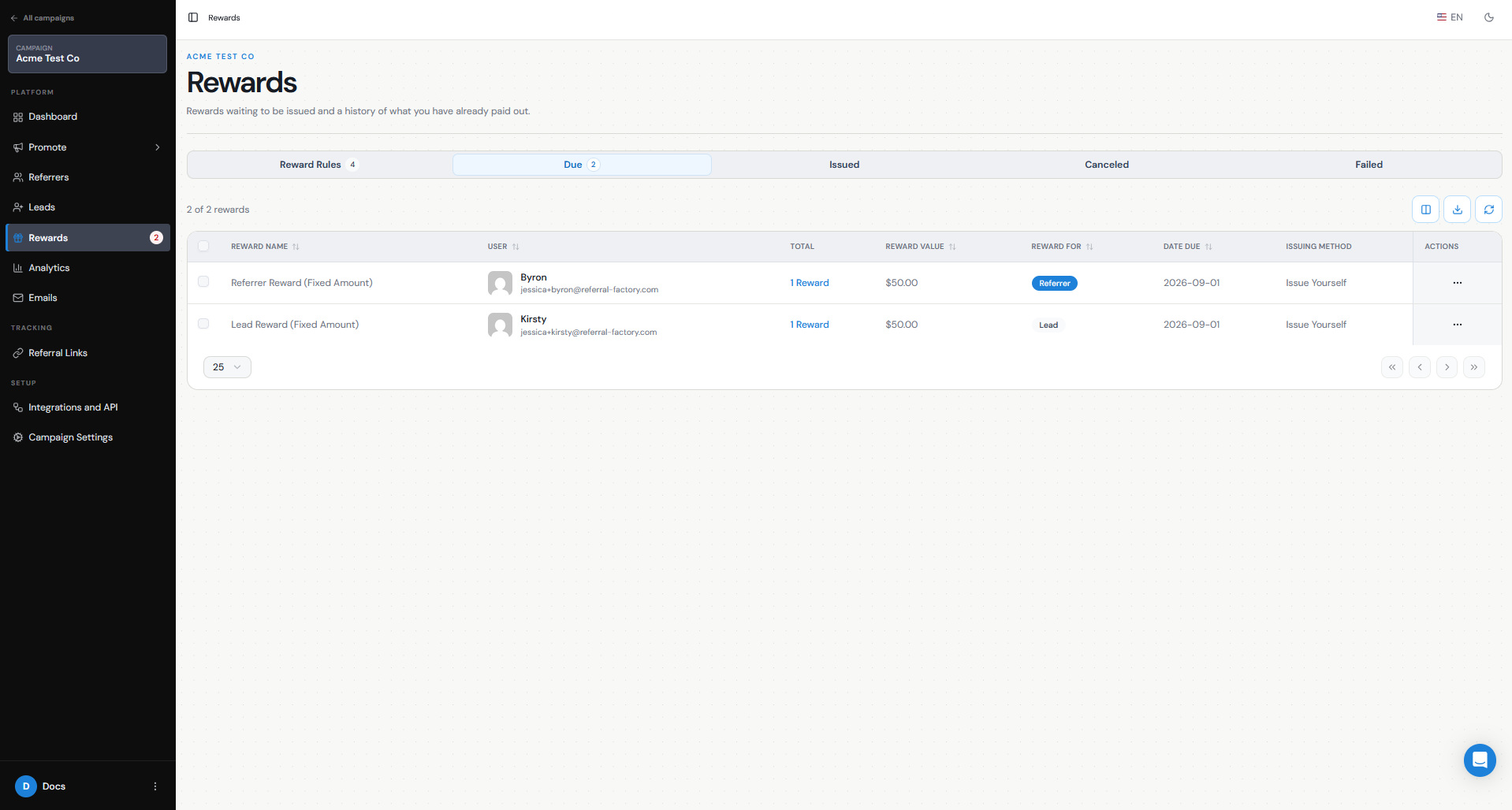
By default, when a reward is triggered it appears under Due Rewards, allowing you to review it before issuing it. Once issued, it moves to Issued Rewards.
You can also turn on Auto Issue Rewards if you want eligible rewards to be issued automatically when the qualification criteria are met. Auto Issue is off by default.
If you are using an external payout provider, make sure the connected account is correctly configured and funded. Referral Factory orchestrates the reward process, but the funds themselves come from your own accounts.
- Issue Yourself — handle the affiliate payout yourself outside Referral Factory.
- PayPal — send cash payouts through your connected PayPal account.
- Tremendous — issue gift cards and digital rewards.
- Stripe Credits — issue account credits to customers through Stripe.
- Webhooks — send reward information to your own system.
- Zapier, Make, or n8n — trigger your own payout or reward workflow through an automation.
How do I manage and report on the program?
You can manage your affiliate program and track its performance directly inside Referral Factory.
Use the Referrers page to manage your affiliates and see their referral links and activity. Use the Leads page to see the people they have referred and whether those Leads are Pending or Qualified.
The Rewards section shows rewards that are waiting to be issued as well as rewards that have already been issued, helping you keep track of affiliate commissions and reward status.
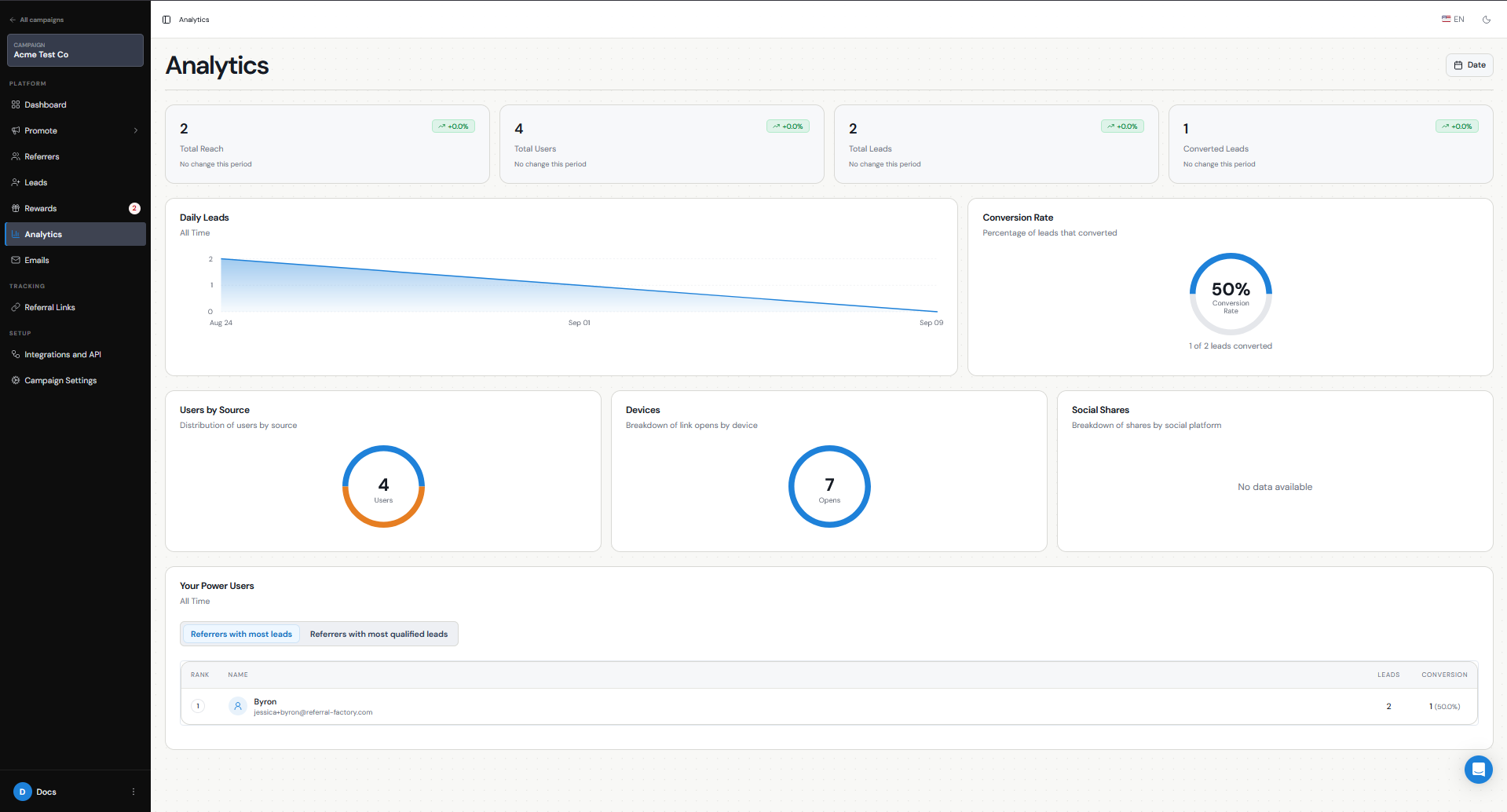
The Analytics tab provides campaign-level reporting including:
The Power Users leaderboard can help you identify which affiliates are generating the most Leads and the most Qualified Leads.
Affiliates can also track their own performance through the Branded Referrer Portal. Their dashboard can display their referral link, referrals, qualification rate, leaderboard position, rewards, and other referral statistics, depending on how you configure the portal.
- Total users and Leads
- Qualified Leads
- Qualification rate
- Leads over time
- Users by source
- Social shares
- Top-performing Referrers