Back to Help Hub
Promoting Your ProgramFAQ2 min readUpdated 2026-03-09

FAQ: How do I show or hide promotion methods in the sidebar?

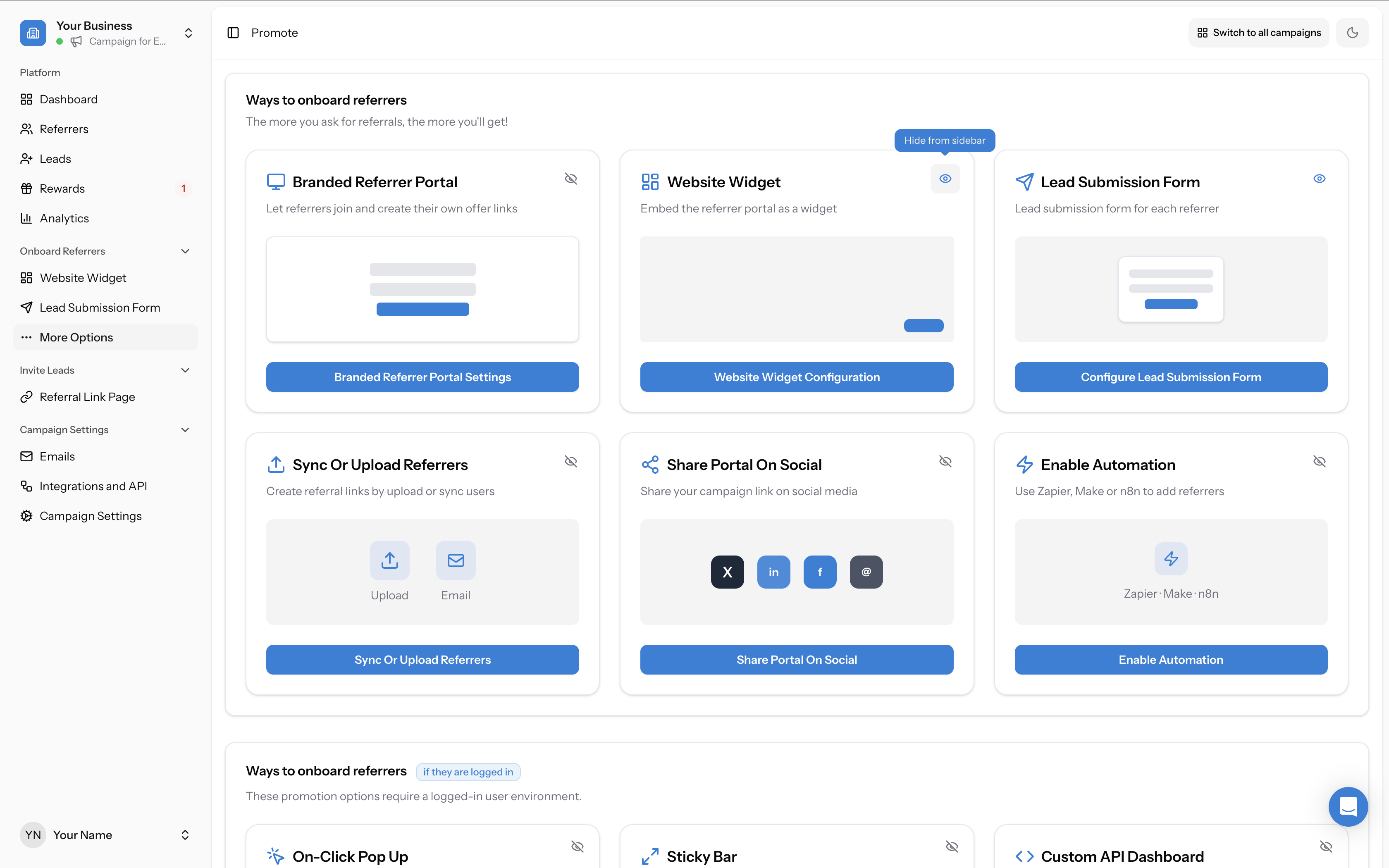
Each promotion method on the Promote page has an eye icon in the top-right corner of its card.

Browse topics and support
Navigation

Topics

Article

On this page

Support

Ask AI

Ask a product or setup question without leaving this page.

Need human help?

Still stuck?

If this article does not solve the problem, send the context to support or book time with a human.

We will keep the article or page context with your request so support can respond faster.
Read this page as a quick path: scan the headings, use the step blocks, and escalate if the expected result does not happen.
Each promotion method on the Promote page has an eye icon in the top-right corner of its card. This icon controls whether that method appears in the left sidebar under Onboard Referrers.
faq how do i show or hide promotion methods in the sidebar:
Promotion methods dashboard showing channels used to distribute referral offers.

Hiding a method from the sidebar

Screenshot showing Hiding a method from the sidebar
  • Go to the Promote page
  • Find the card for the promotion method you want to hide
  • Click the eye icon in the top-right corner of the card — the tooltip will read "Hide from sidebar"
  • The method will be removed from the sidebar

Showing a method in the sidebar

To restore a hidden method to the sidebar, go back to the Promote page and click the eye icon on that card again. The method will reappear in the sidebar under Onboard Referrers.

What this does and doesn’t do

  • It only affects the sidebar. Hiding a method from the sidebar does not disable it or change any configuration. All nine methods are always accessible from the Promote page.
  • It keeps your sidebar clean. If you only use two or three promotion methods, you can hide the rest so the sidebar only shows what’s relevant to you.
  • It’s per-campaign. Sidebar visibility settings apply to the campaign you’re currently viewing.
faq how do i show or hide promotion methods in the sidebar:
Promotion methods dashboard showing channels used to distribute referral offers.
Related strategy reading

Go deeper with Learn

This help article explains the setup. These Learn guides explain the bigger strategy, planning, and real-world use of referral programs.

Article feedback

Did this answer your question?

Your vote helps support spot weak articles, fix missing steps, and decide when a person should step in.