
Need help applying this to your account?
Contact support and we will keep this article attached to your request.
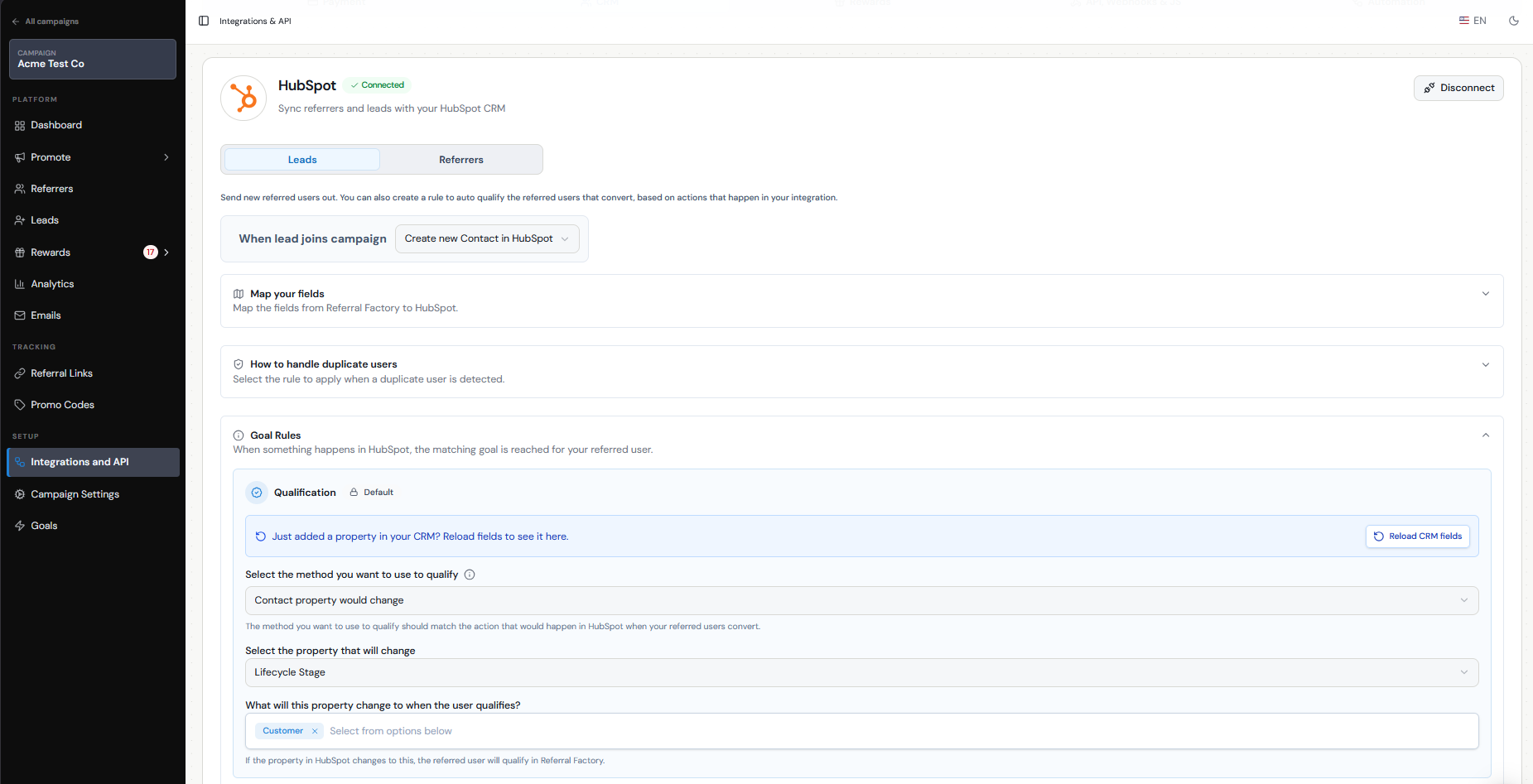
You can connect a Tremendous reward to Qualification or another Goal in your campaign. When the Lead reaches that Goal, Referral Factory creates the reward, and if Auto Issue Rewards is enabled, the reward can be sent to Tremendous automatically.
Before you begin, make sure your Tremendous account is connected to Referral Factory, funded, and that you have created the Tremendous campaign you want to use for your rewards.
How to tie a Tremendous reward to Qualification or another Goal
First, decide what action should trigger the reward.
You can trigger a Tremendous reward when a Lead reaches either:
For example:
Qualification: Lead becomes a customer → Lead is qualified → Referrer earns a Tremendous reward
Custom Goal: Lead books a meeting → Meeting booked Goal is reached → Referrer earns a Tremendous reward
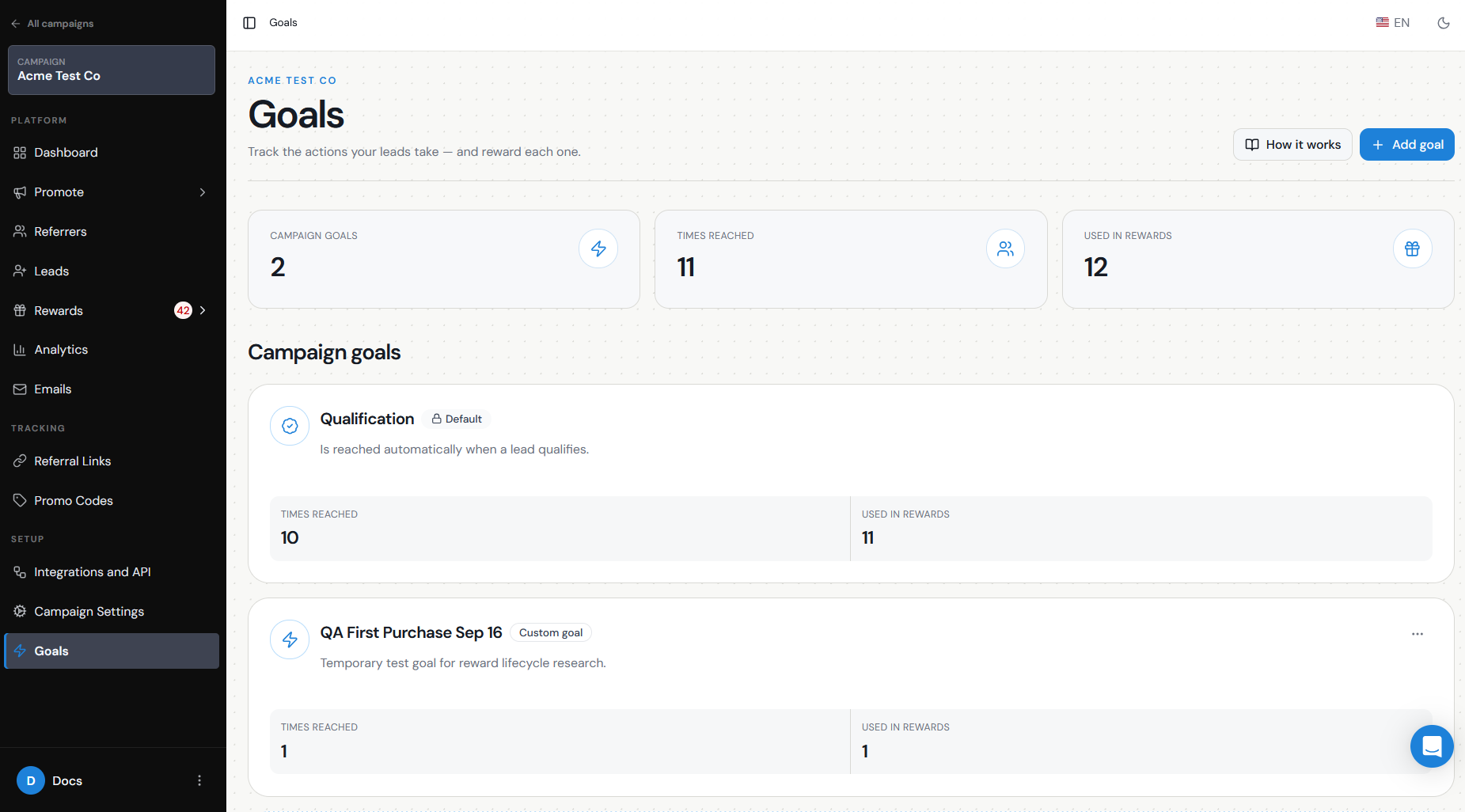
Once you have chosen the Goal you want to reward, create a Reward Rule and select that Goal as the trigger.
- Qualification — the default Goal in every campaign. For example, if you consider a referral successful when the Lead becomes a customer, you can reward the Referrer when that Lead is qualified.
- A Custom Goal — an additional action you want to track before qualification. For example, you could create a Meeting booked Goal and only reward the Referrer once the Lead books a meeting.
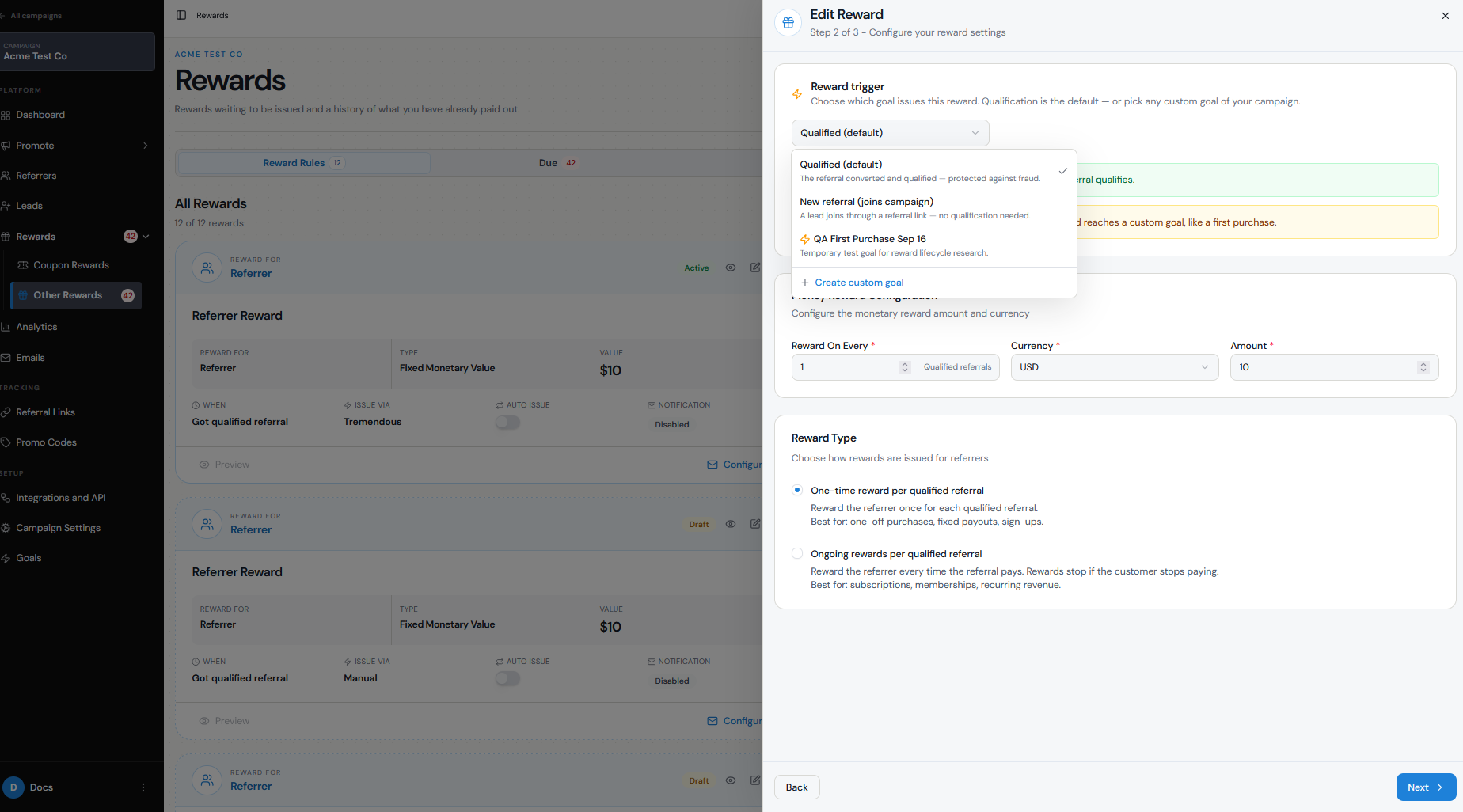
Configure the trigger, recipient, and reward
Go to Rewards → Rewards Rules → Add New Reward.
Choose:
Activate the Reward Rule when you are ready for it to start creating rewards.
The reward options the recipient can choose from are controlled by the Tremendous campaign you selected. Availability can vary depending on the recipient's country, currency, and the options enabled in Tremendous.
- Who receives the reward — the Referrer or the Lead. If you want to reward both, create a separate Reward Rule for each recipient.
- What triggers the reward — select Qualification or the Custom Goal the reward should be tied to.
- The reward value and settings — configure the amount, currency, and frequency that apply to the reward.
- Tremendous as the issuing method.
- The Tremendous campaign you want to use to deliver the reward.
Automatically issue the Tremendous reward
Turn on Auto Issue Rewards if you want the reward to be sent without someone on your team approving it first.
With Auto Issue enabled, the workflow can run automatically:
Goal reached → Reward created → Reward automatically issued → Tremendous handles delivery
If Auto Issue is turned off, the reward remains under Due Rewards until someone reviews and issues it manually.
Because automatic issuing can send real rewards and use funds from your Tremendous account, test the complete workflow before enabling it for a live campaign.
Can I delay or limit Tremendous rewards?
Referral Factory does not currently have an automatic timer that waits a specific number of days before issuing a reward.
If you need a review period — for example, to wait for a refund or cancellation window — leave Auto Issue Rewards turned off. The reward will remain Due until you are ready to issue it.
For example:
Goal reached → Reward becomes Due → Wait 30 days → Review conversion → Issue reward
You can also enable Reward Limit in the Reward Rule to set the maximum number of rewards a participant can earn from that rule.
Test your Tremendous reward before going live
Test the full journey before enabling automatic issuing:
- Create a test Referrer and Lead.
- Trigger the Qualification or Custom Goal connected to the reward.
- Confirm that the correct reward is created.
- Check that the correct person is receiving the reward.
- Confirm the reward value and Tremendous campaign.
- If Auto Issue is off, confirm that the reward appears under Due Rewards.
- Test issuing the reward and confirm that it appears under Issued Rewards.
- Only enable Auto Issue Rewards once you are confident that the Goal and reward rules are working as expected.
What happens if a Tremendous reward fails or the Goal is reversed?
If Referral Factory attempts to issue the reward but the process is unsuccessful, the reward can appear as Failed. Check the Tremendous connection, available funds, recipient details, and the reward configuration before retrying. Insufficient Tremendous funds or a disconnected integration are common causes of failed rewards.
If the Goal or conversion is later reversed, how you handle the reward depends on whether it has already been issued.
If the reward is still Due, you can cancel it before it is sent. If the reward has already been Issued through Tremendous, changing or reversing the Lead's Goal or qualification does not automatically recover the reward. Any reversal after issuing needs to be handled separately according to the options available through Tremendous.
This is why keeping rewards in Due for a review period can be useful when your business has refunds, cancellations, chargebacks, or other events that could invalidate a conversion.