
Need help applying this to your account?
Contact support and we will keep this article attached to your request.
When is a new Referral Factory Lead sent to Zapier?
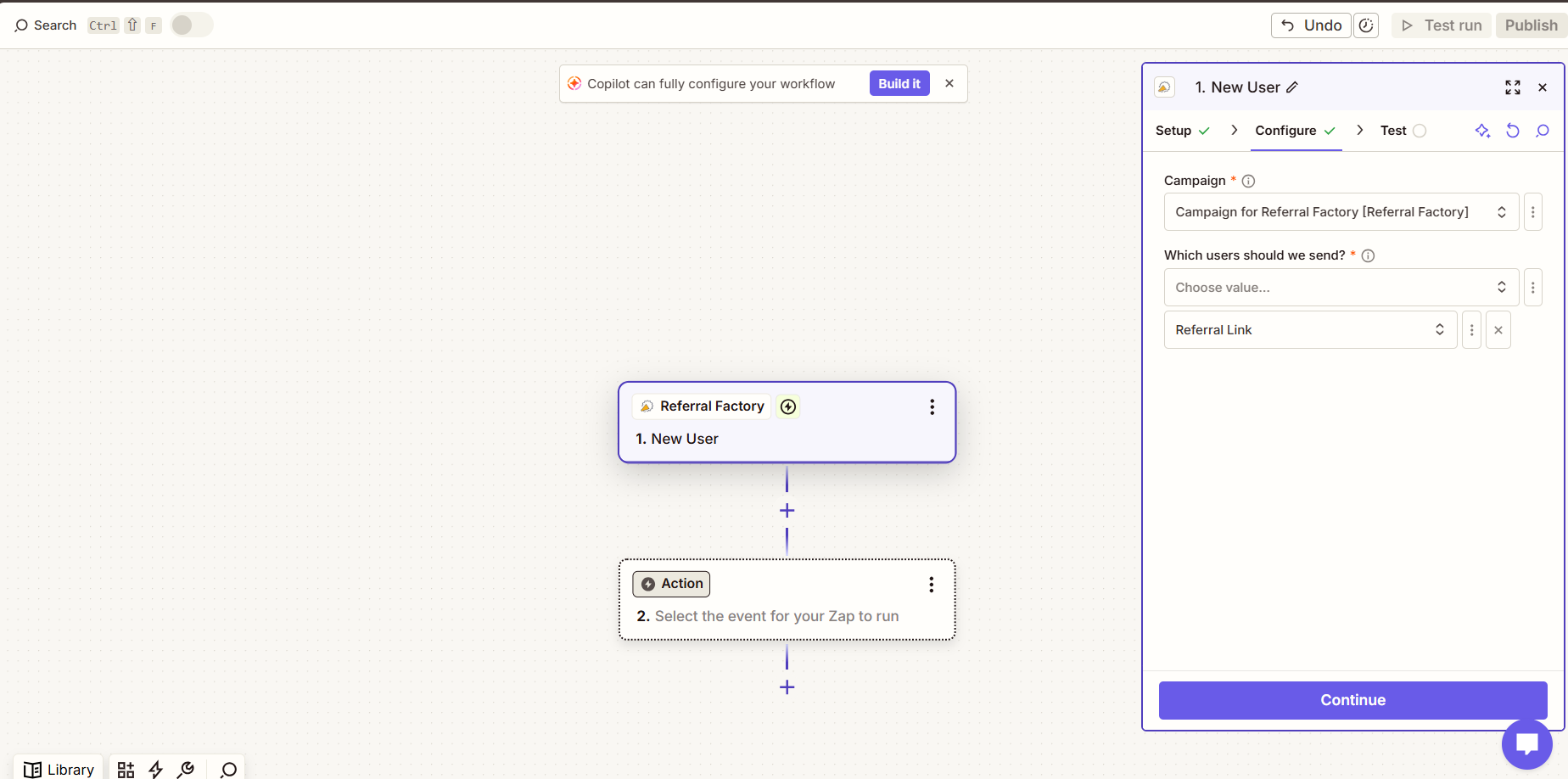
Create a Zap, select Referral Factory as the trigger app and choose New User. Connect the Referral Factory account and select the campaign that receives leads.
Under Which users should we send?, select Referral Link and/or Submitted, then test that the sample has New User Source set to Referral Link and/or Submitted. Add the CRM as the action app.
Zapier only monitors new trigger events after the Zap is published.
Which CRM record should I create or update?
The CRM action determines what happens next. Depending on the CRM, you might create or update a Contact, Lead, Person, Deal, Opportunity, Customer or another supported record.
Choose the record type your sales team already uses. Referral Factory supplies the lead data to Zapier but does not control the CRM record type.
Which fields should I map?
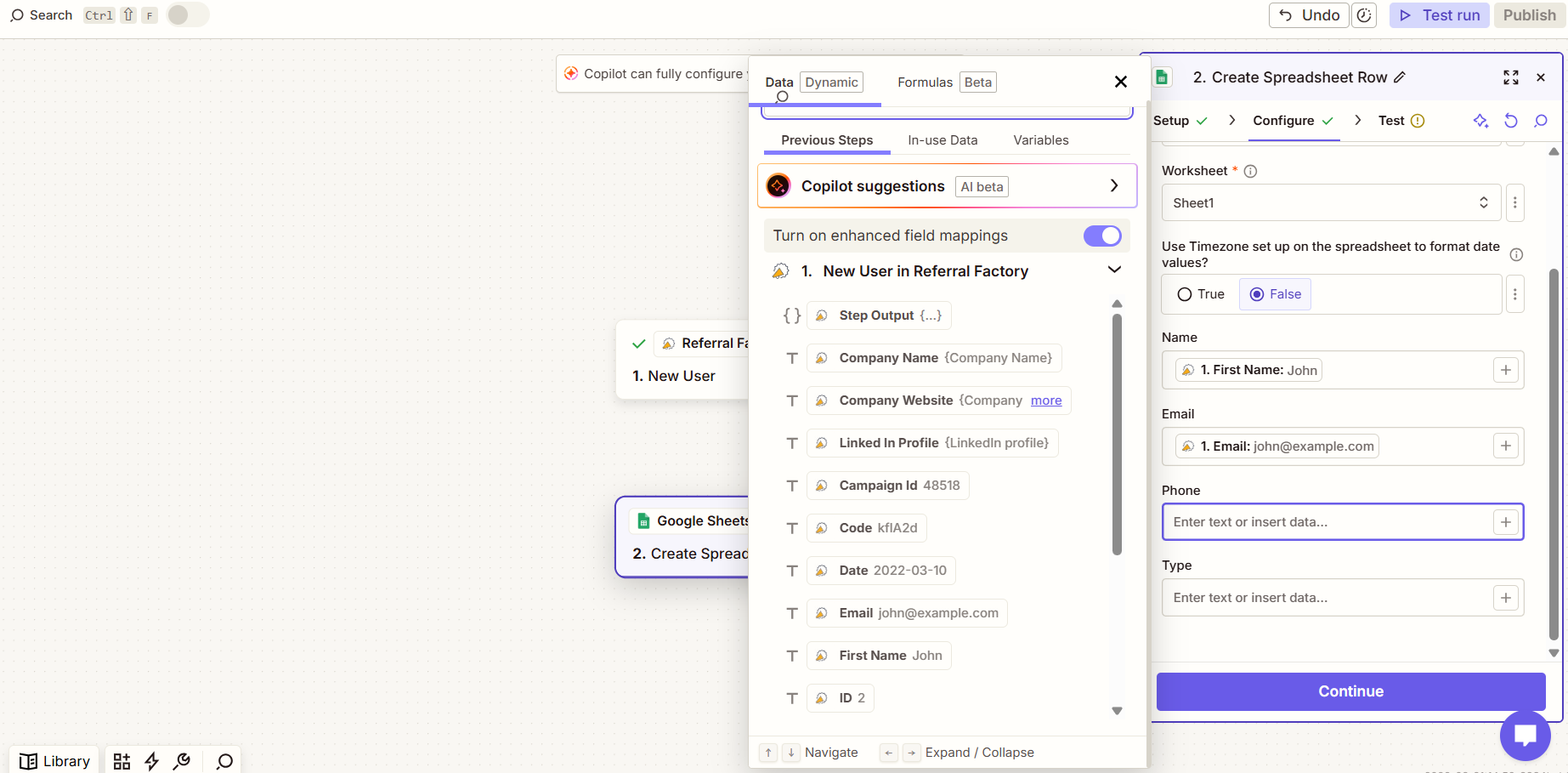
Map First Name and Email, then add any available information your workflow needs, such as last name, phone number, company, campaign name, referral link or other captured data.
Use dynamic values for information that changes per lead and fixed values for information that stays the same. The destination CRM decides which fields are required.
How are duplicates handled?
Duplicate handling is controlled by the CRM action selected in Zapier. Where possible, use Find Contact, Find or Create, or Create or Update before creating a new record.
Referral Factory cannot control duplicate records after the data has been sent to Zapier.
How do I test and troubleshoot the Zap?
Create a test lead with a unique email through a referral link, confirm the lead appears in Referral Factory, test the New User trigger, run the CRM action and confirm the correct record and fields.
If the Zap does not work, check Zap History, the selected campaign, user source, CRM connection and every required field.