
Need help applying this to your account?
Contact support and we will keep this article attached to your request.
How to Test Your Referral Program Before Going Live
Testing your referral program before going live is an important part of getting it ready to launch. Test the entire journey from beginning to end so you can catch issues with your pages, attribution, emails, qualification rules, how referral rewards are triggered, and how your integrations exchange data before real customers start using the campaign.
For the most accurate test, test each referral link in an incognito or private browsing window. Testing in your normal browser can interfere with the journey if you are already logged in to Referral Factory or have existing campaign cookies.
A pre-launch checklist: branding/content
Start by reviewing every customer-facing part of the campaign.
Check that:
Referral Factory lets you customize campaign pages, forms, branding, and automated emails, so review the complete customer-facing experience rather than only the first page.
- Your logo, colors, fonts, and images match your brand.
- Your offer is easy to understand.
- The benefit for the Referrer and, where applicable, the Lead is clear.
- Headlines, instructions, and CTA buttons tell people exactly what to do next.
- There are no placeholder images, unfinished copy, spelling errors, or outdated offers.
- Your Referral Link Page clearly explains the offer, includes the correct Lead form fields, and gives the Lead enough context before they continue. This is usually the first page a Lead sees after clicking a referral link, so use it to introduce your business, explain your products or services, highlight key benefits, share reviews or testimonials, and make the next step clear.
- Your Branded Referrer Portal, if you use one, clearly explains how Referrers can join, access their unique referral link, and track their referrals. It should also make the reward structure easy to understand, including what the reward is, how much it is worth, what action triggers it, and when the Referrer will receive it.
Referrer and Lead journeys
Test the campaign as both a Referrer and a Lead.
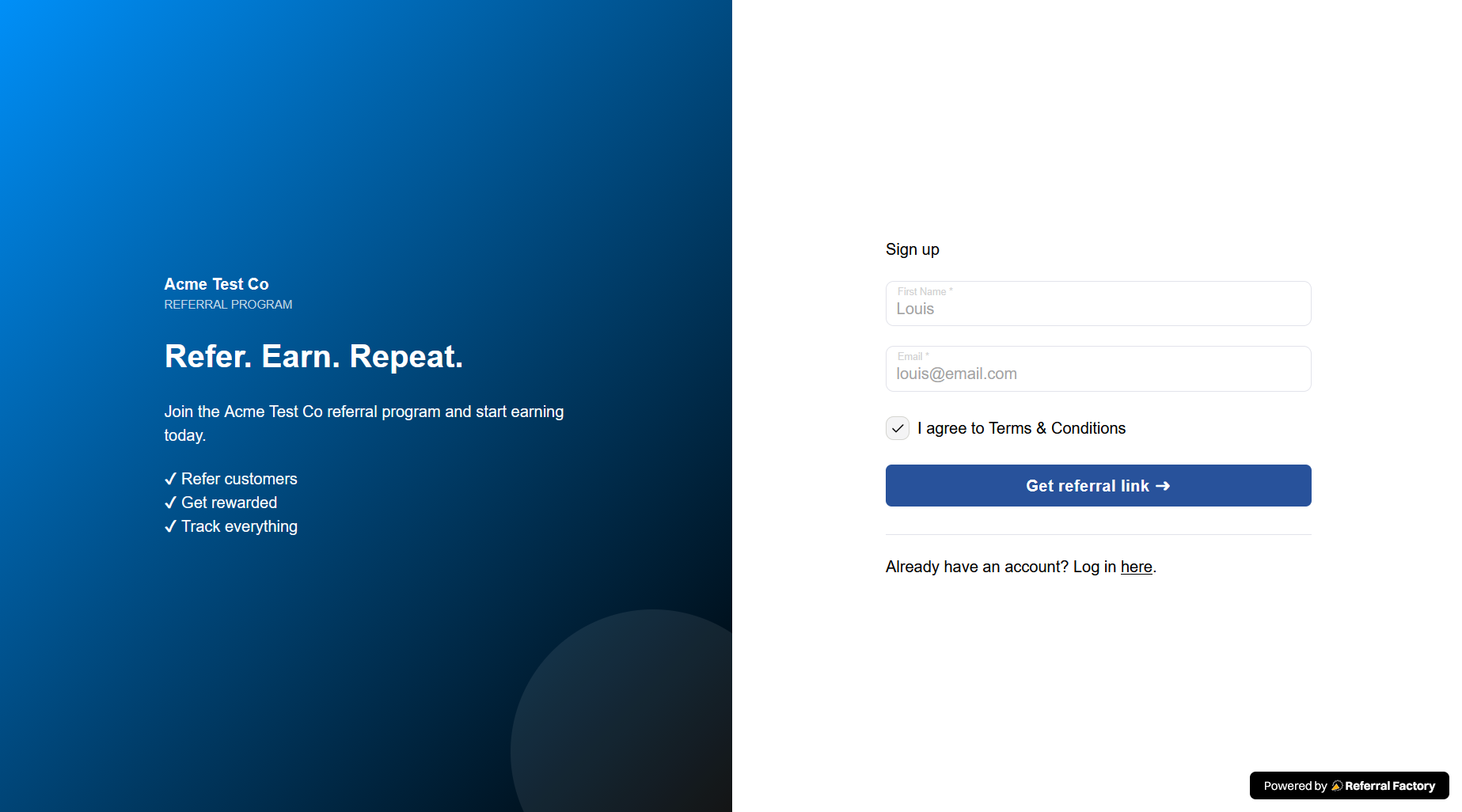
First, create a test Referrer. You can do this in one of two ways:
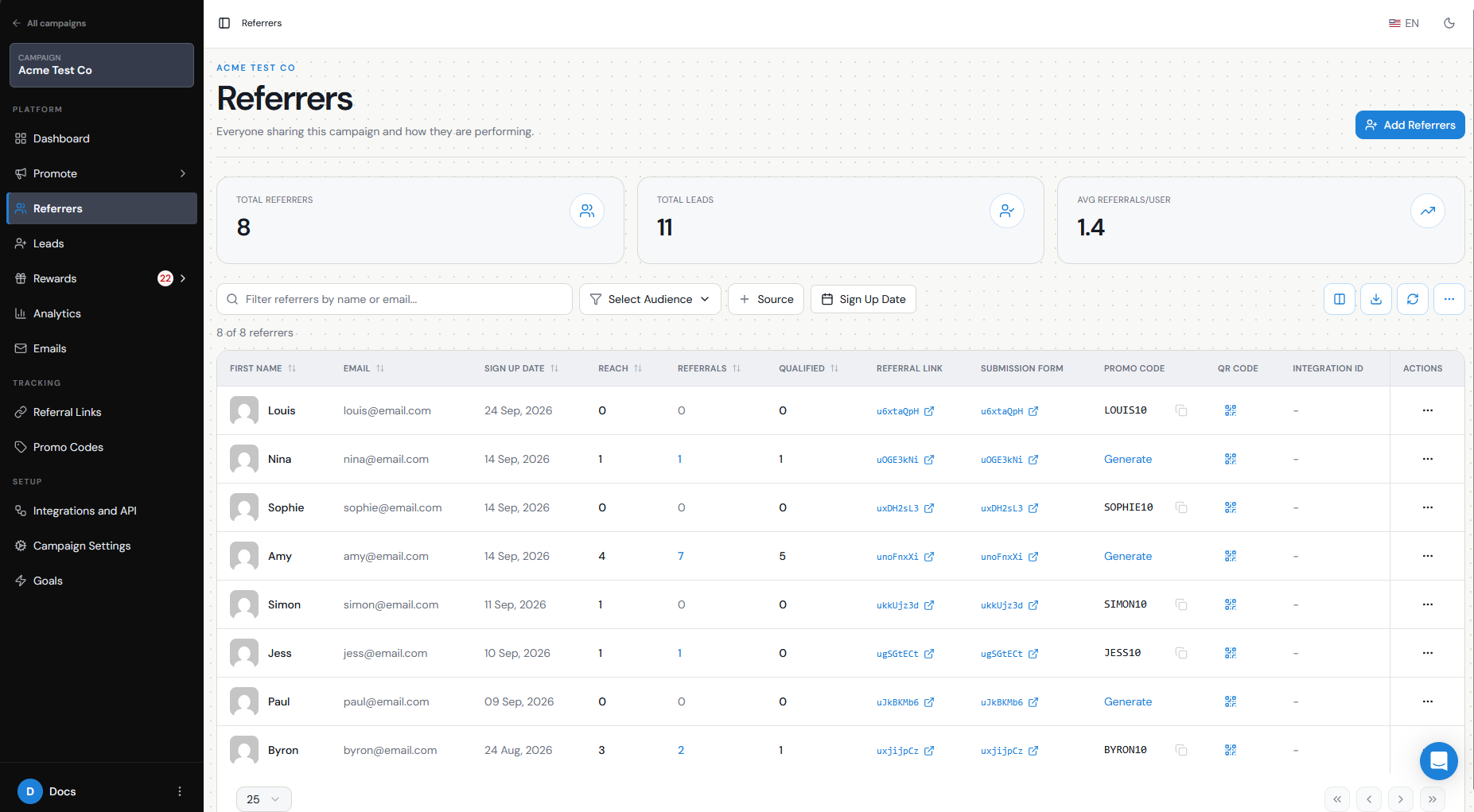
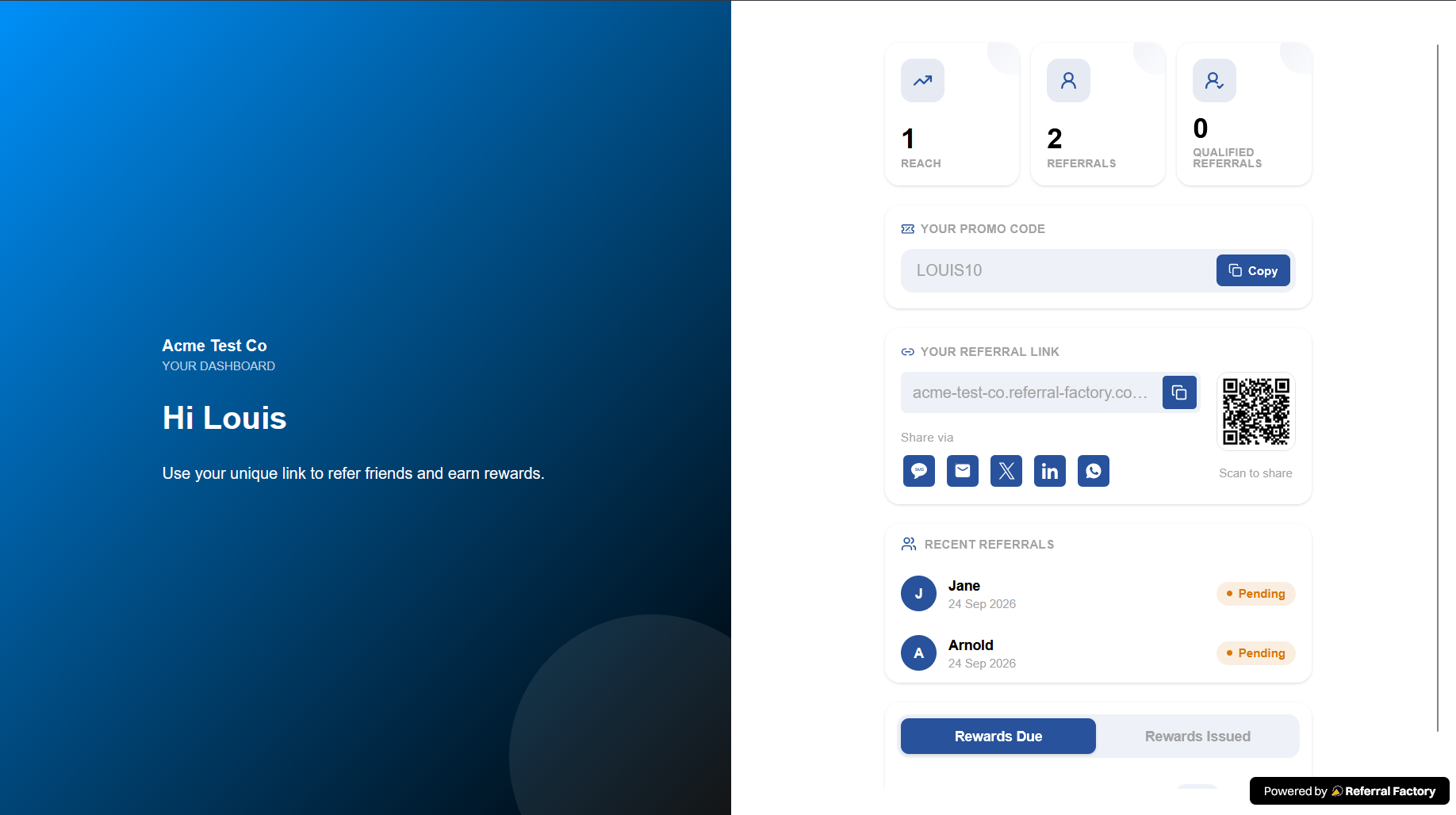
Then confirm that the test Referrer:
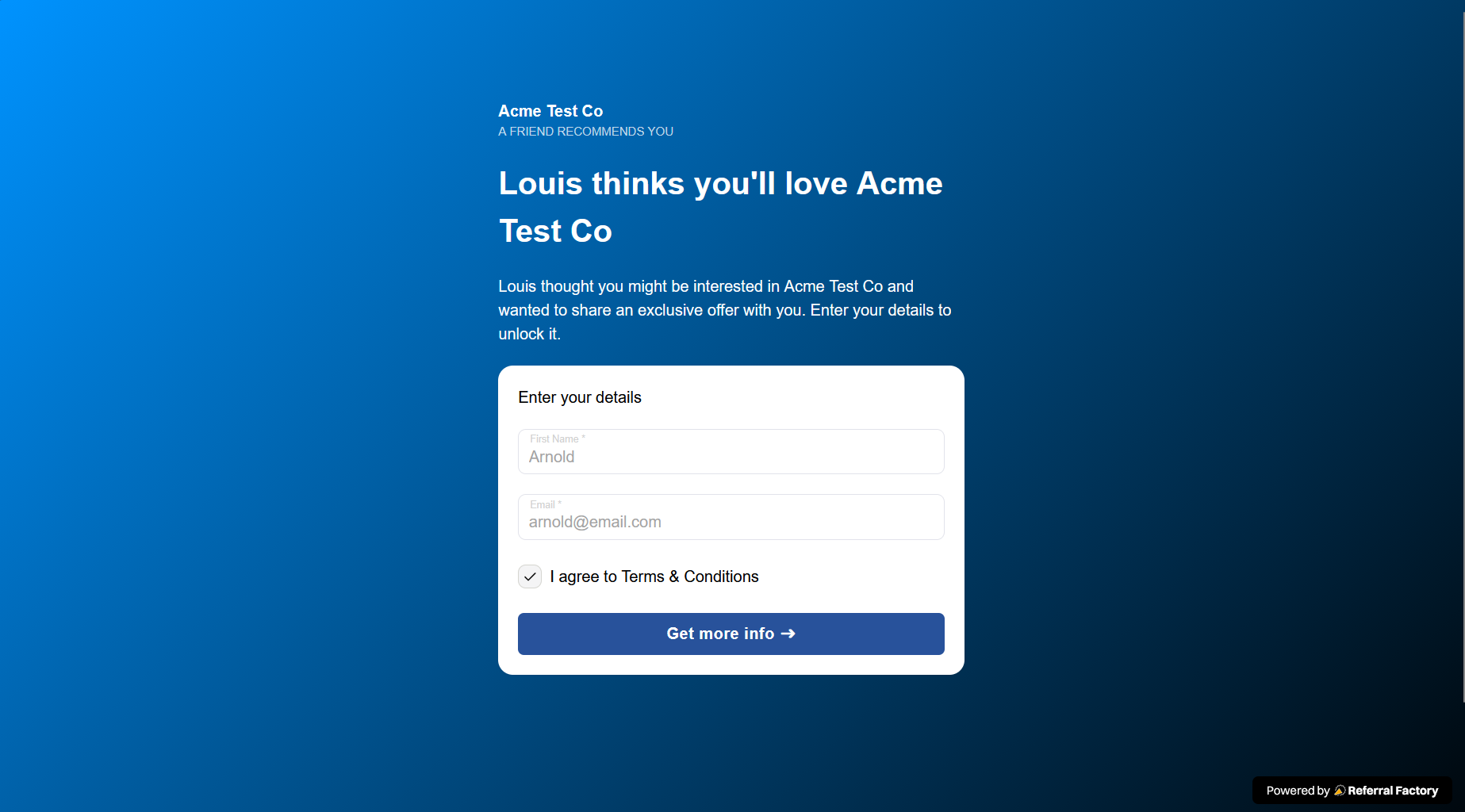
Then copy that Referrer’s link and open it in a new incognito/private window.
Submit the Referral Link Page using a different test email address. Confirm that:
Using different test email addresses is important because email addresses are used to identify users within a campaign. Plus addressing, such as name+referrer@company.com and name+lead@company.com, can make test records easier to identify.
- Sign up through the Branded Referrer Portal Open your portal as a customer would, complete the signup form using a test email address, and join the campaign as a Referrer.
- Add the Referrer manually Go to the Referrers section, choose Add Referrer, and enter the required details. First Name and Email are always required, along with any additional fields you have made mandatory on your Branded Referrer Portal.
- Appears correctly in the campaign.
- Receives their unique referral link.
- Can access the Branded Referrer Portal, if your campaign uses one.
- Can see their referral activity and reward information.
- Can find, copy, and share their referral link using the sharing options you have enabled.
- The correct Referral Link Page appears.
- The form submits successfully.
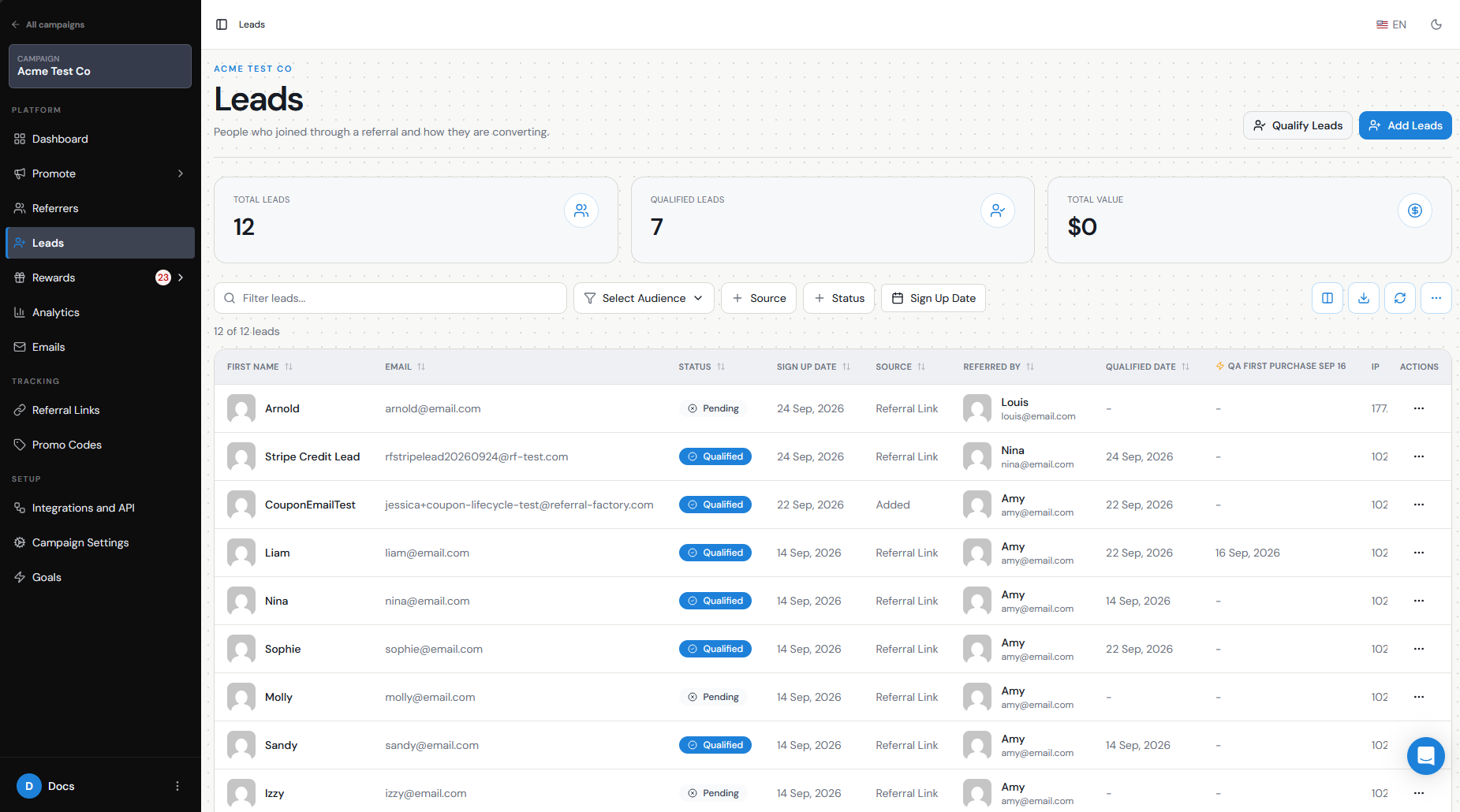
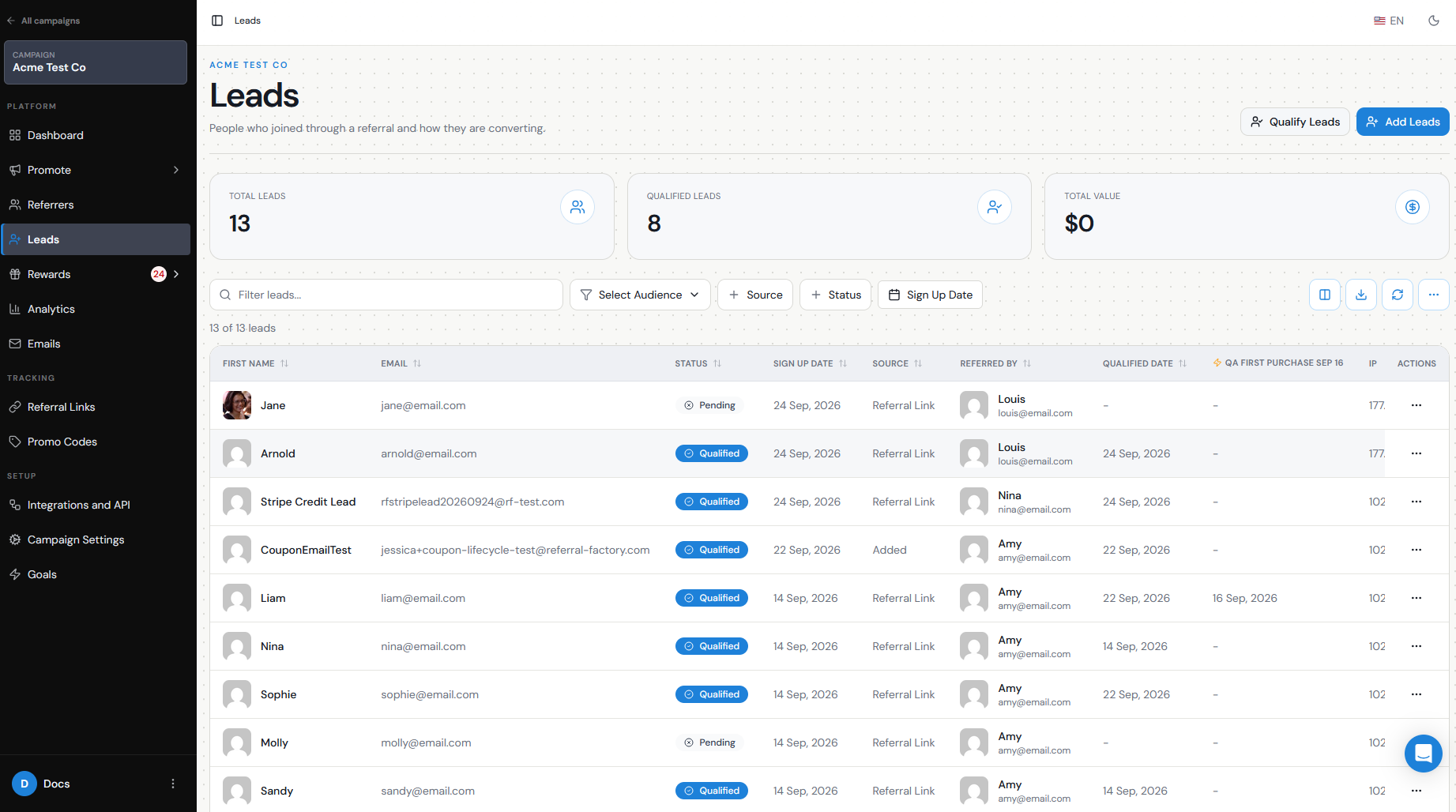
- The Lead appears in the Leads tab.
- The Lead initially shows as Pending.
- The correct Referrer appears under Referred By.
- The correct thank-you page or redirect appears after submission.
Sharing methods
Test the ways your Referrers will actually share the campaign.
Depending on your setup, this could include:
Open a shared link yourself and make sure it leads to the expected Referral Link Page.
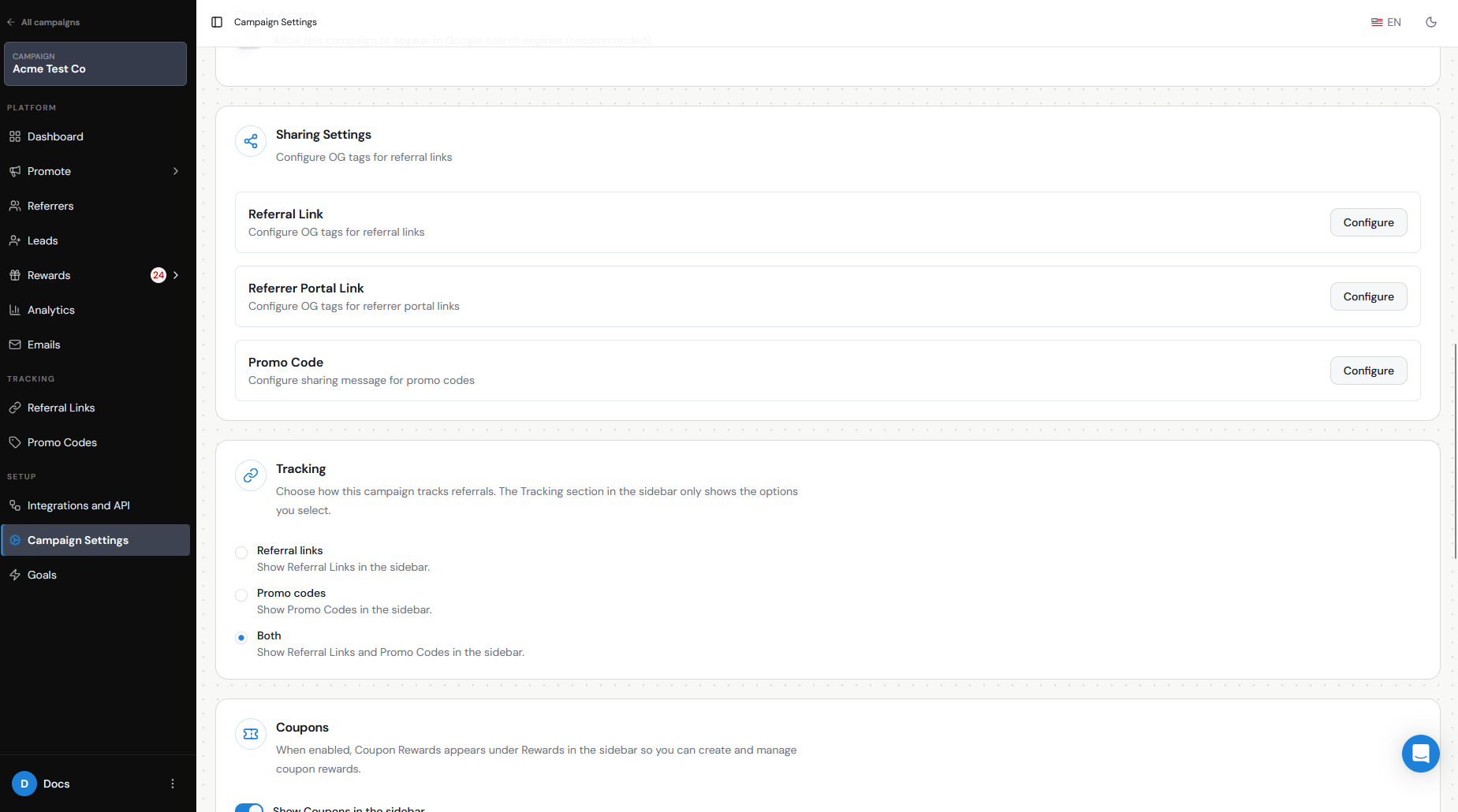
Also review your Sharing Settings, including the title, description, image, and message that appear when referral links are shared through social or messaging channels.
- Copying their referral link.
- WhatsApp or SMS.
- Social media sharing.
- Email.
- QR codes.
- Sharing from the Branded Referrer Portal.
- Links included in your own customer communications.
Emails
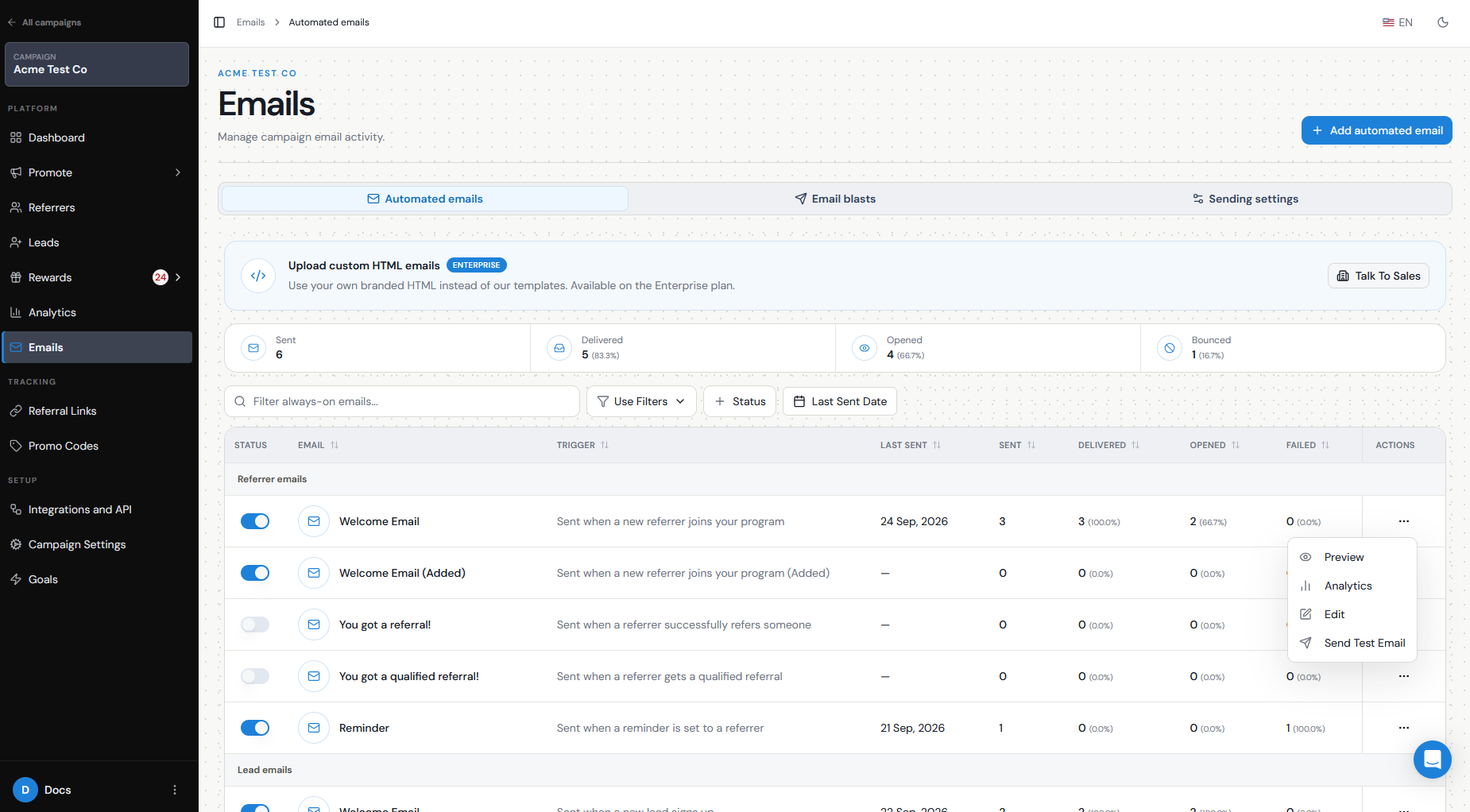
Review every automated email you plan to enable.
Use Preview and Send Test Email to check the formatting and content before launch. Confirm that personalization variables display correctly and that links and CTAs go to the right destination.
During your full referral test, also confirm that the expected real campaign emails are triggered. For example:
Only enable the templates you actually want customers to receive.
Also check that your campaign has been approved for email sending. New campaigns may require verification before Referral Factory emails can be sent.
- Does the Referrer receive the You have a new referral email, if enabled?
- Does the Lead receive the You've been referred email, if enabled?
- Does the Referrer receive the expected notification when the Lead qualifies?
- If a reward is issued, does the relevant reward notification arrive?
Attribution
One of the most important parts of your test is confirming that the correct Referrer receives credit.
When your test Lead submits the Referral Link Page, go to Leads and check the Referred By information.
The Lead should be attributed to the Referrer whose unique referral link you used. Referral Factory captures this relationship when the Lead enters through the referral link and submits their details.
Do not test attribution by simply visiting the link while logged into your normal Referral Factory session. Use an incognito/private browser window so your own session does not interfere with the test.
Qualification/Goals
Next, test the action that turns a Lead from Pending to Qualified.
If you qualify Leads manually, find your test Lead in Leads and use the action menu to qualify them. Confirm that their status changes to Qualified.
If you qualify Leads automatically through a CRM, Stripe, Zapier, Make, n8n, webhook, API, or another integration, complete the real qualification action you configured.
For example, if your CRM rule says a Lead qualifies when a Deal reaches a particular stage, move the test record to that stage and confirm that the corresponding Lead becomes Qualified in Referral Factory.
Testing the actual automation is important. Manually qualifying a Lead proves the reward flow works, but it does not prove that your automatic qualification rule is configured correctly.
Rewards
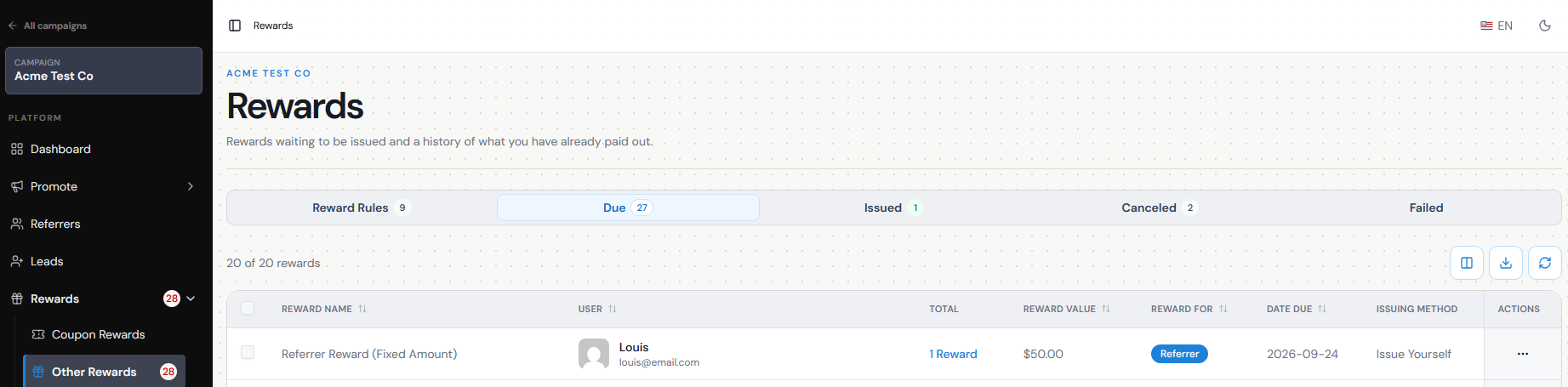
Use your test Lead to confirm that your reward rules behave as expected.
When the Lead becomes Qualified, check whether the correct reward is created for the correct recipient.
Confirm:
A reward is typically evaluated when a Lead becomes Qualified, so testing qualification and rewards together gives you a much more realistic pre-launch test.
If your reward has real monetary value, be careful when testing automatic issuing so you do not accidentally send a real reward to a test recipient.
- The correct person is being rewarded — Referrer, Lead, or both.
- The correct reward rule is triggered.
- The amount or reward type is correct.
- The reward moves to the expected status.
- If Auto Issue is enabled, automatic issuing behaves as expected.
- The correct reward email is sent, if enabled.
Integrations
If your campaign connects to a CRM or another system, do not stop your test inside Referral Factory.
Complete a real test journey and then check the connected platform.
Confirm that:
When testing a CRM integration, use unique test email addresses and check the correct CRM object or module. Some CRM updates can take time to appear, so allow for processing before assuming the connection has failed.
If your workflow uses Zapier, Make, n8n, webhooks, or the API, test the complete automation rather than only checking that the connection exists.
- The Referrer or Lead is created or updated in the correct CRM record type.
- Mandatory fields are populated.
- Optional field mappings contain the expected data.
- Fixed and dynamic values are being sent correctly.
- Duplicate rules behave as expected.
- Referral information, such as the Referral Link, is stored in the intended CRM fields.
- Your qualification rule sends the qualification back to the correct Referral Factory Lead.
Mobile testing
Test the campaign on an actual mobile device as well as desktop.
Referral links are often shared through messaging apps, email, or social media, so a large part of the referral journey may happen on a phone.
Check:
Pay particular attention to whether the offer and CTA are immediately understandable without excessive scrolling.
Referral Factory also provides device previews in its page builders, but testing the live campaign on a real phone gives you the best view of the actual customer experience.
- The Referral Link Page.
- The Branded Referrer Portal.
- Form fields and dropdowns.
- Images and videos.
- CTA buttons.
- Sharing buttons.
- Thank-you pages or redirects.
- Any external page the Lead reaches after submitting.
Privacy/terms
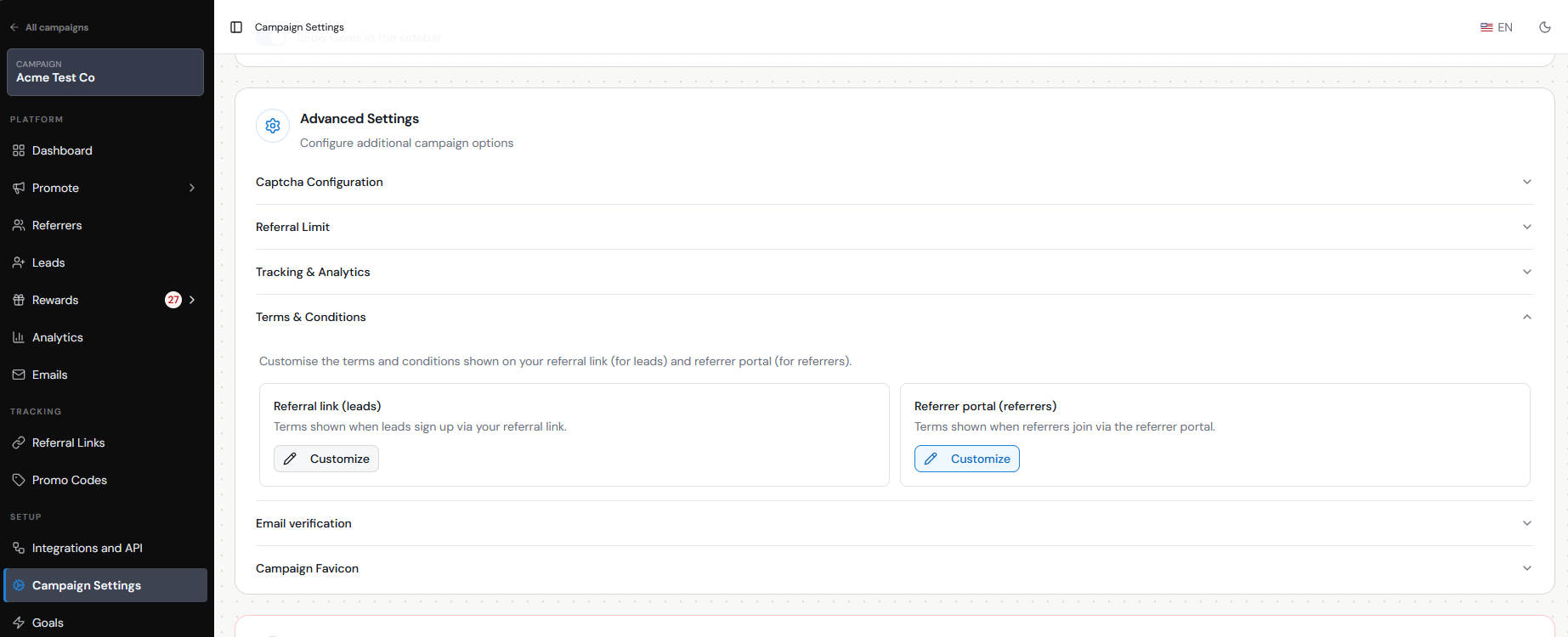
Review the Terms & Conditions shown as part of your referral program before launch.
Your terms should accurately explain how your program works, including relevant eligibility rules, qualification requirements, rewards, restrictions, and other conditions specific to your business.
Referral Factory allows you to use its generated Terms & Conditions or link to your own on the Referral Link Page.
Also review any privacy, consent, or marketing language required for the information you collect and the communications you plan to send. Make sure the form only asks for information you actually need and that your own privacy practices meet the requirements that apply to your business.
Test data cleanup
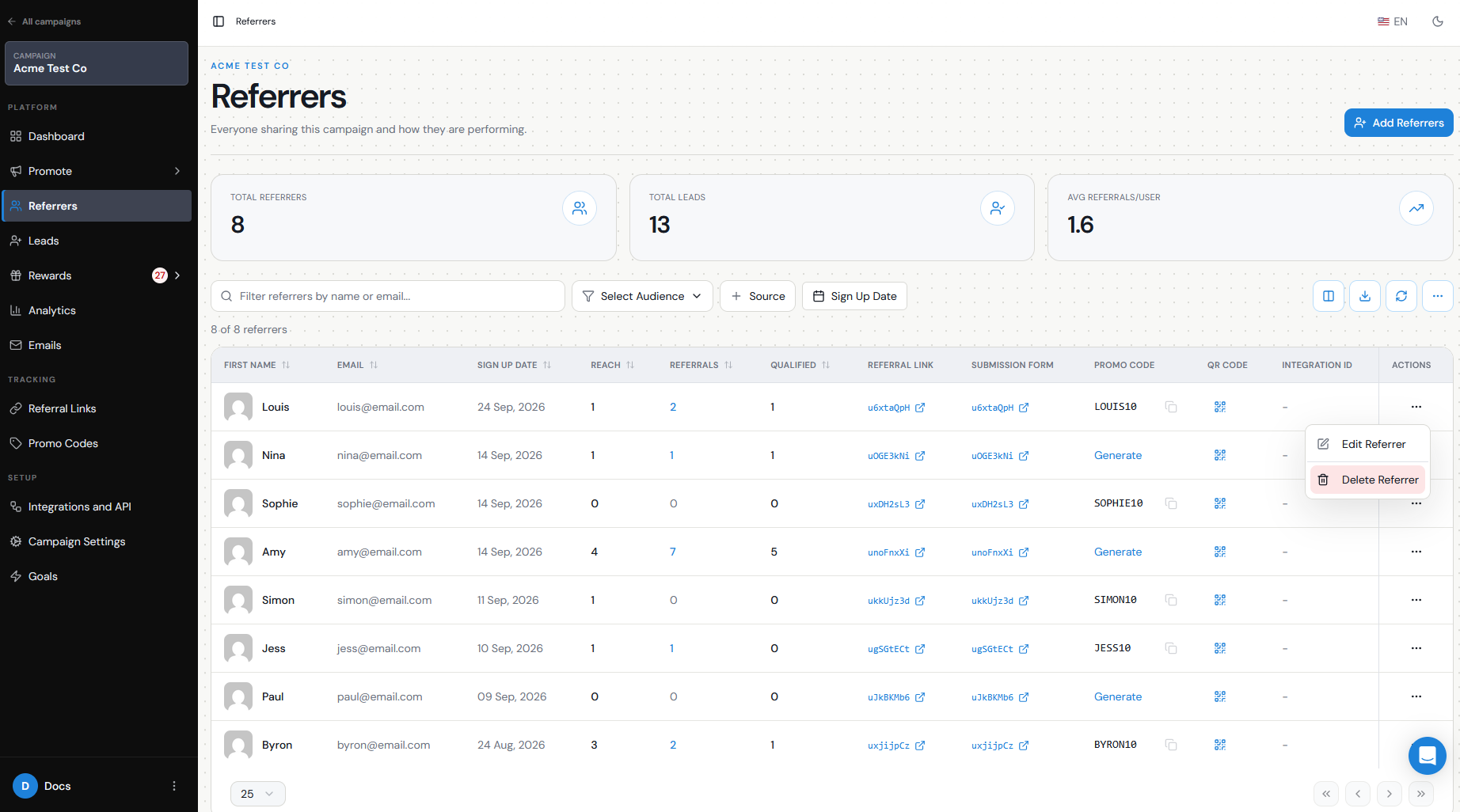
Once testing is complete, review the test Referrers, Leads, qualifications, and rewards you created.
You may want to remove test records so they do not affect your live reporting.
Be careful when deleting a Referrer: deleting a Referrer is permanent, their referral link stops working, and Leads attributed to that Referrer lose their attribution. Pending rewards can also be affected.
If your testing also created records in your CRM or another connected platform, clean up those test records there as well.
If you use the Referral Factory API for your workflow, the API also supports deleting users programmatically.
Promotion plan
Finally, decide how customers will discover your referral program once it goes live.
Building and testing the campaign is only the first step. Referrers need to know the program exists and have an easy way to join or access their referral link.
Before launch, decide which promotion methods you will use, such as your:
Referral Factory provides multiple promotion tools, and you do not need to use all of them. Choose the channels that match where your customers already interact with your business.
Once you have tested the Referrer → Lead → attribution → qualification → reward journey and confirmed that your promotion channels are ready, your campaign is ready to start reaching real customers.
- Branded Referrer Portal
- Customer emails or newsletters
- Referral links added to existing customer communications
- Website Widget
- On-Click Pop Up
- SMS or messaging channels
- Social media
- In-product or logged-in customer experience