
Need help applying this to your account?
Contact support and we will keep this article attached to your request.
Overview
Yes. Turn on an account notification to get an email when you have a new referral.
This notification is for you and your team. It is separate from the campaign emails sent to referrers and leads.
Can Referral Factory notify me when a new referral arrives?
Yes. Turn on the account notification for new referrals.
What event triggers the new-referral notification?
The notification is sent when a new lead is created in your campaign.
For example, when someone submits their details on the Referral Link Page, Referral Factory creates them as a new lead and sends you an email if the notification is enabled.
You do not need to wait for the lead to become qualified. Qualification is a separate stage with its own notification.
Who can receive the notification?
Account notifications are sent to the email address linked to your Referral Factory account.
You can also add a second email address for these notifications.
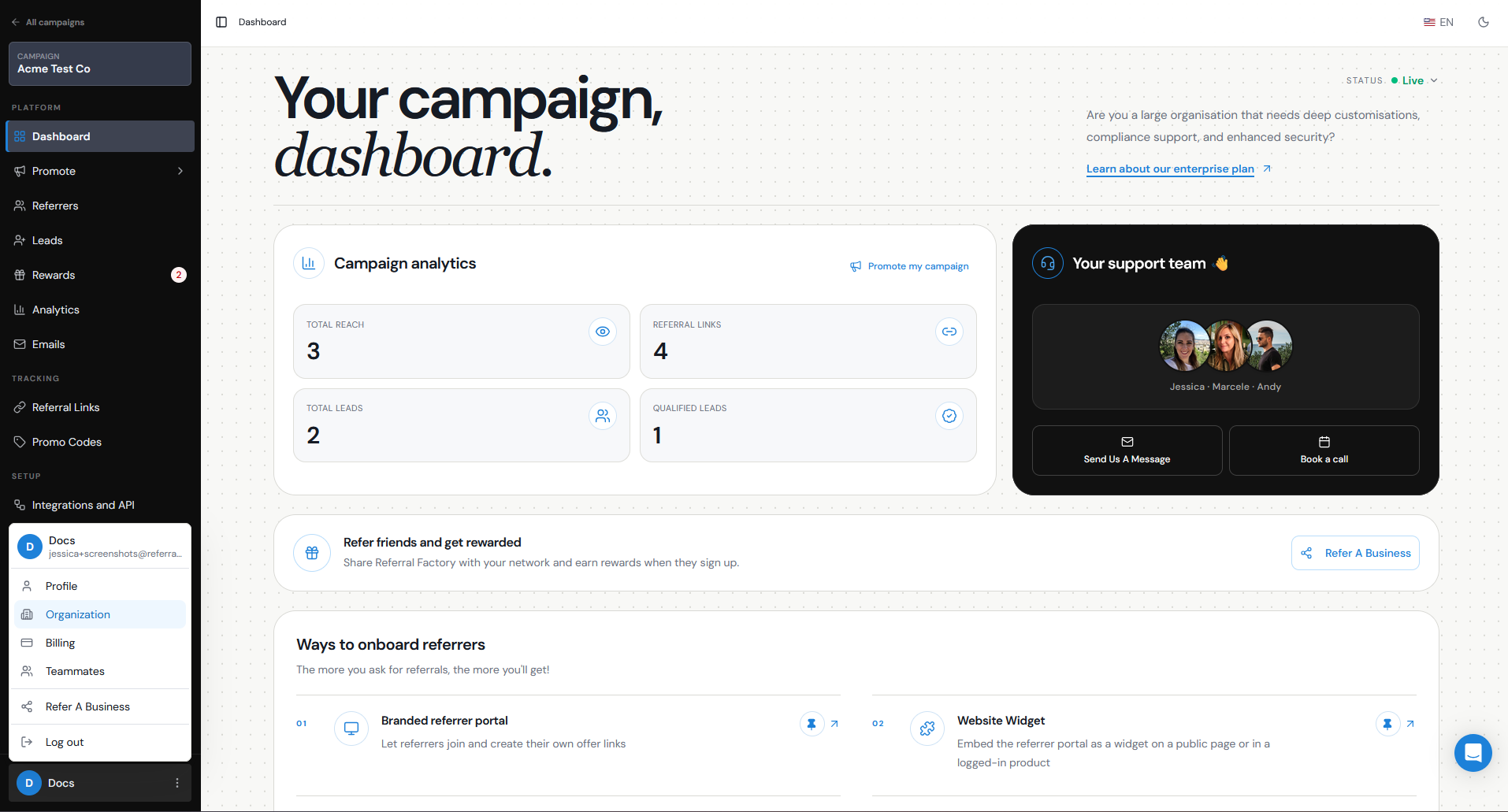
To add a second notification email:
Step 1
Click your name at the bottom left of the dashboard.
Step 2
Go to Organization.
Step 3
Find the Second Email field.
Step 4
Enter the second email address you want to receive notifications.
Step 5
Save your changes.
What information is included in the email?
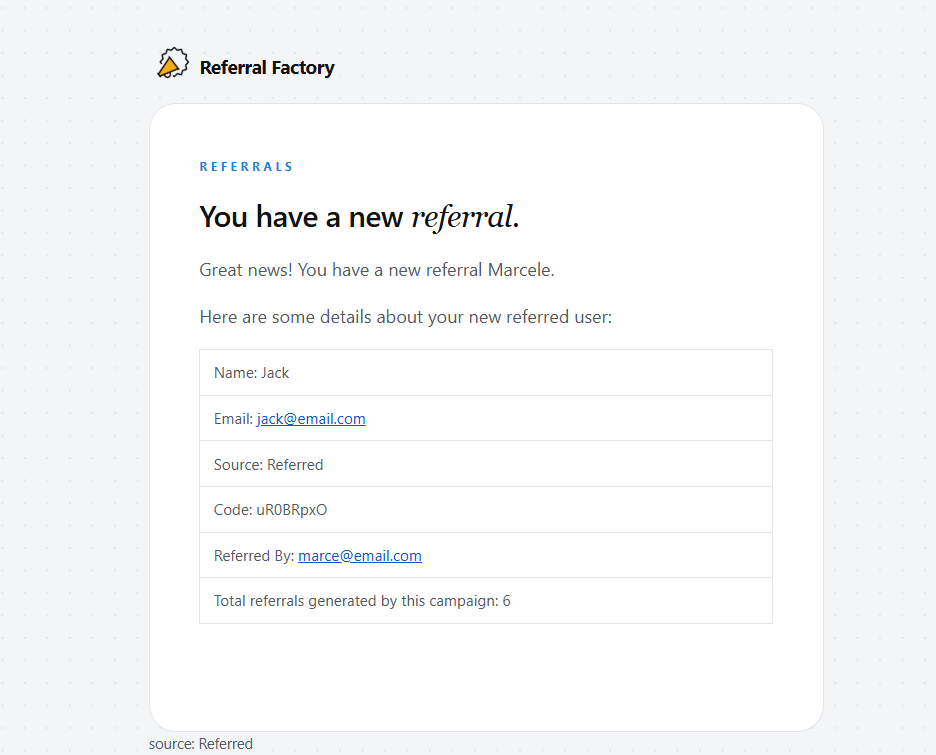
The email includes key details about the lead and the referral.
The email can include:
- The lead’s name
- The lead’s email address
- The source of the referral
- The referral code
- The email address of the referrer
- The total number of referrals generated by the campaign
How do I turn the notification on or off?
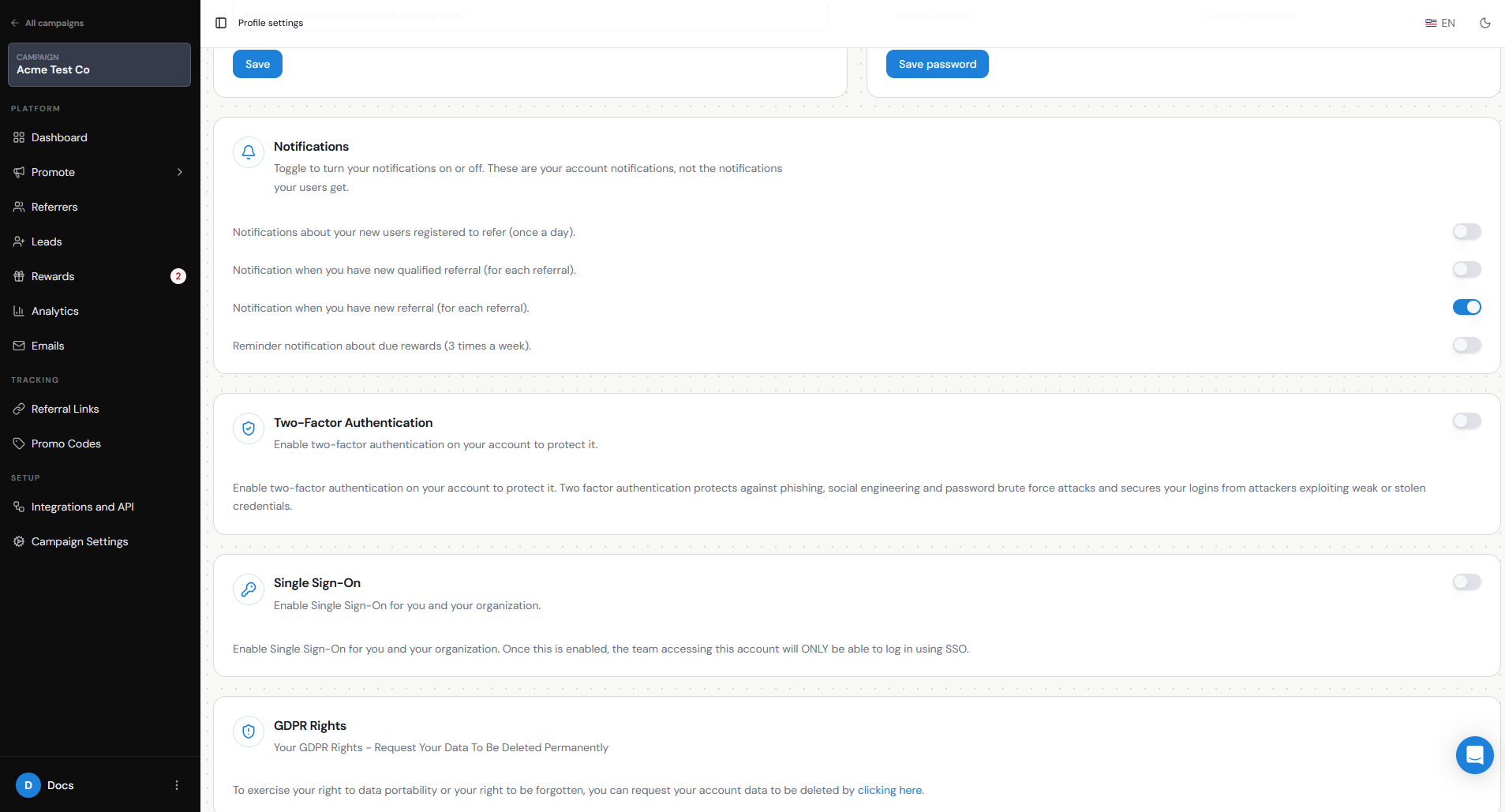
Manage account notifications from Profile settings.
This setting only affects the notification sent to you. It does not turn off emails sent to referrers or leads.
Step 1
Click your name at the bottom left, select Profile, and scroll to Notifications.
Step 2
Turn on Notification when you have new referral (for each referral) if you want to receive an email when a referral arrives, or turn it off if you no longer want to receive these emails.
Step 3
Save your changes.
How is this different from emails sent to Referrers or Leads?
The new-referral notification is for you as the person running the referral program.
Emails sent to referrers and leads are campaign emails that you manage separately under Emails.
For example, a referrer can receive a “You got a referral!” email while the new lead receives a welcome email.
The same referral can send separate emails to you, the referrer, and the lead. Each is managed separately.
This is an account alert for your team. To manage customer-facing messages, review the campaign emails Referral Factory can send and how to configure automated notifications and reminders.