Read this page as a quick path: scan the headings, use the step blocks, and escalate if the expected result does not happen.
Need help applying this to your account?
Contact support and we will keep this article attached to your request.
Referral Factory supports both outbound webhooks (events sent from Referral Factory to your systems) and inbound webhooks (events sent from your systems to Referral Factory to trigger qualification).
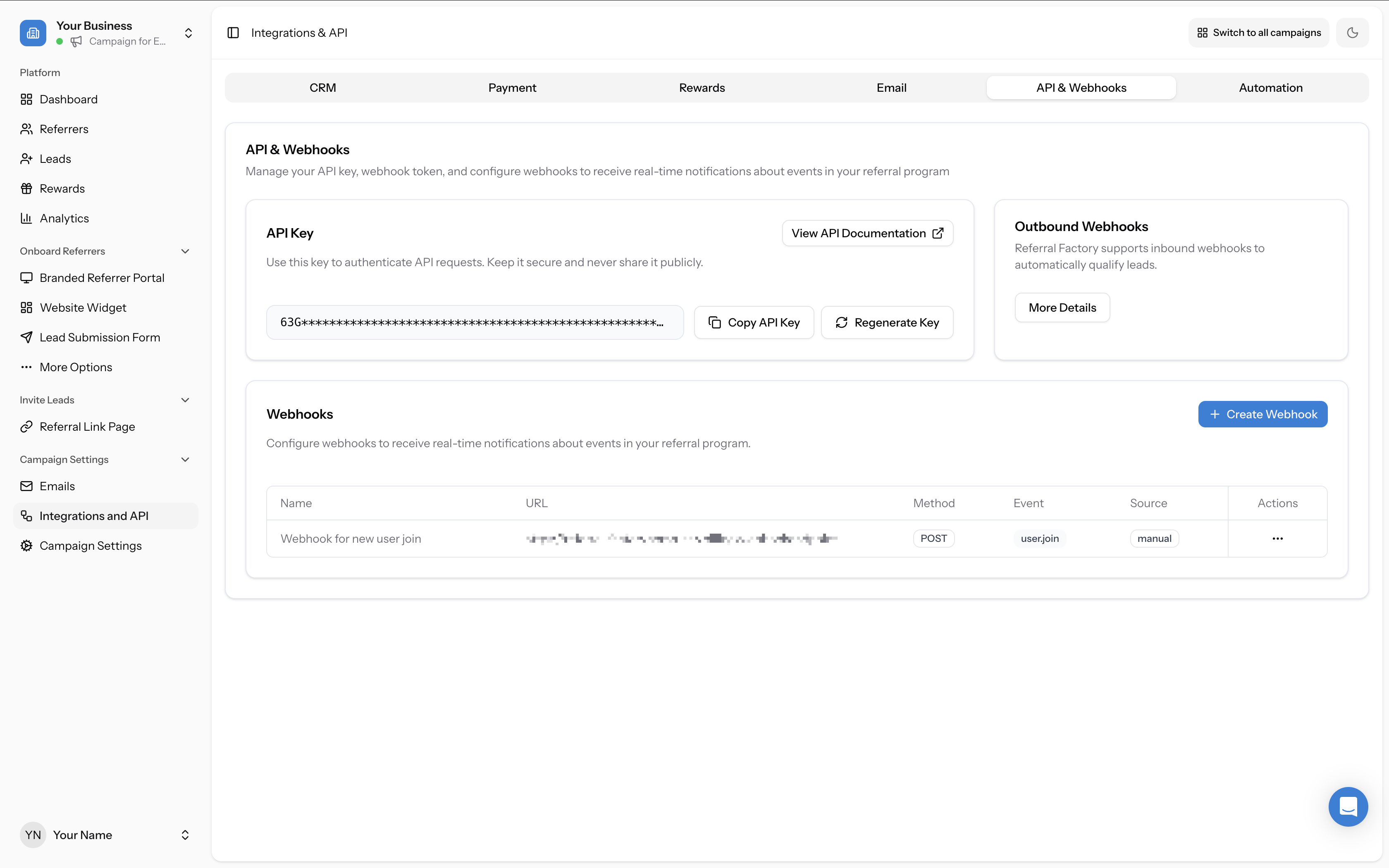
All webhook configuration is done in Campaign Settings → Integrations and API → API & Webhooks tab.
Outbound webhooks (Referral Factory → your system)
Referral Factory supports inbound webhooks to automatically qualify leads. The Outbound Webhooks section on the API & Webhooks tab lets you configure webhook endpoints to receive real-time notifications when events happen in your campaign, such as:
- A new referrer joins
- A new lead is created
- A lead is qualified
- A reward is issued
Creating a webhook
Click + Create Webhook in the Webhooks section to configure a new outbound webhook. The Create Webhook form includes the following fields:
The form also shows the Webhook Data Fields — the available fields that will be sent in the webhook payload. The payload includes recipient data (ID, first name, referral code, email, source, referral link, and joined-at timestamp), campaign data (campaign ID and name), and referrer data.
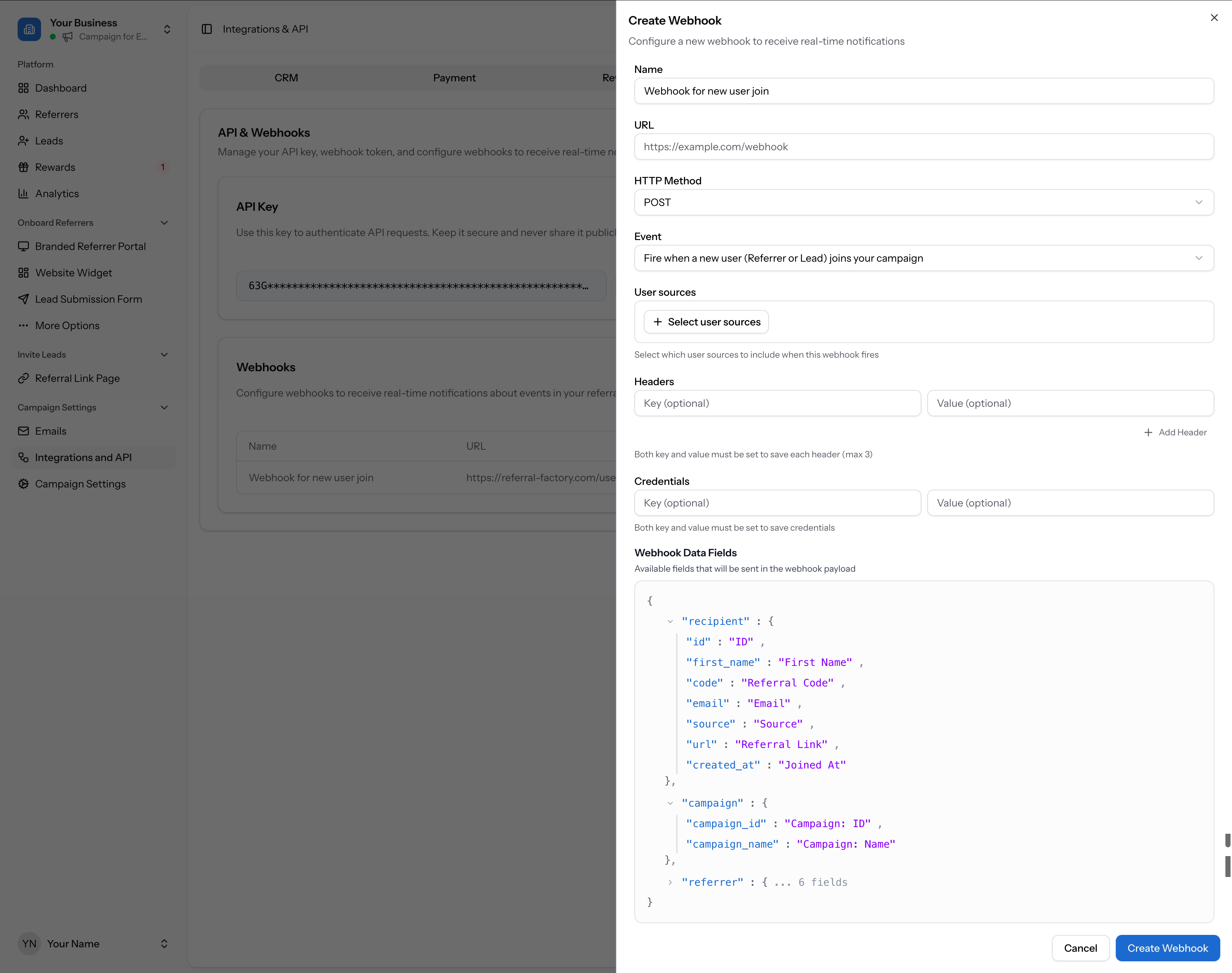
Click Create Webhook to save. Your webhook will appear in the Webhooks list and begin firing when the selected event occurs.
- Name — a descriptive name for your webhook (e.g. "Webhook for new user join")
- URL — the endpoint URL where Referral Factory will send POST requests (e.g. https://example.com/webhook)
- HTTP Method — the request method (defaults to POST)
- Event — choose the event that triggers this webhook (e.g. "Fire when a new user (Referrer or Lead) joins your campaign")
- User sources — select which user sources to include when this webhook fires
- Headers — optional key-value pairs to include in the request headers (max 3)
- Credentials — optional key-value pairs for authentication credentials
Managing existing webhooks
All your configured webhooks are listed in the Webhooks table on the API & Webhooks tab. Each row shows the webhook's name, URL, HTTP method, event, source, and an actions menu.
To edit or delete an existing webhook, click the three-dots action menu on the webhook row:
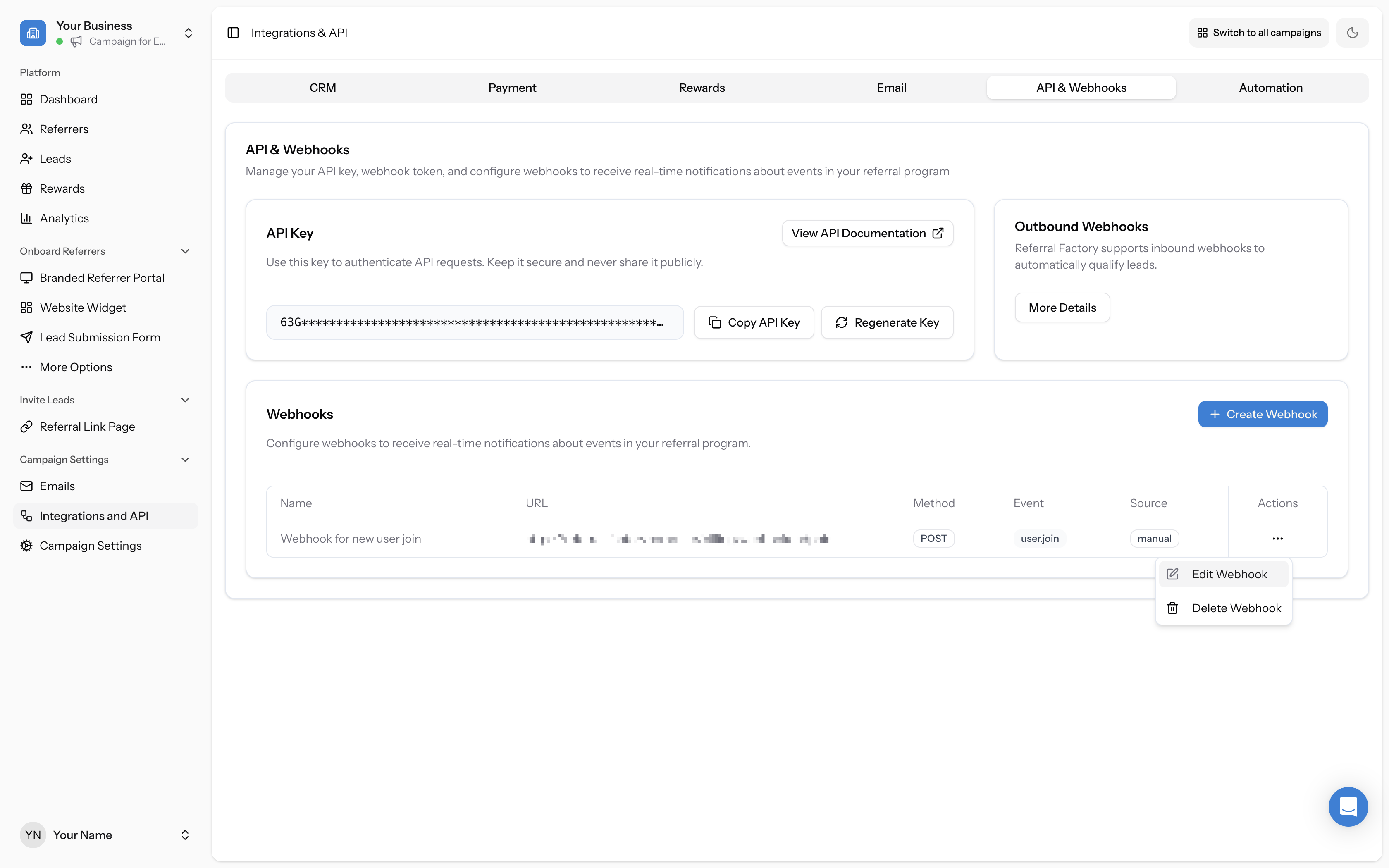
- Edit Webhook — update the name, URL, method, event, or other settings
- Delete Webhook — permanently remove the webhook (this cannot be undone)
Inbound webhooks (your system → Referral Factory)
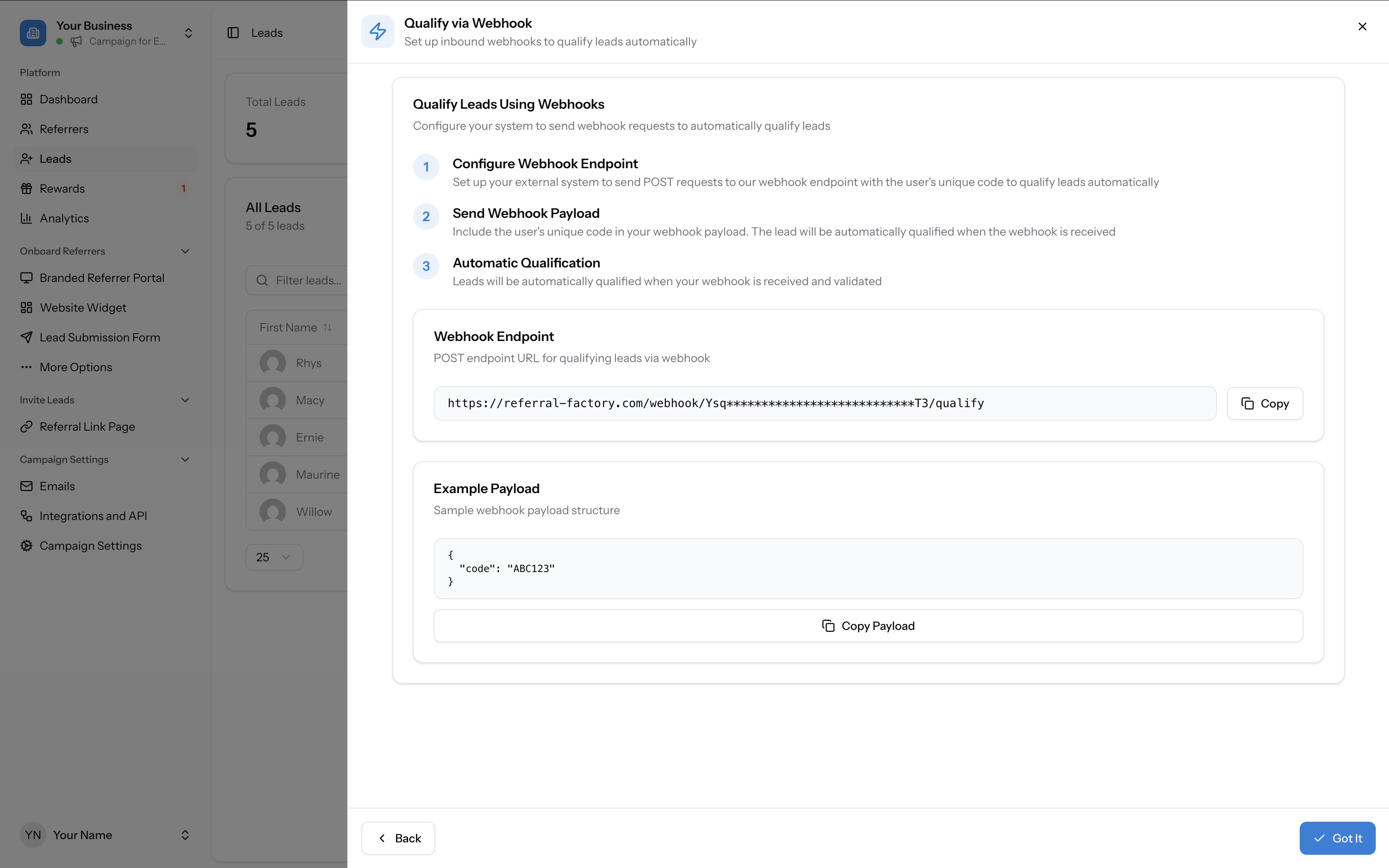
Use an inbound webhook to push qualification signals from your system to Referral Factory without building a full API integration. Your inbound webhook URL is shown in the Qualify via Webhook modal, accessible from the Leads tab.
When your system makes a POST request to the webhook endpoint with the lead's unique referral code, Referral Factory qualifies the lead automatically.