Read this page as a quick path: scan the headings, use the step blocks, and escalate if the expected result does not happen.
Need help applying this to your account?
Contact support and we will keep this article attached to your request.
You can import contacts from Intercom into your Referral Factory campaign as referrers. The sync wizard lets you choose which contacts to import, map fields in both directions, and select between a one-time or ongoing sync.
Before you start
Connect Intercom in Campaign Settings → Integrations and API → CRM tab. See How to connect Intercom to Referral Factory for full instructions.
Step 1: Open the sync wizard
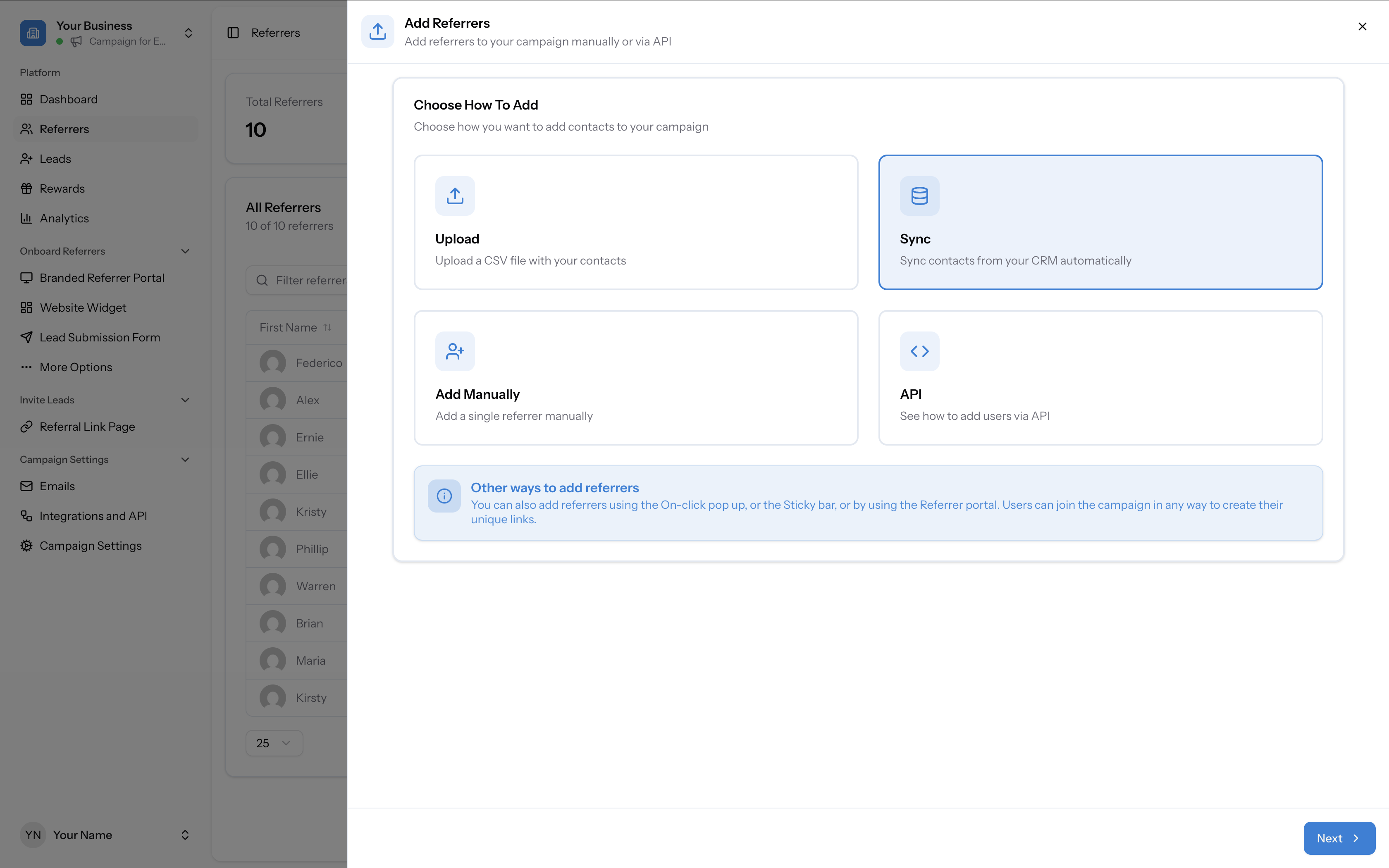
Go to your campaign’s Referrers tab and click Add Referrers. In the modal, select Sync to sync contacts from your CRM automatically.
Step 2: Choose Intercom
On the Sync from Integration page, select Intercom as the source.
Step 3: Select which contacts to sync
Under Select Intercom Contact Type, choose:
If you choose A specific segment, select the segment from the dropdown.
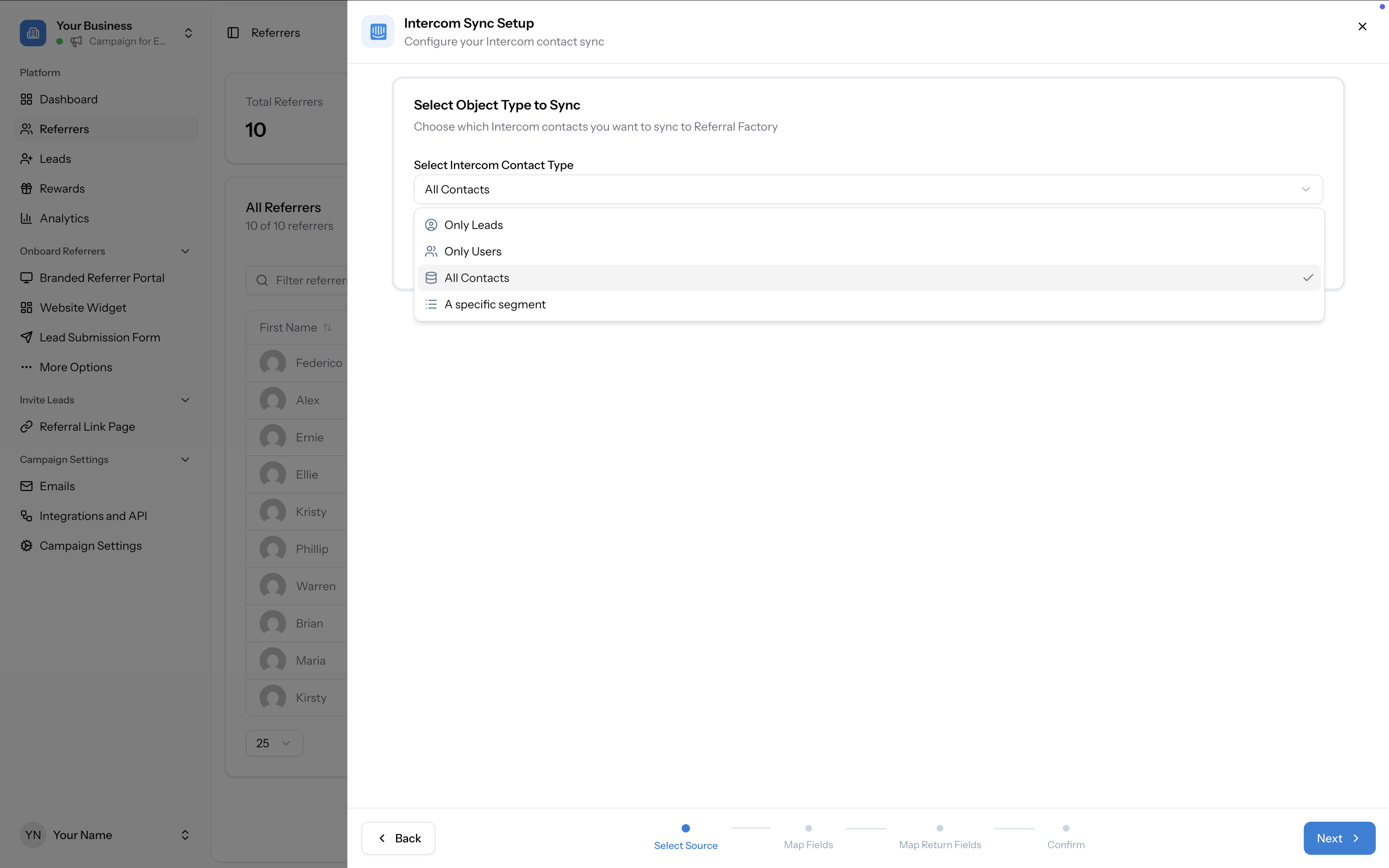
- Only Leads — Sync only lead records
- Only Users — Sync only user records
- All Contacts — Sync all Intercom contacts
- A specific segment — Sync contacts from a single Intercom segment
Step 4: Map Intercom fields to Referral Factory
Map the fields from Intercom to Referral Factory. Required fields are marked with an asterisk.
For example:
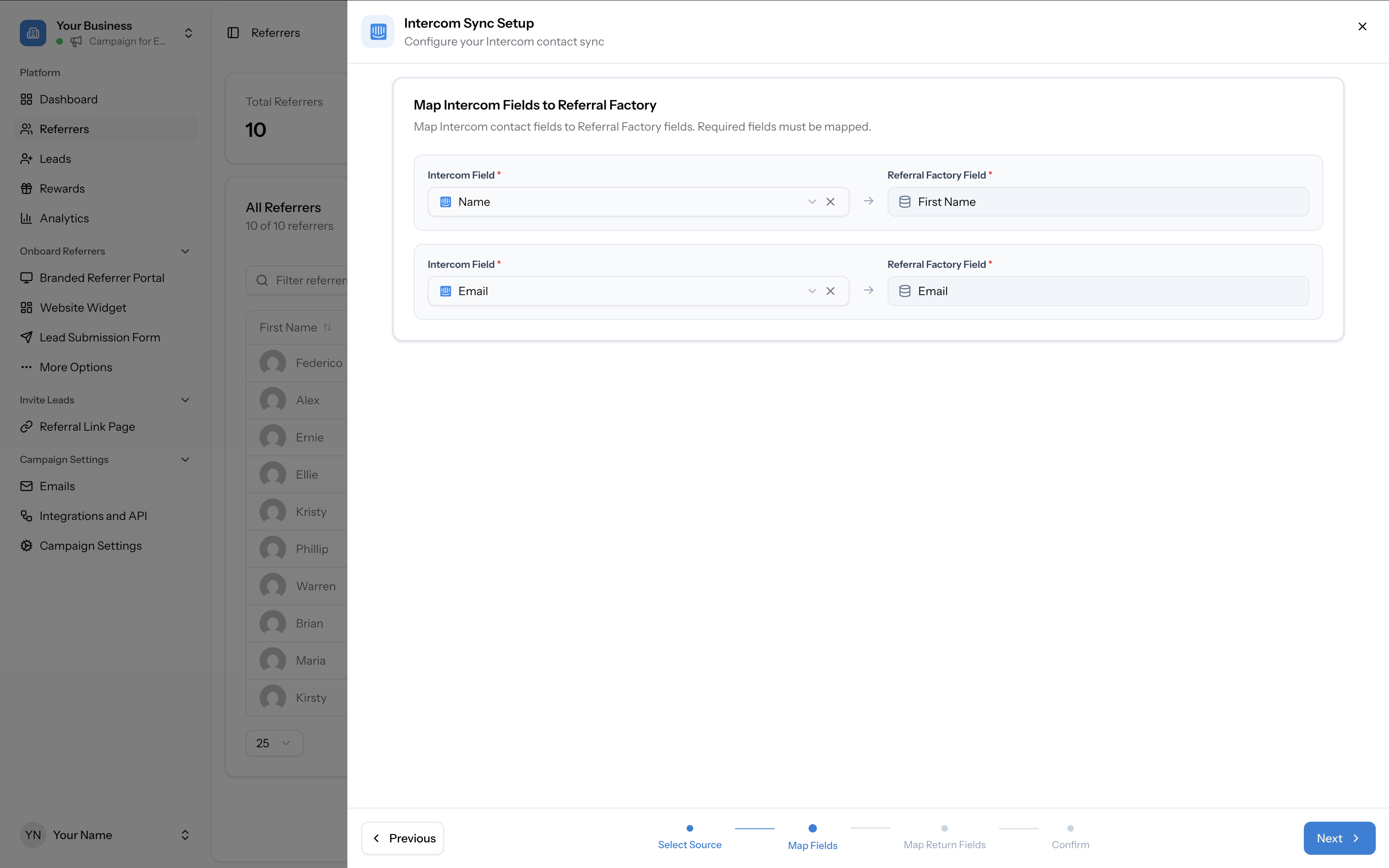
- Intercom Name → Referral Factory First Name
- Intercom Email → Referral Factory Email
Step 5: Map return fields (Referral Factory → Intercom)
Optionally, map Referral Factory fields back to Intercom. This sends referral data back to the contact record in Intercom.
Available return fields include:
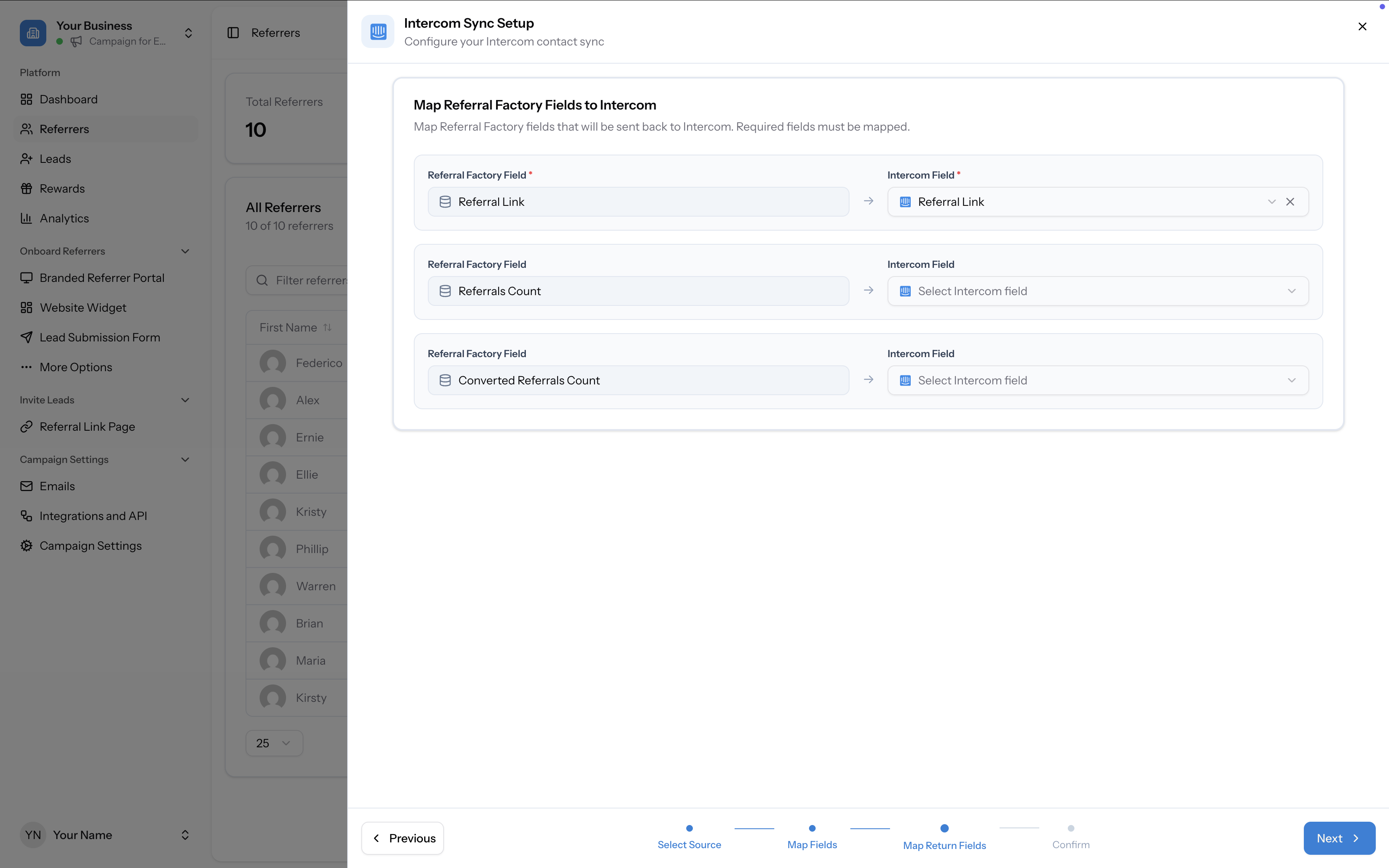
- Referral Link → Intercom Referral Link
- Referrals Count → (select an Intercom field)
- Converted Referrals Count → (select an Intercom field)
Step 6: Review and start sync
On the confirmation page, review your field mappings and choose your Sync Type:
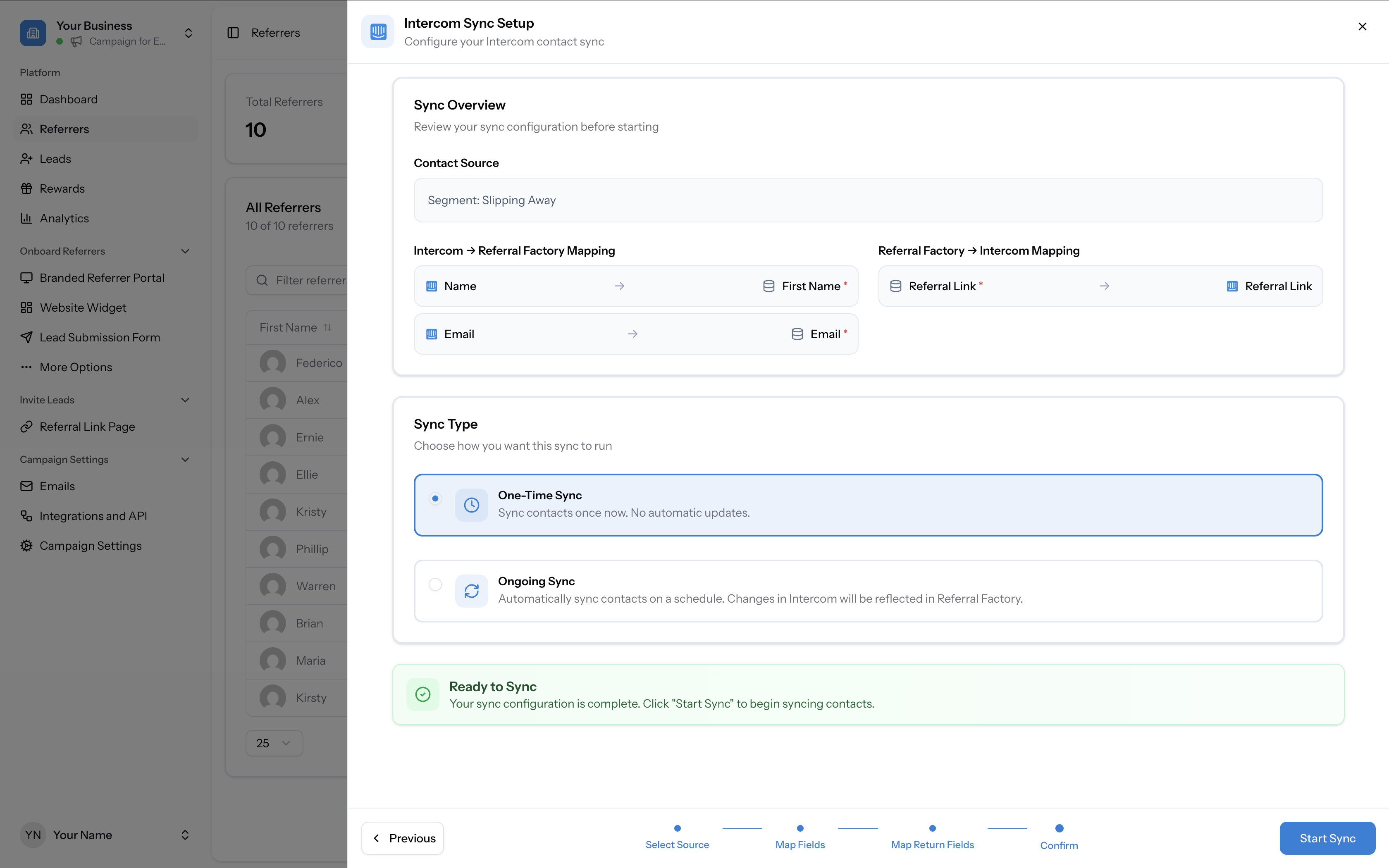
Click Start Sync to begin importing contacts.
- One-Time Sync — Import contacts once. No automatic updates after the initial sync.
- Ongoing Sync — Automatically sync contacts on a schedule. Changes in Intercom will be reflected in Referral Factory.
After syncing
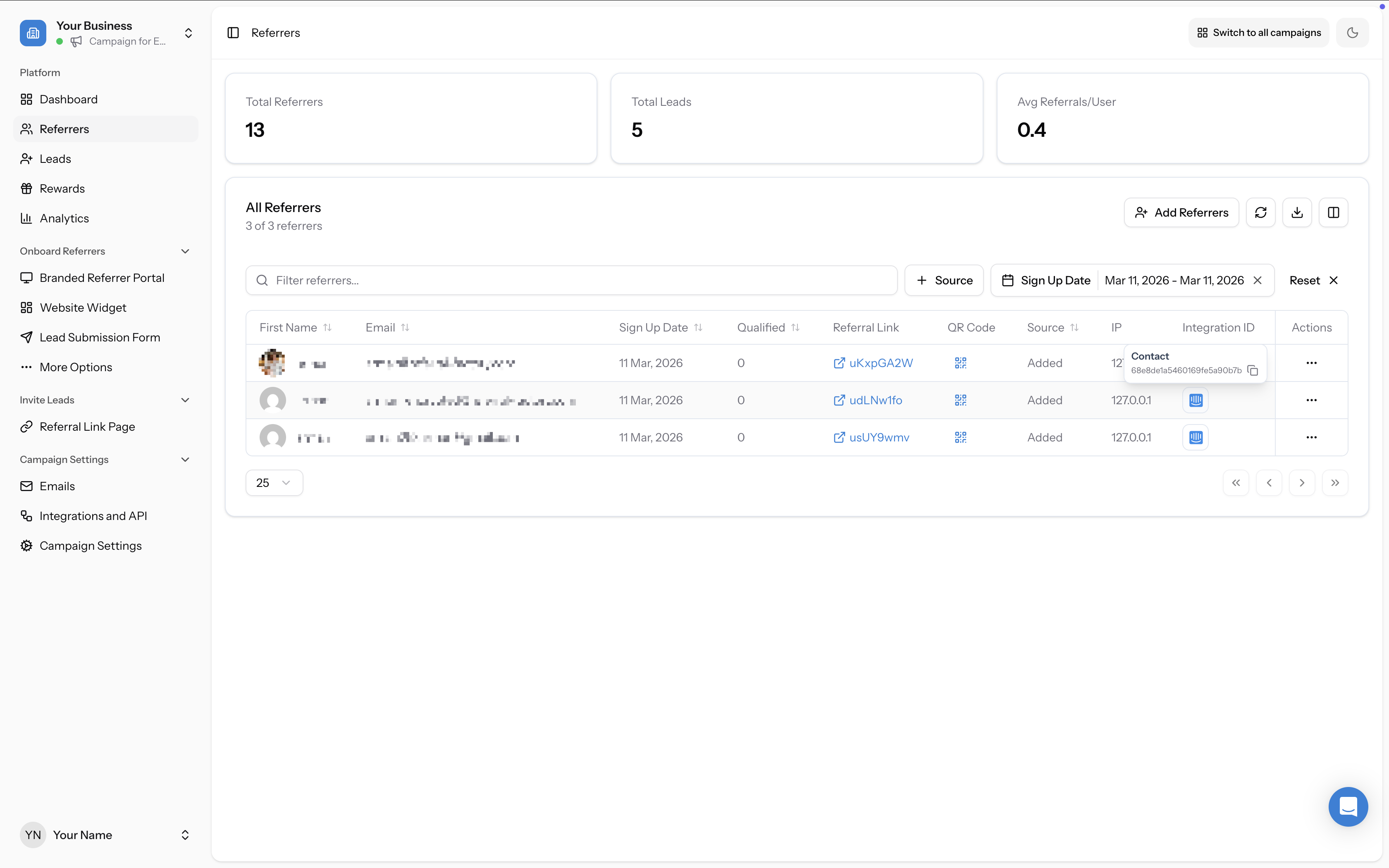
Synced contacts appear in your Referrers tab with an Integration ID linking them back to their Intercom record. The Source column shows “Added”.