
Need help applying this to your account?
Contact support and we will keep this article attached to your request.
Overview
If you already have a customer database, you do not need to ask every customer to sign up for your referral program before they can start referring.
Add your existing customers to the campaign as Referrers, and Referral Factory automatically generates a unique Referral Link for each person.
How existing customer records become Referrers and receive unique links
A customer needs to exist as a Referrer in the campaign before they can have their own Referral Link.
You can add existing customers manually, import them in bulk, sync them from another system, or add them through an integration or automation.
As soon as a customer is added as a Referrer, Referral Factory automatically creates their unique Referral Link. You do not need to manually generate individual links.
For example:
Existing customer → Added to Referral Factory as a Referrer → Unique Referral Link automatically generated
Their Referral Link can then be used in your customer emails, CRM, SMS messages, WhatsApp campaigns, or anywhere else you communicate with customers.
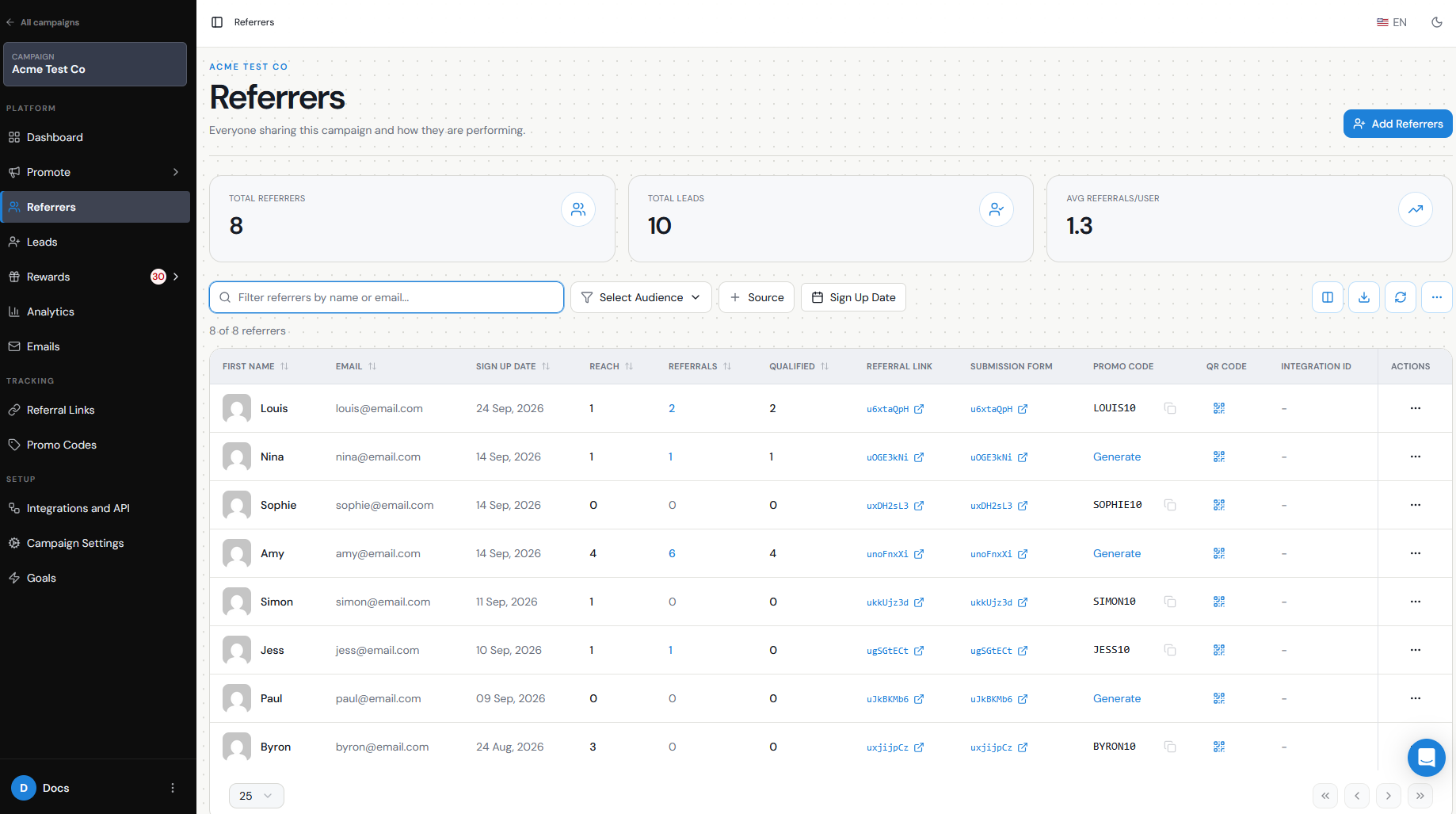
Bulk import/CRM options
If you already have a large customer database, there are several ways to turn those customers into Referrers without adding them one at a time.
CSV uploadUpload a CSV containing your existing customers. Referral Factory adds them as Referrers and automatically generates their unique links.
CRM syncIf you use a supported CRM integration, you can sync existing CRM records into your campaign as Referrers. Their Referral Links can also be mapped back into your CRM so you can use them in existing customer communications.
Make, Zapier, API, or other integrationsYou can also automate adding existing customers as Referrers when a particular event happens in another system.
For example:
Customer completes their first purchase → Added as a Referrer → Unique Referral Link generated
This can be useful if you only want customers to enter your referral program after reaching a specific point in their customer journey.
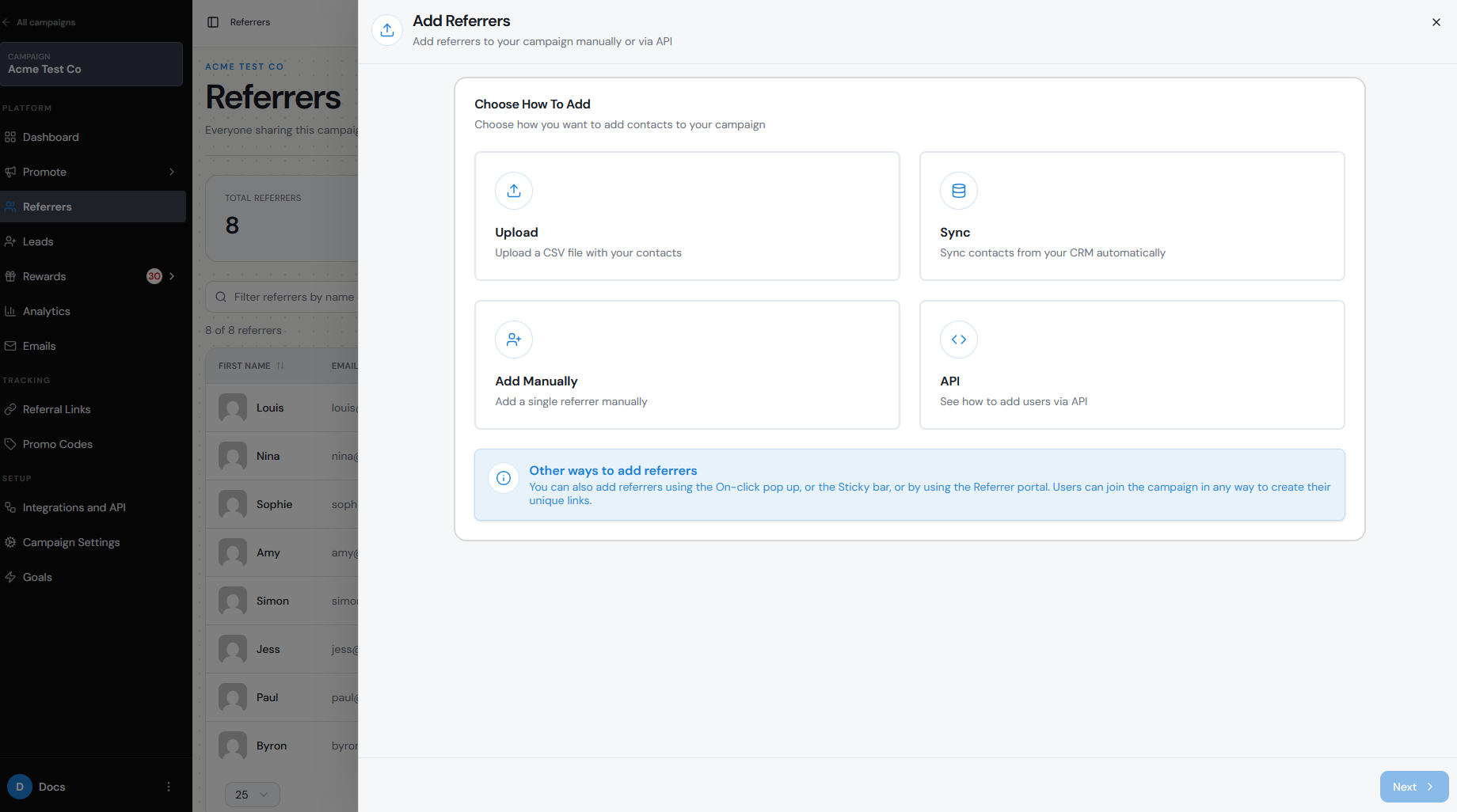
Required fields
At minimum, Referral Factory requires:
These are required when adding or importing Referrers.
If your campaign contains additional fields that are required for Referrers, make sure those values are also available when adding customers.
You can also include additional information such as last name, company, phone number, or other custom fields where relevant to your campaign.
- First Name
- Email
Duplicate handling
Referral Factory uses the email address to identify an existing Referrer within a campaign.
If a customer is already enrolled as a Referrer in that campaign, you should work with their existing record rather than creating another Referrer with the same email.
If you are syncing customers from a CRM, duplicate handling also depends on the settings you choose for that integration. For example, you may be able to update an existing CRM record or leave it unchanged instead of creating another record.
Before importing a large customer list, it is worth testing with a small number of records first — including one customer who already exists — so you can confirm the behavior you want.
Where to export/use the links
Once customers have been added as Referrers, you can see their unique links in the Referral Link column in the Referrers section.
You can use those links in several ways:
For example, if you sync the Referral Link into your CRM, you could create an email such as:
Hi Sarah, want to recommend us to a friend? Here’s your personal referral link: [Referral Link]
This means every customer receives their own link without your team having to manually create or copy it.
- Export your Referrer data and use the links in another system.
- Map the Referral Link back into a CRM contact field.
- Include each customer's link in email campaigns.
- Add it to SMS or WhatsApp messages.
- Use it in customer lifecycle or marketing automation.
- Allow customers to copy and share it from their Branded Referrer Portal.
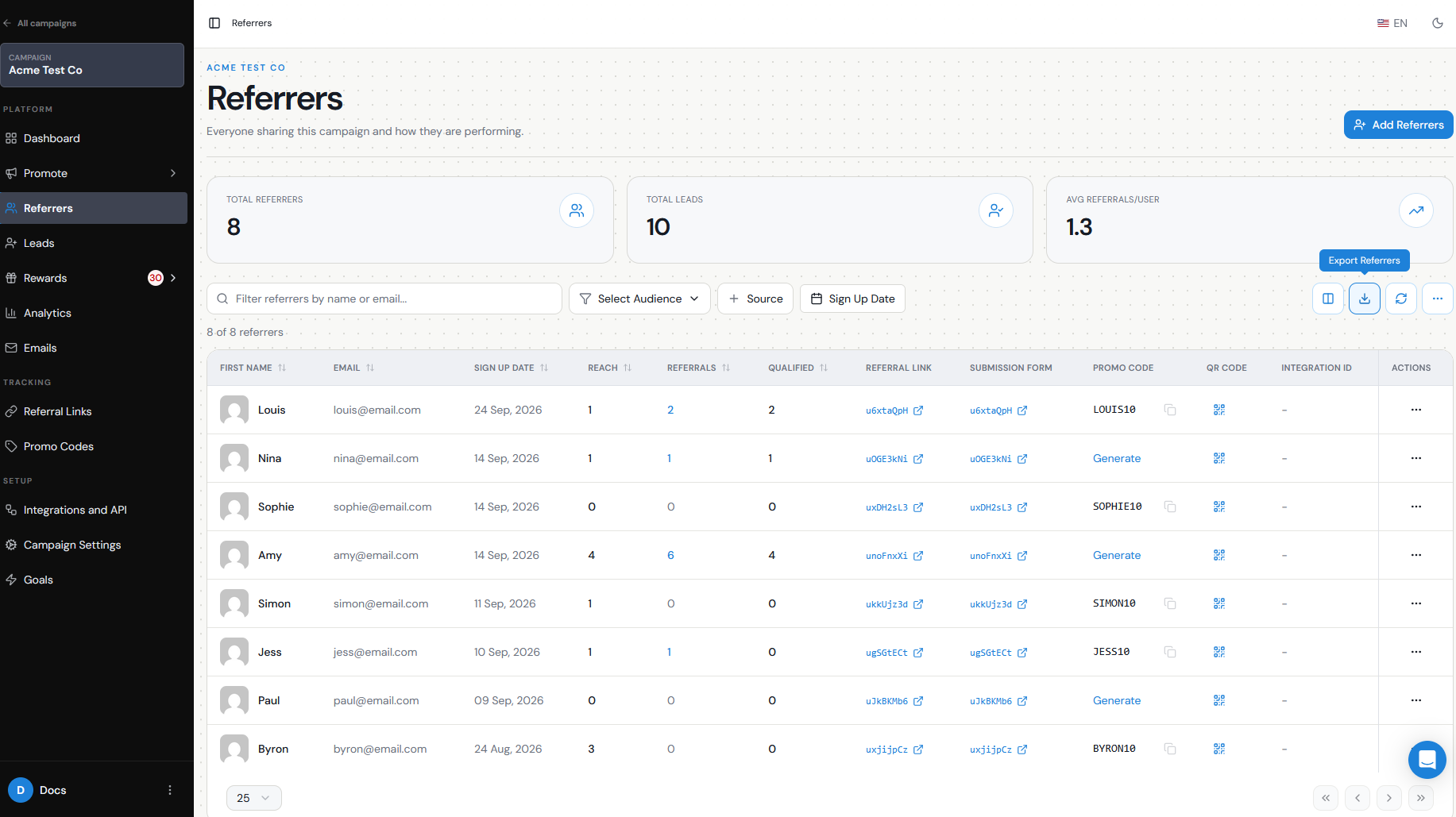
How customers access them
There are several ways to give customers access to their unique Referral Links.
You can send the link directly to them through an email or another communication channel, or store it in your CRM and use it in your existing customer communications.
Customers can also access their Referral Link through the Branded Referrer Portal. Existing Referrers can log in with their email address and access their dashboard, where their unique Referral Link and sharing options can be displayed.
If you automatically add existing customers as Referrers, they do not need to sign up again before receiving their link.
For example:
Customer already exists in your database → You add them as a Referrer → Referral Factory generates their link → Customer receives the link by email or accesses it through the Branded Referrer Portal
This is particularly useful when you want to launch a referral program to an existing customer base with as little friction as possible.