
Need help applying this to your account?
Contact support and we will keep this article attached to your request.
Overview
Google Analytics lets you track visits and interactions on your Referral Factory campaign pages in Google Analytics. Add the measurement ID to your Referral Factory account first, then enable Google Analytics for the campaign you want to track.
Before you start
Have the Google Analytics measurement ID for the property you want to use. Referral Factory’s current field expects a measurement ID in the format G-XXXXXXXXXX. Do not use a Google Analytics admin account password or measurement protocol secret.
How to add Google Analytics
1. Open your account menu. Select your account name, then choose Organization.
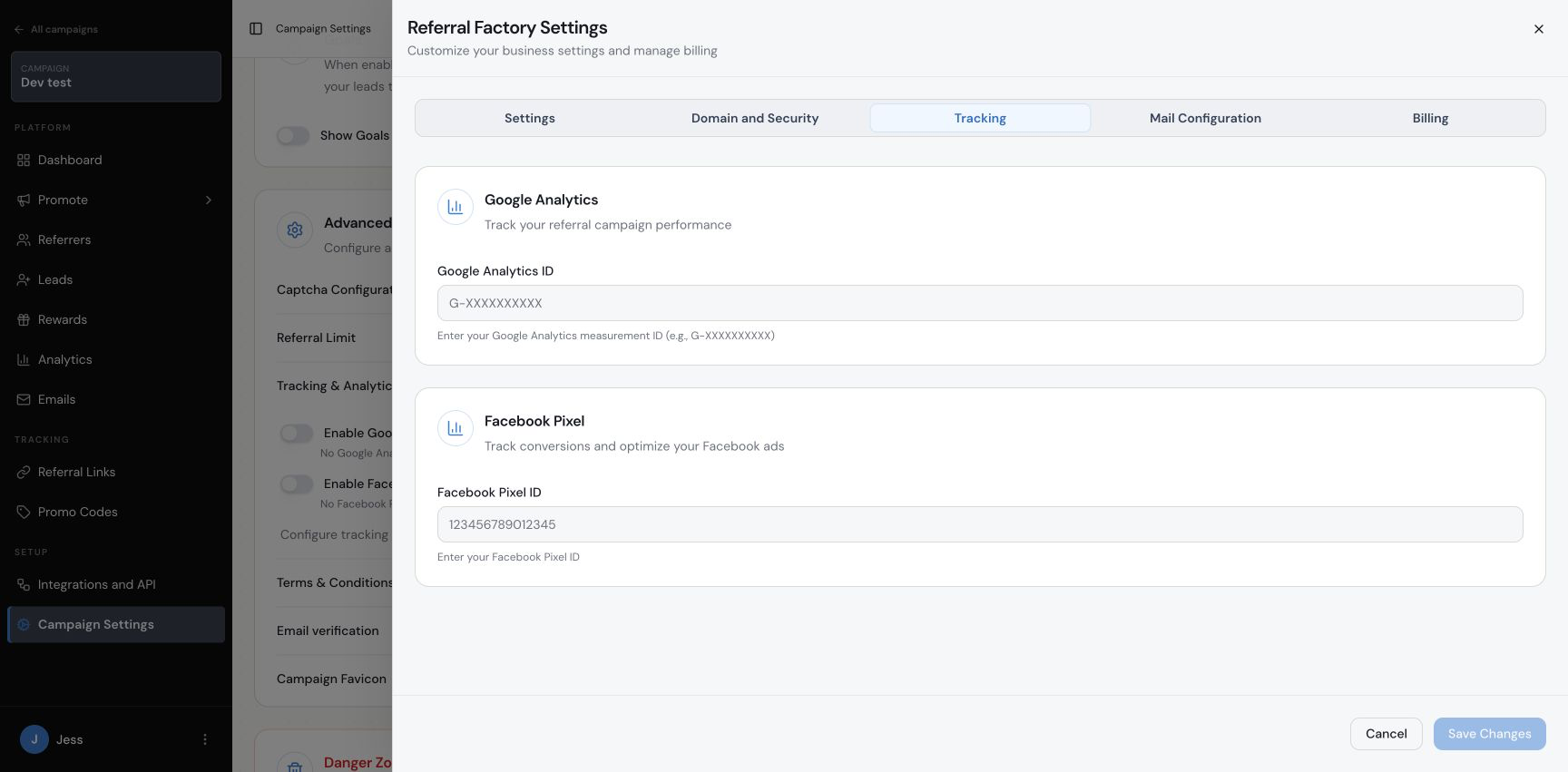
2. Open the Tracking tab. In the Referral Factory Settings window, select Tracking.
3. Enter the Google Analytics ID. Enter your Google Analytics measurement ID in the Google Analytics ID field, then select Save Changes.
4. Select the campaign. Choose the campaign you want to track, then open Campaign Settings from that campaign’s sidebar.
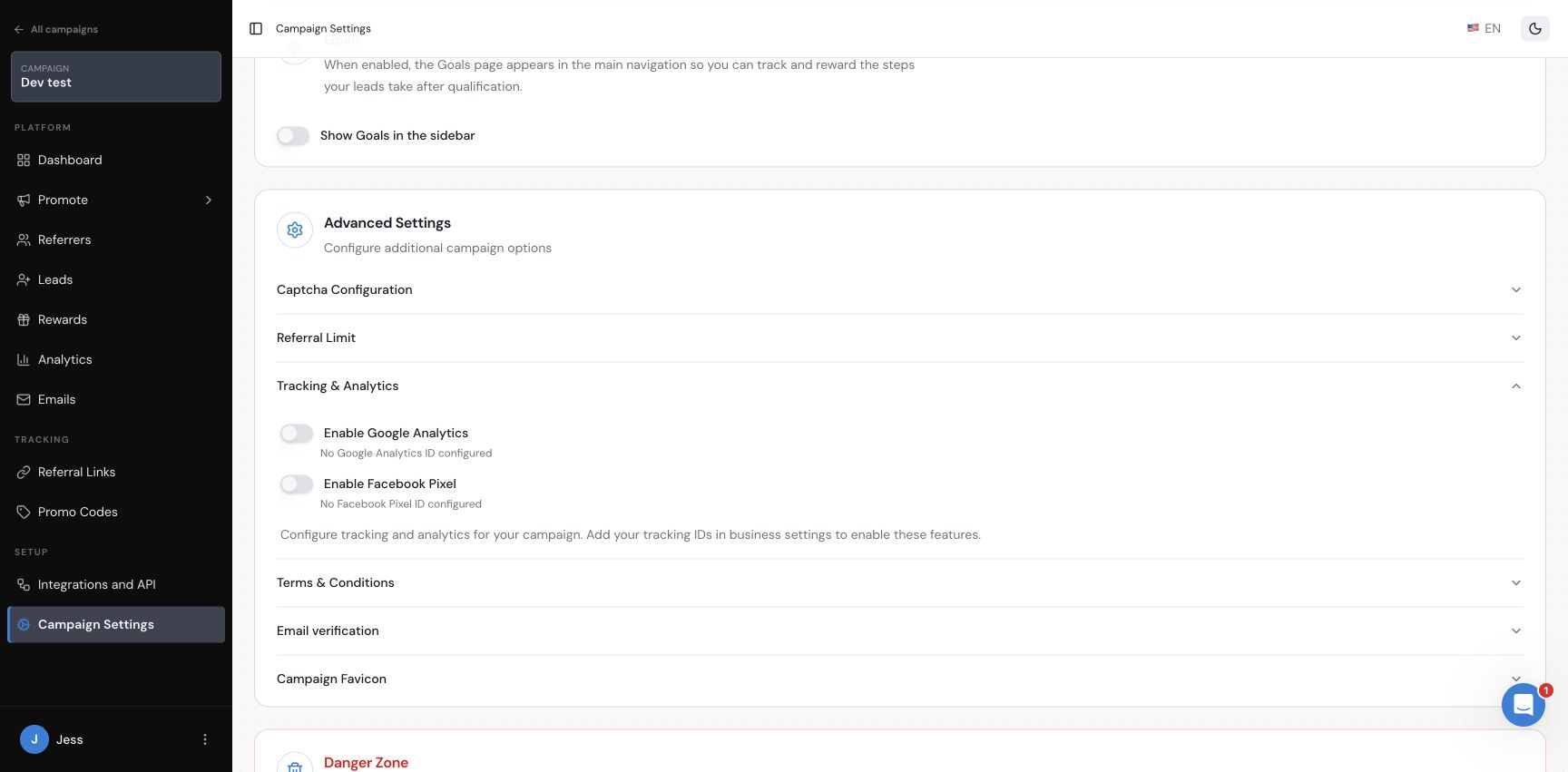
5. Open Tracking & Analytics. Scroll to Advanced Settings and expand Tracking & Analytics.
6. Enable Google Analytics. Select the Enable Google Analytics switch. The campaign can use the account-level measurement ID once it has been configured.
What happens next
Referral Factory uses the account-level Google Analytics measurement ID for the campaign after Google Analytics is enabled. Use Google Analytics to inspect traffic and interactions, while Referral Factory’s own Analytics page remains available for referral-program reporting.
Frequently asked questions
Where do I add the Google Analytics measurement ID?
Open your account menu, choose Organization, select Tracking, enter the ID in Google Analytics ID and save the changes.
Where do I enable Google Analytics for a campaign?
Select the campaign, open Campaign Settings, expand Advanced Settings and then Tracking & Analytics. Select Enable Google Analytics.
What format should the ID use?
The current field asks for a Google Analytics measurement ID, for example G-XXXXXXXXXX.
Can I add a different Google Analytics ID to each campaign?
You can add one Google Analytics measurement ID per Referral Factory account. Confirm your account-level ID before enabling campaigns.
Can I add a Facebook Pixel to a campaign?
Yes. Follow the Facebook Pixel setup guide.