
Need help applying this to your account?
Contact support and we will keep this article attached to your request.
What Stripe Credits does
Referral Factory currently shows Stripe Credits as an issuing method for Reward Rules. For example, Jess can refer Stacey, and a Reward Rule can be configured to give Jess a fixed $50 reward when Stacey qualifies.
The current product UI confirms that Stripe Credits can be selected in Step 3 of a Reward Rule and that it is available in Test Mode. The safe test campaign was not activated with Stripe Credits, so this guide does not claim which Stripe object is created, exactly how the customer is matched, or when the credit becomes visible in Stripe.
Before you start
Use a Stripe test account while you are setting up and checking the flow.
Make sure Stripe is connected to the campaign under Setup → Integrations and API → Payment.
Decide who should receive the reward, what event should make it Due, and how much you want to give.
Do not turn on a live issuing method until you understand the Stripe account, recipient matching, and amount you are using.
How the example works
Jess shares the campaign and Stacey becomes a Lead.
Stacey completes the event selected in the Reward Rule, such as becoming Qualified.
Referral Factory creates the reward for Jess and records it in the Rewards area.
The reward can then be sent through the Stripe Credits method if the rule and connected Stripe setup are ready.
The Reward Rule editor separates the recipient and reward settings from the issuing method. The same editor lets you choose Referrer or Lead in Step 1, then choose the issuing method in Step 3. This article is about the Referrer journey; the safe test did not prove that Stripe Credits successfully fulfils a Lead reward.
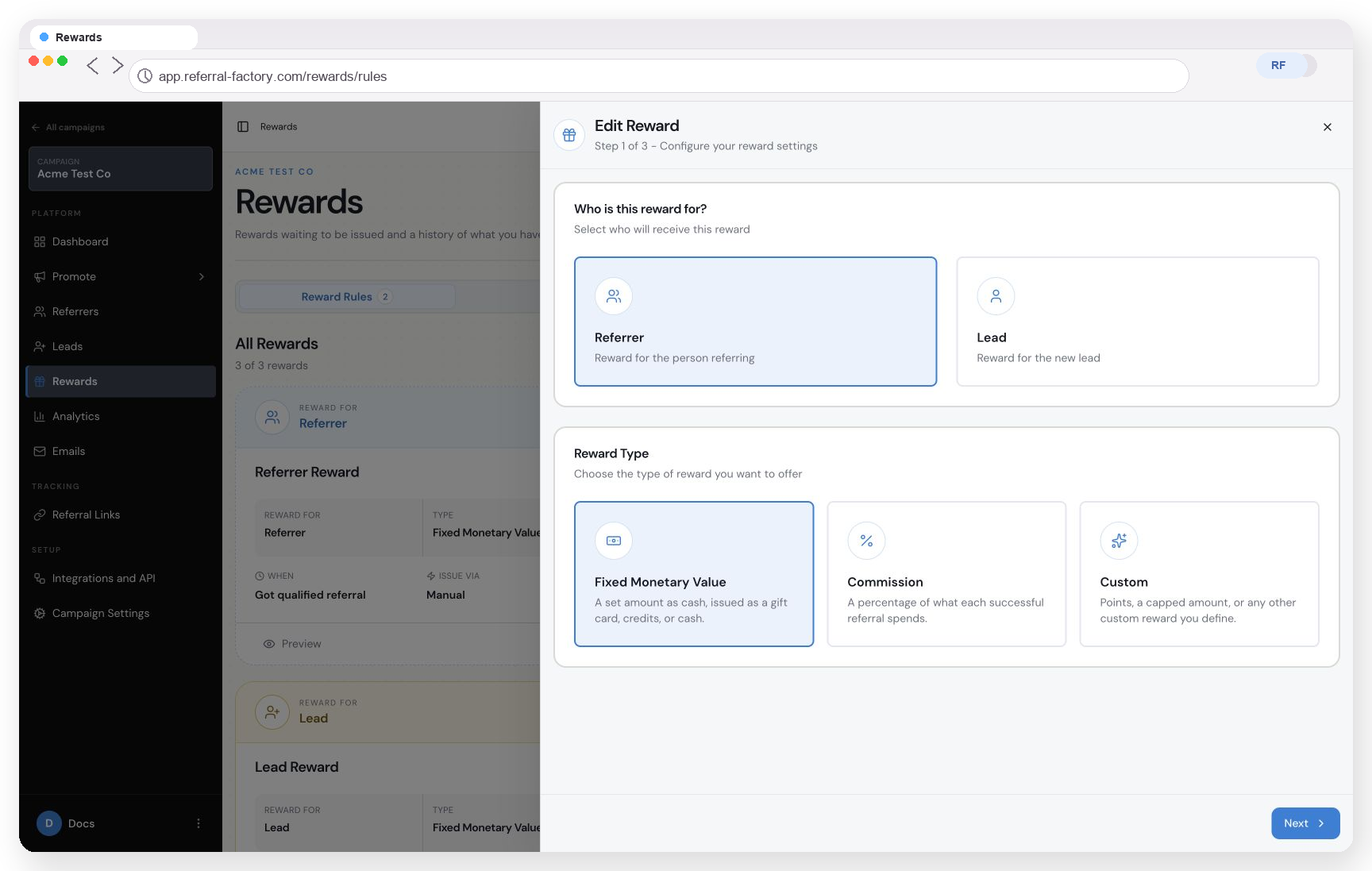
Step 1 lets you choose who receives the reward and the type of reward to configure.
Set up a Stripe Credits Reward Rule
Open your campaign and go to Rewards → Reward Rules.
Select New reward, or open an existing rule and choose Edit Reward.
In Step 1, select Referrer and Fixed Monetary Value.
In Step 2, choose the reward trigger. Qualified is the default option in the current editor. Set the currency and amount, such as USD 50, then choose whether the reward is one-time or ongoing.
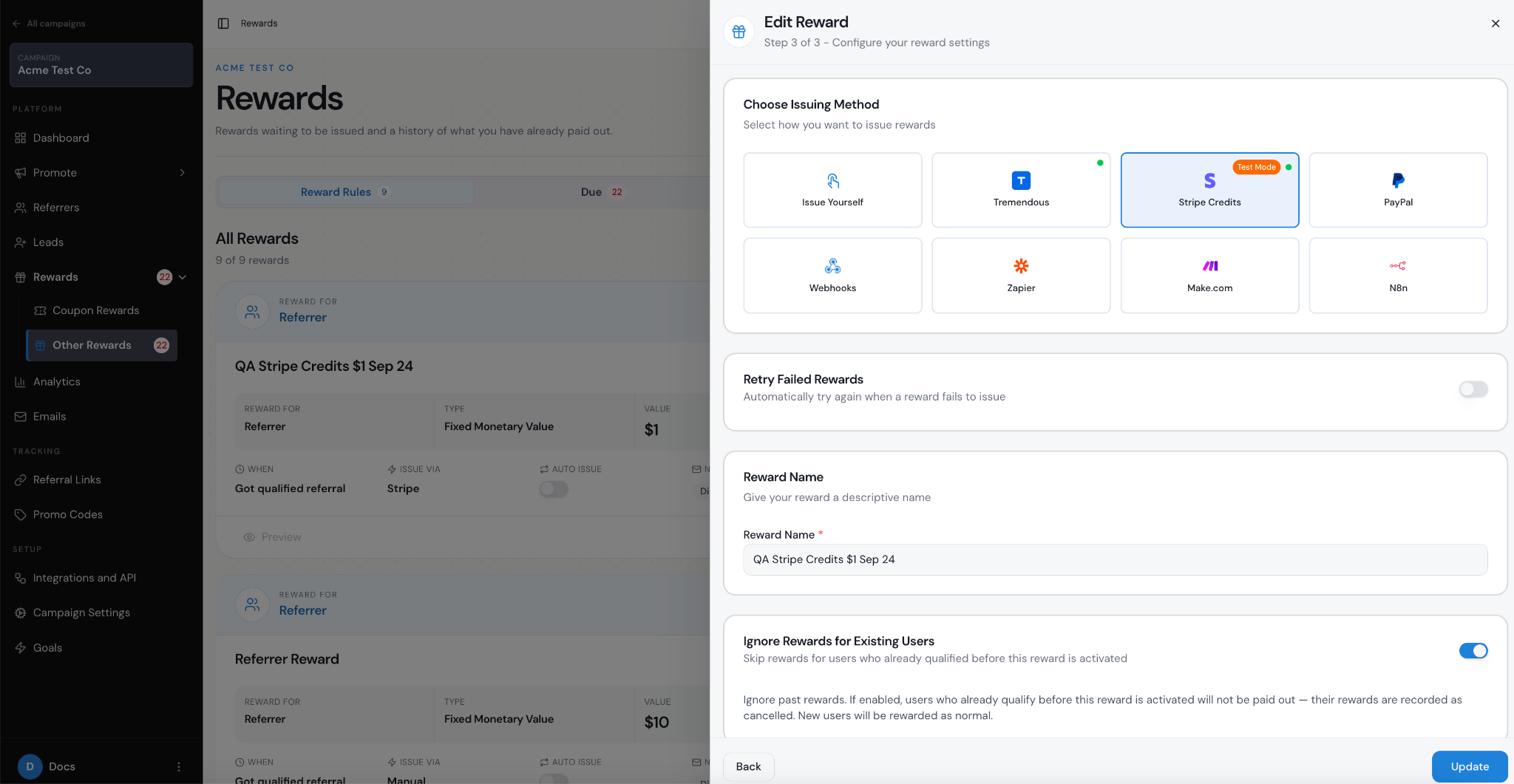
In Step 3, under Choose Issuing Method, select Stripe Credits. The current UI labels this option Test Mode.
Give the reward a clear name. Review Auto Issue Rewards before you activate the rule.
The current Step 3 also includes Ignore Rewards for Existing Users and Reward Limit. A Retry Failed Rewards setting was visible when Stripe Credits was selected during research. Because the rule was not activated, the exact retry timing and behaviour were not tested.
How should the Referrer be matched to Stripe?
Referral Factory’s Stripe Sync screen shows a default mapping from Stripe Email to Referral Factory Email, and the Referrers table includes an Integration ID column. Those screens do not, by themselves, confirm which identifier the Stripe Credits issuing method uses.
Before using this method in a live campaign, confirm how the connected workflow finds the Stripe customer. The research did not establish whether it requires an existing Stripe Customer, matches by email, uses an Integration ID, creates a missing customer, or handles duplicate or changed email addresses in a particular way.
What happens to the reward status?
When a Reward Rule creates a reward, it can appear under Due while it is waiting to be issued. Issued is the Referral Factory status used after the reward has been sent through the selected issuing method. It does not, by itself, prove that a visible Stripe balance credit has been applied or that the recipient has received it.
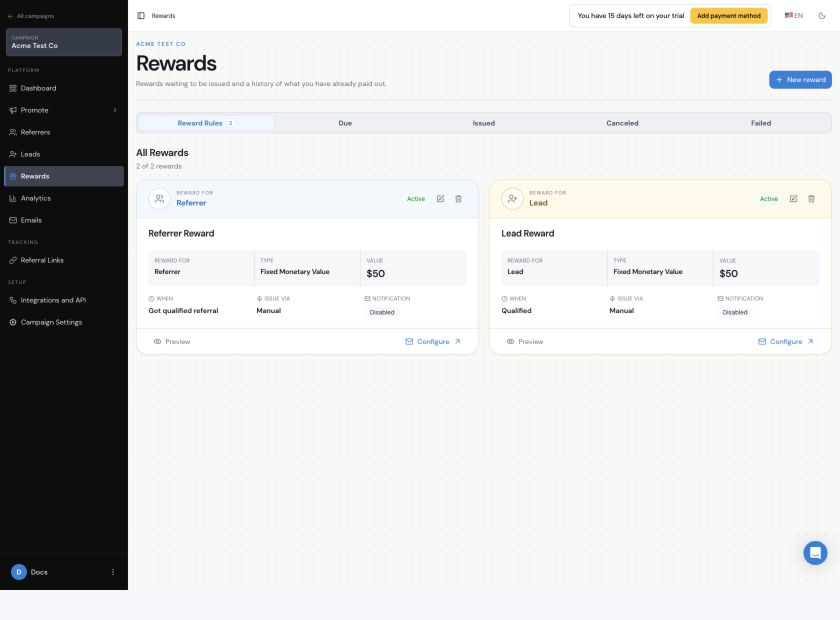
The Rewards area separates Reward Rules from Due, Issued, Canceled, and Failed reward records.
The exact Stripe Credits transition from Due to Issued was not tested in the safe campaign. Do not use the status alone as proof of the final Stripe-side result; check the connected Stripe test account and the recipient record as part of your own test plan.
What does Auto Issue Rewards do?
Auto Issue Rewards is a separate setting in Step 3. When it is enabled, Referral Factory says eligible rewards are issued without manual authorization. It does not change who earns a reward or how much they get; it removes the need for someone to approve it manually.

Auto Issue Rewards is a separate setting from the issuing method. The setting shown here is switched off.
The current UI warns that Auto Issue is not recommended without proper testing. The safe research did not activate a Stripe Credits rule, so the provider-specific result of Auto Issue was not verified.
If the reward fails
The Rewards area includes a Failed tab, and the Stripe Credits setup can show Retry Failed Rewards. The research did not create a failed Stripe Credits reward, so the exact failure reasons, retry schedule, number of retries, and manual retry result are not confirmed. Check the Stripe connection, recipient matching, amount, and test account before trying again.
What has not been confirmed yet
Which Stripe object or balance mechanism receives the credit.
Whether the method requires an existing Stripe Customer and what happens when no match is found.
When the credit is applied, whether it expires, and whether it can be reversed.
Supported currencies, minimums, maximums, decimal handling, and what happens when currencies do not match.
The exact provider-specific behaviour of Auto Issue, Failed, and Retry Failed Rewards.
These details should be confirmed in Stripe Test Mode before the rule is used with a live account. This research did not issue a live reward, touch the connected Tremendous account, or change any live payout settings.