
Need help applying this to your account?
Contact support and we will keep this article attached to your request.
Every Referrer in Referral Factory receives a unique Referral Link they can share with friends, colleagues, or customers. When someone uses that link and submits their details, Referral Factory automatically attributes the new Lead to the correct Referrer.
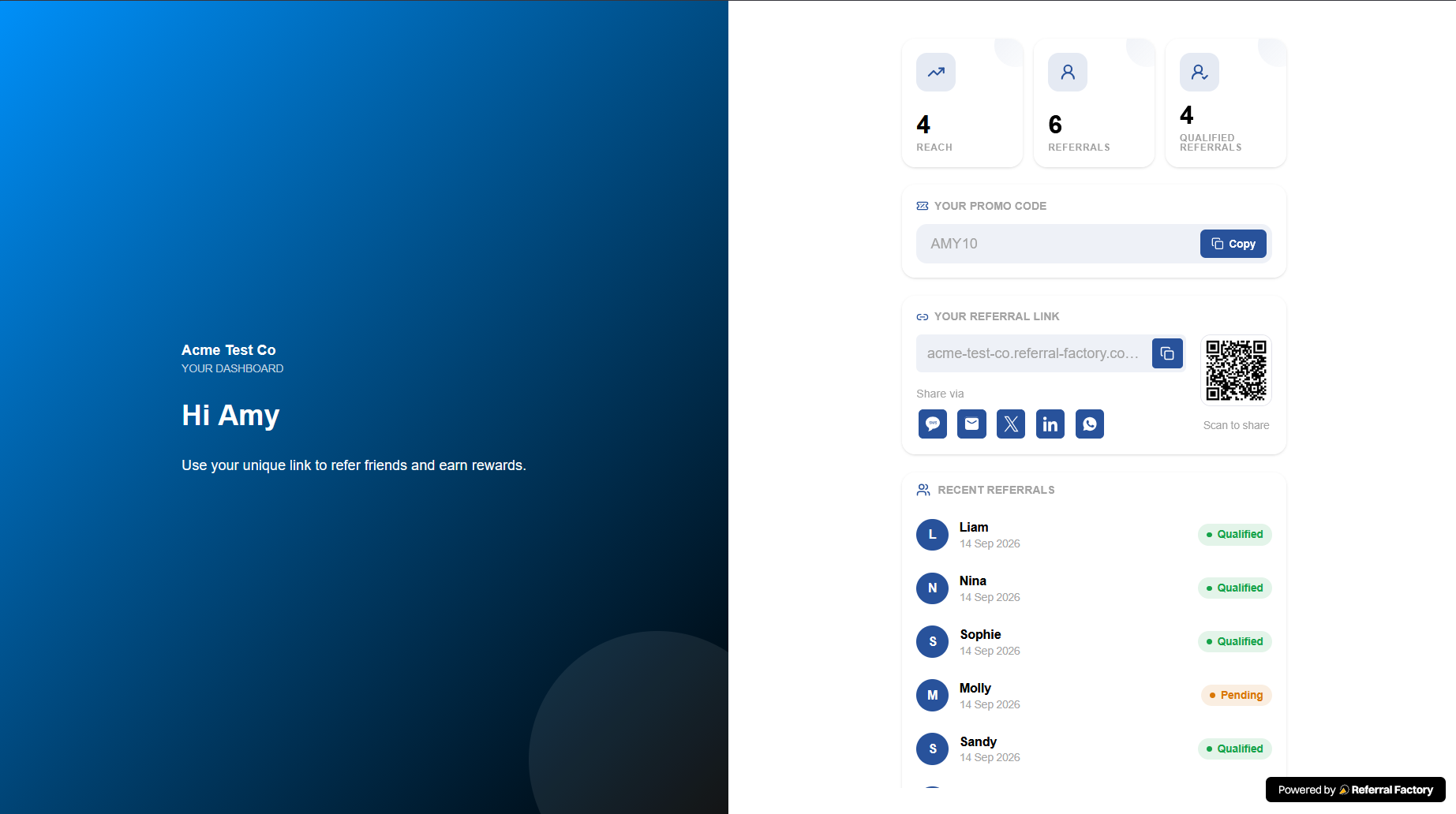
How Referrers access and share their unique link
A Referral Link is generated automatically when someone becomes a Referrer in a campaign.
Referrers can access their link through the Branded Referrer Portal, where they can log in and view, copy, and share it. You can also send the Referral Link to them by email, store it in your CRM, or copy it directly from the Referrers section.
For example:
Sarah becomes a Referrer → Referral Factory generates Sarah's unique link → Sarah shares it with a friend → The friend becomes Sarah's Lead
Available sharing channels
Referrers can copy their Referral Link and share it through any channel they choose.
Depending on the sharing options you enable in your campaign, they can also use shortcuts for channels such as:
The Referral Link remains the same regardless of where the Referrer shares it.
- Email
- WhatsApp
- SMS
- Facebook
- LinkedIn
- X
- Other supported social or messaging channels
- Copy Link
- QR code
What the recipient sees
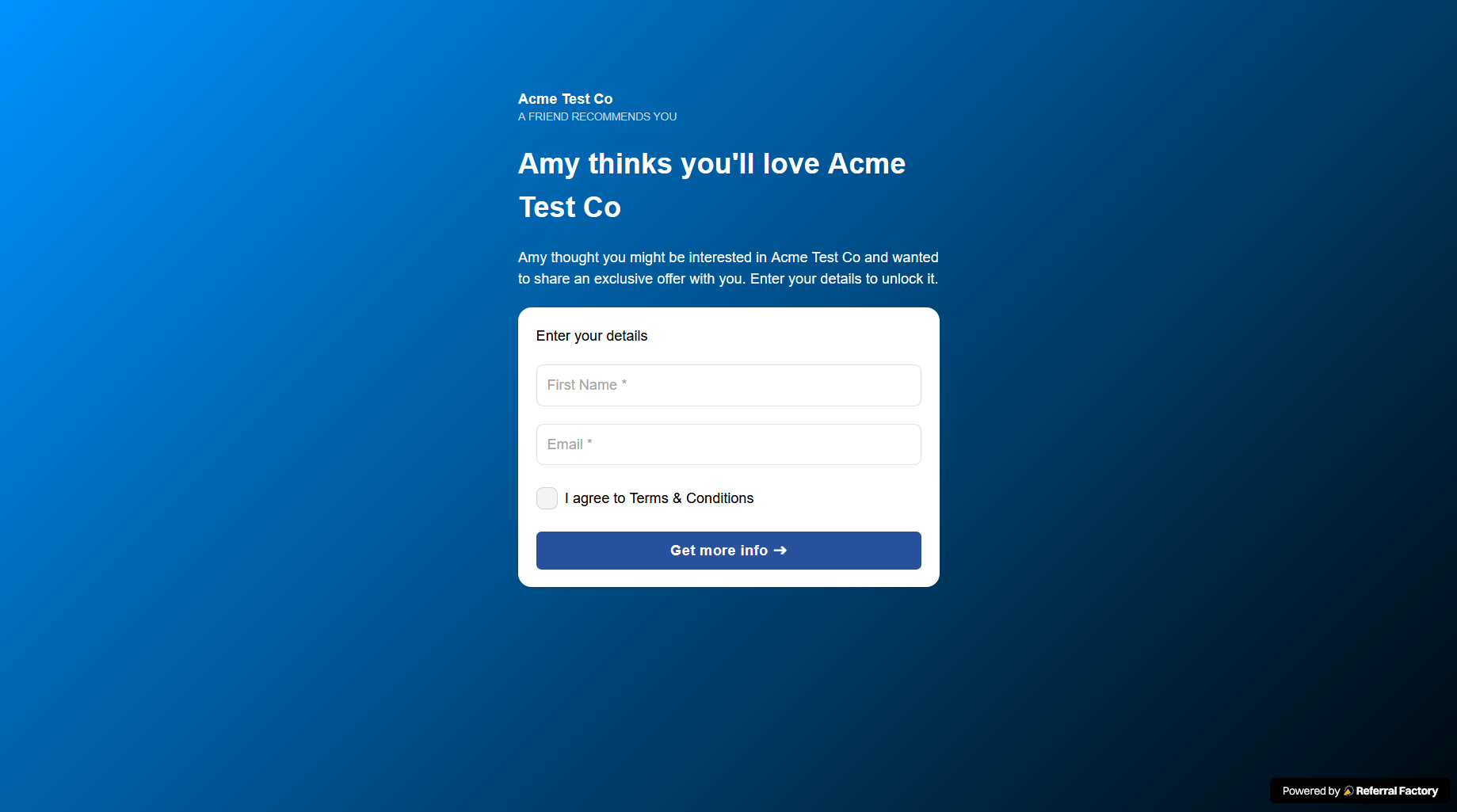
When someone clicks a Referrer's unique link, they normally arrive on that campaign's Referral Link Page.
This page can explain your business, product, service, or referral offer and collect the Lead's details.
After the Lead submits the form, you can show a thank-you page or redirect them to another destination, such as your website, booking page, or checkout.
Attribution
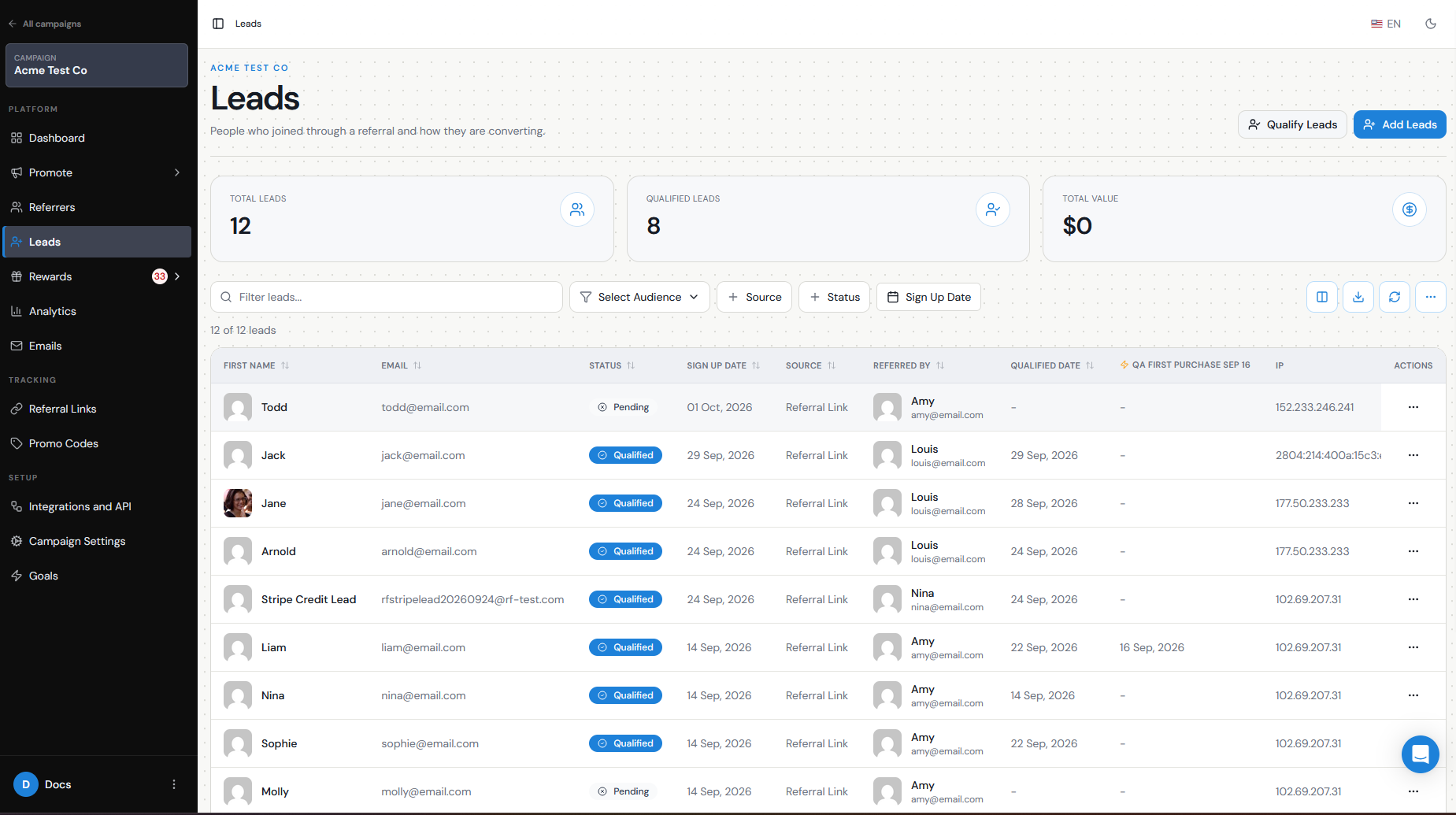
Each Referral Link identifies the Referrer who shared it.
When the recipient clicks that link and submits the referral form, Referral Factory creates the Lead and attributes them to that Referrer. The recipient does not need to manually enter the Referrer's details.
For example:
Sarah's Referral Link → James submits his details → James is recorded as a Lead referred by Sarah
Campaign vs personal link
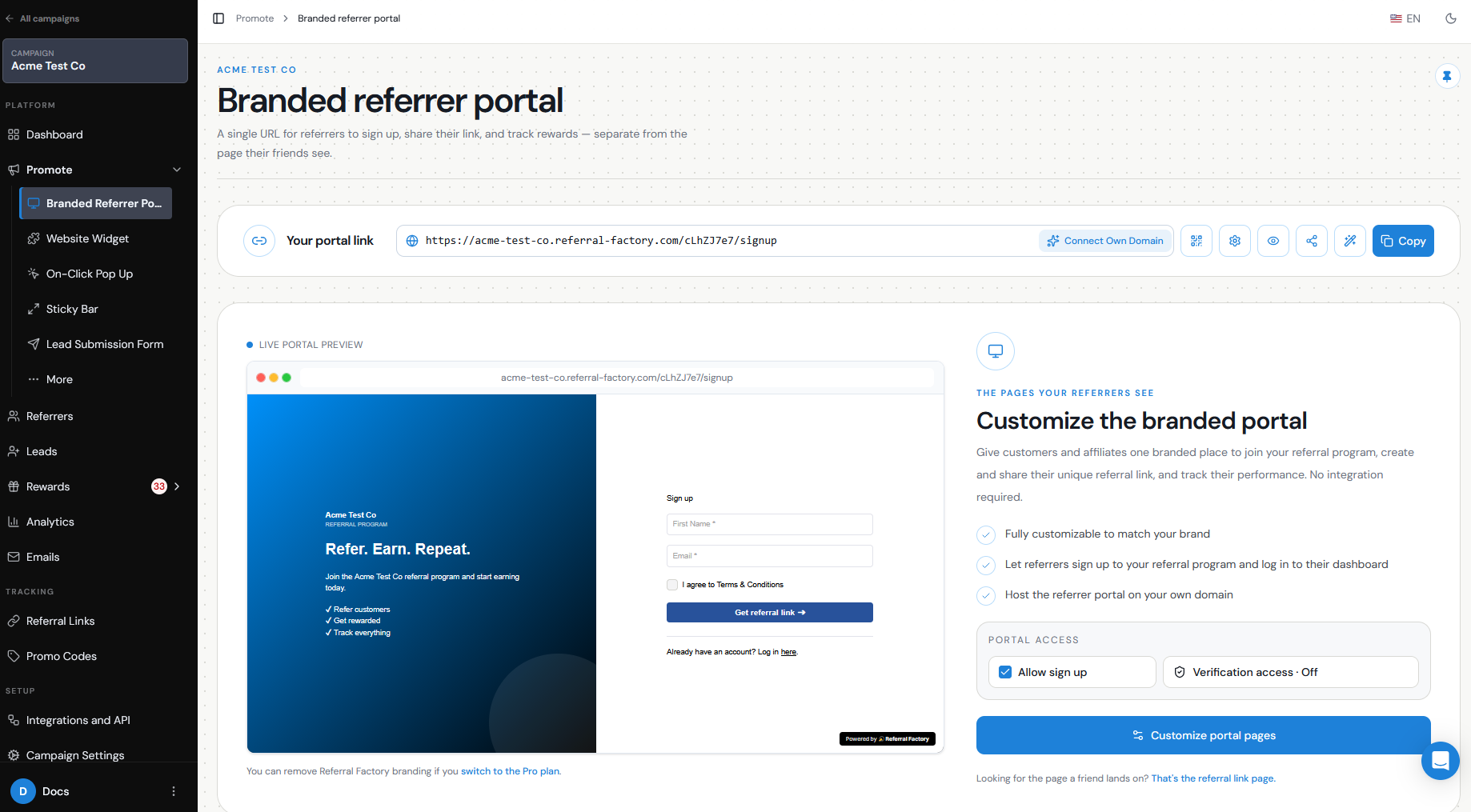
It is important to distinguish between the Branded Referrer Portal link and an individual Referral Link.
The Branded Referrer Portal link is normally shared by your business when you want customers to join the referral program and become Referrers.
A personal Referral Link belongs to one specific Referrer and should be shared by that person when they want to refer new Leads.
For example:
Portal link → Join the referral program
Sarah's Referral Link → Be referred by Sarah
Each Referrer receives a separate unique Referral Link for each campaign they participate in.
Tracking
Once the recipient submits their details, you can track the referral in Referral Factory.
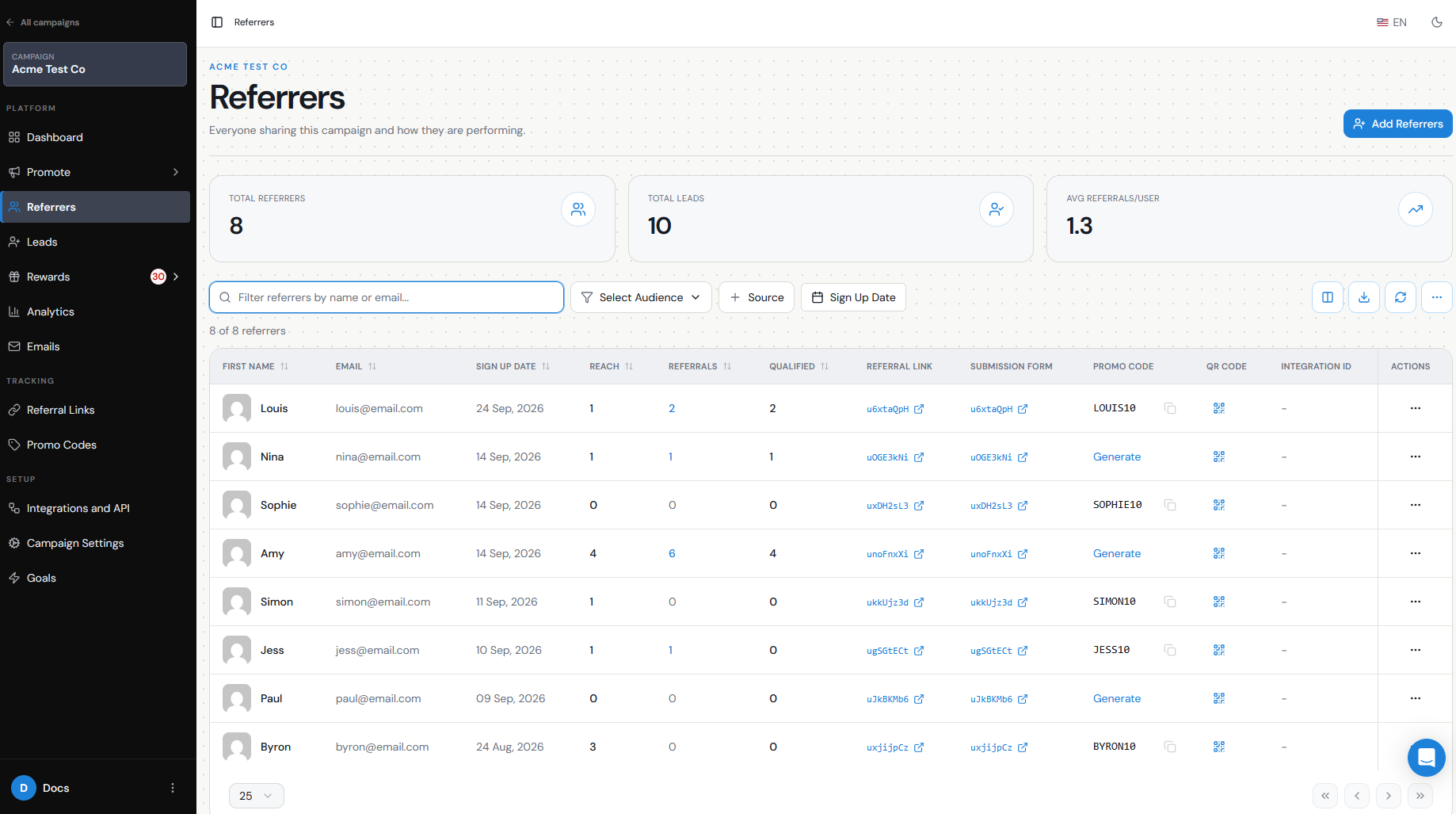
From Leads, you can see the new Lead and who referred them. From Referrers, you can review how many Leads and Qualified Leads each Referrer has generated.
Referrers can also view their own referral activity and performance from the Branded Referrer Portal, depending on which tracking blocks you have enabled.
Troubleshooting broken/incorrect links
If a Referrer says their link is not working or is sending people to the wrong place, check that:
You can always find the correct Referral Link by going to Referrers, searching for the person by name or email, and copying the link from their Referrer record.
Referrers can also log back into the Branded Referrer Portal to retrieve their link themselves.
- They are sharing their personal Referral Link, not the general portal signup link.
- The link was copied completely and has not been edited.
- You are looking at the correct campaign.
- The Referrer still exists in that campaign.
- Your custom domain is connected correctly, if you use one.