
Need help applying this to your account?
Contact support and we will keep this article attached to your request.
Before you start
Zoho must already be connected. The Leads integration must also be configured to create the Zoho record type used by the lead, such as a Zoho Lead or Zoho Contact, before you set a qualification condition.
What does it mean to qualify a Lead in Referral Factory?
A lead is qualified when it meets the campaign’s success condition. Qualification is separate from sending the lead to Zoho; it is the point at which Referral Factory recognises that the referral has converted according to the selected rule.
How does automatic Qualification with Zoho work?
Referral Factory sends the lead to Zoho and watches the Zoho condition selected for the campaign. When that condition is met on the associated Zoho record, Referral Factory marks the referral as qualified.
How do I qualify a referral when Referral Factory creates a Zoho Lead?
For the Zoho Lead path, choose one of the available conditions: a selected Lead field changes, the Lead converts into a Contact, or the Lead converts into a Deal and reaches a selected Deal Stage.
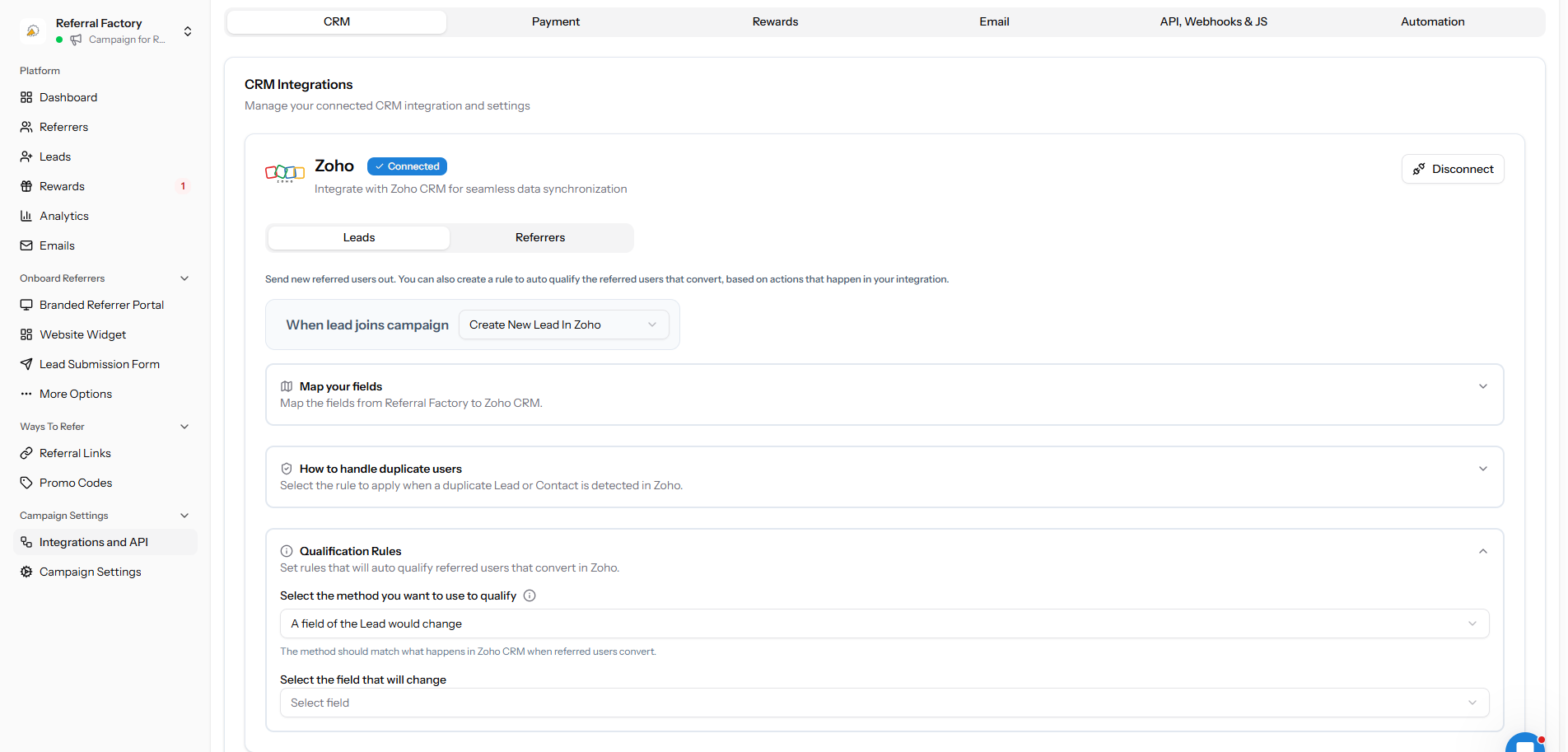
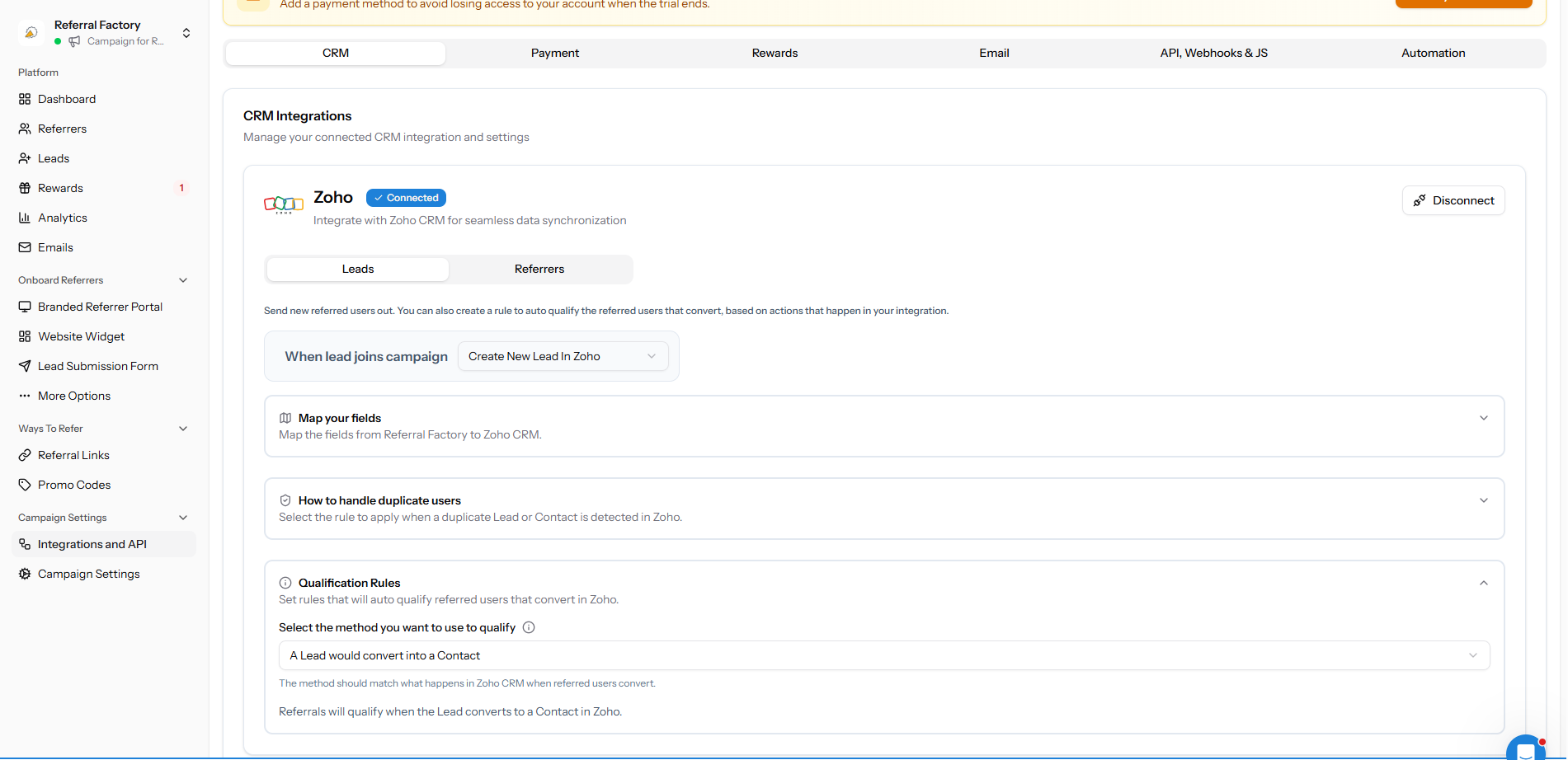
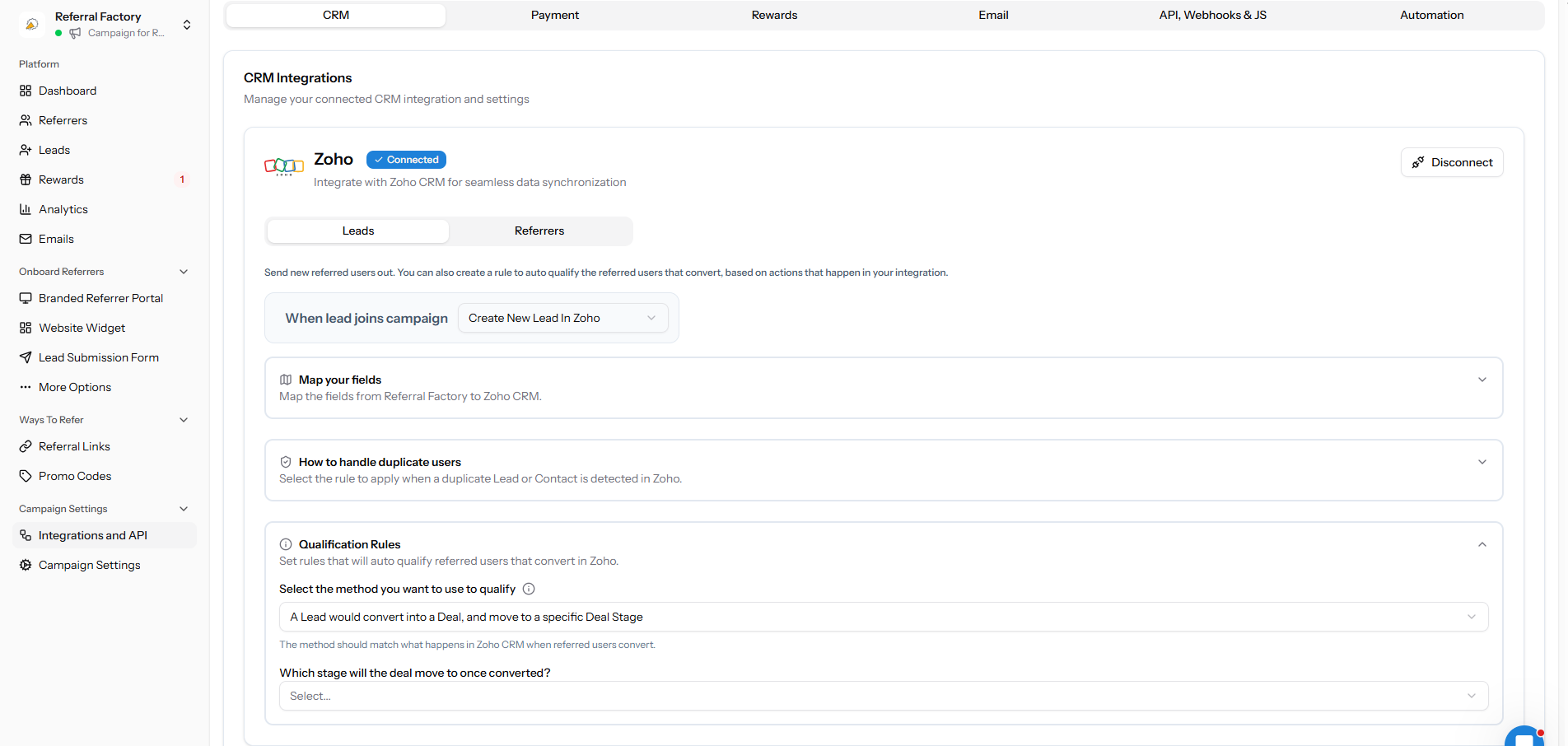
How do I qualify a referral when Referral Factory creates a Zoho Contact?
For the Zoho Contact path, choose a field of the Contact that should change, then select the Contact field and the value it must change to.
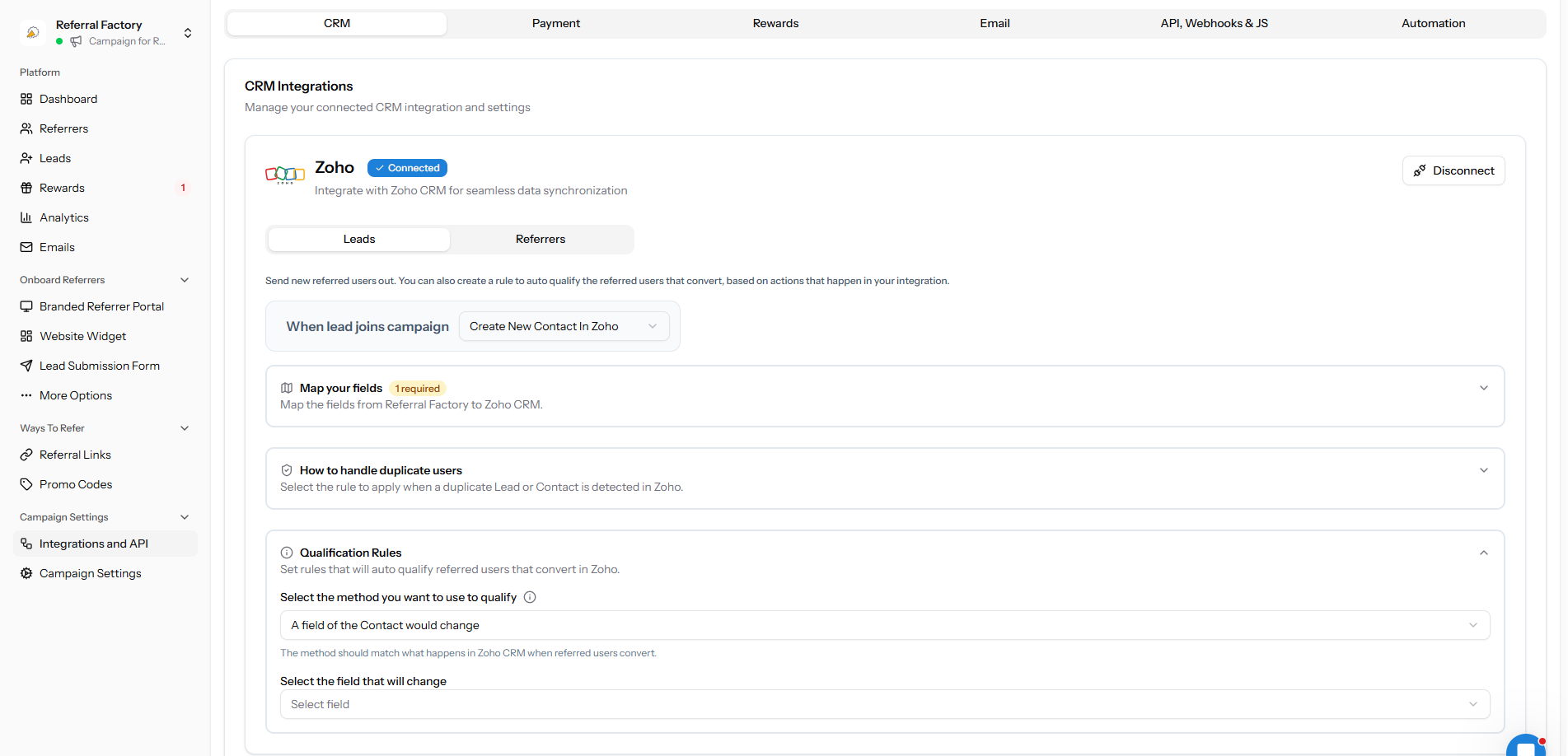
What needs to happen in Zoho for the referral to qualify?
Make the change in Zoho that matches the condition saved in Referral Factory. For example, convert the Zoho Lead into a Contact, convert it into a Deal and move it to the selected Deal Stage, or change the selected Lead or Contact field to the target value.
What happens in Referral Factory after a Lead is Qualified?
The referral changes to a qualified state in Referral Factory and the campaign can use that status for reporting and reward rules. Check the referral after the Zoho change has had time to be processed.
Does qualifying a Lead trigger a reward?
Qualification can make the referral eligible for a reward when the campaign’s reward rules say that qualified referrals should be rewarded. Qualification does not replace the reward configuration.
How do I test automatic Qualification with Zoho?
Step 1
Create a dummy referral using a dummy email address.
Step 2
Confirm that the expected Zoho record is created.
Step 3
Perform the exact Zoho change selected in the qualification rule.
Step 4
Return to Referral Factory and check the referral status after processing.
Step 5
If it remains pending, compare the Zoho change with the selected field, value, conversion type or Deal Stage, then use the troubleshooting guide.