
Need help applying this to your account?
Contact support and we will keep this article attached to your request.
Connecting Referral Factory to your CRM lets referral activity become part of the customer and sales workflows your team already uses.
You can bring existing customers into Referral Factory as Referrers, send new Leads and Referrers into your CRM, store referral data on CRM records, and automatically qualify referrals when a customer reaches the milestone that represents a successful conversion.
The main reasons to connect a CRM
A CRM integration can connect both sides of your referral program.
You can use it to:
For example:
Existing CRM customer → Synced as Referrer → Referral Link generated → Link stored back in CRM
And on the Lead side:
New referred Lead → Sent to CRM → Becomes a customer → Referral Factory automatically marks the Lead as Qualified
This allows Referral Factory to handle the referral journey while your CRM remains the system your team uses to manage customers and sales.
- Turn existing CRM customers into Referrers and automatically generate their unique Referral Links.
- Send new Leads from Referral Factory into your CRM.
- Send new Referrers into your CRM.
- Store referral information, such as a customer's Referral Link, on their CRM record.
- Keep useful referral data alongside your existing customer information.
- Automatically mark Leads as Qualified when they reach the conversion milestone you track in your CRM.
Adding existing customers as Referrers, sending new Leads/Referrers out, field mapping and automatic Qualification
There are several different CRM workflows you can configure.
If your CRM contains the customers you want to invite into your referral program, you can sync those records into Referral Factory as Referrers.
For supported integrations, go to:
You can select the customers you want to enroll and, where supported, choose between a One-Time Sync and Ongoing Sync.
When syncing existing customers, First Name and Email are required to create the Referrer. The generated Referral Link must also be mapped back to a CRM field so it can be stored on the customer's CRM record.
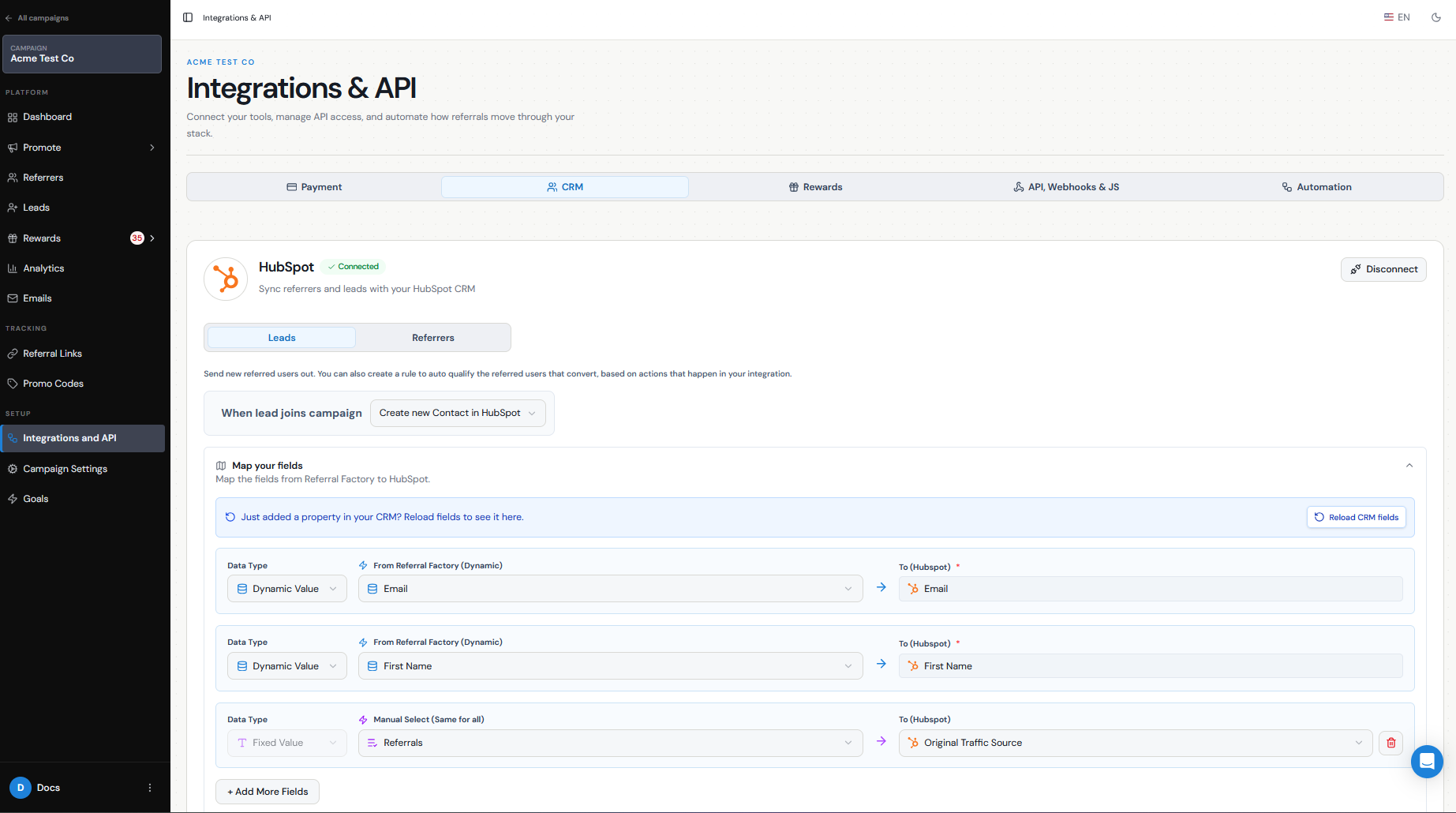
You can configure Referral Factory to automatically create or update a CRM record when a new referred Lead enters your campaign.
This allows your sales team to follow up with the Lead without manually transferring their information.
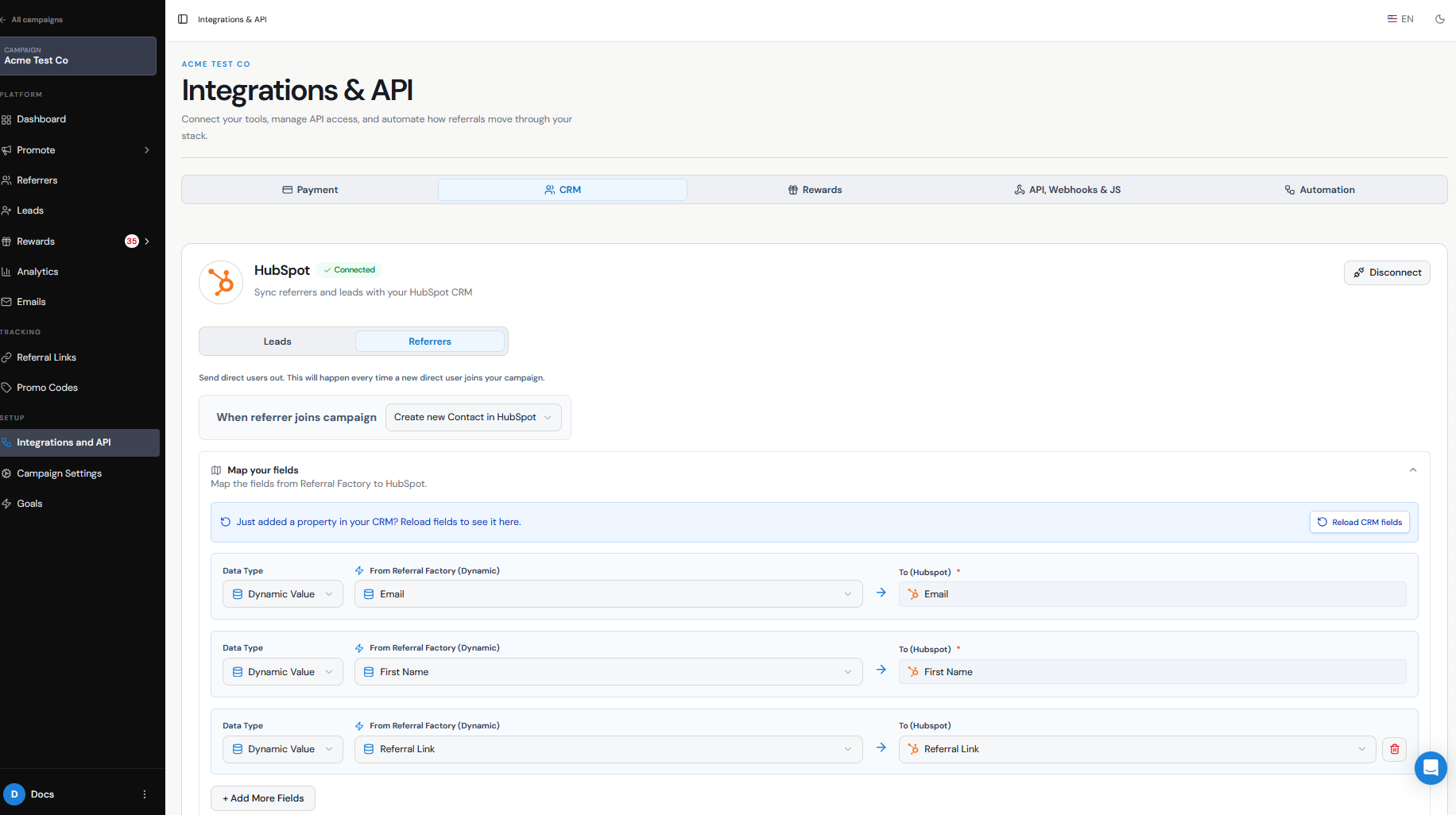
You can also send new Referrers into your CRM and store information such as their Referral Link alongside their customer record.
Field mapping determines which Referral Factory data is written into which CRM fields.
For example:
Referral Factory Email → CRM Email Referral Factory First Name → CRM First Name Referral Factory Referral Link → CRM Referral Link
You can use dynamic values for information that changes for each person and fixed values when every record should receive the same value, such as:
Lead Source → Referral Factory
Your CRM can also tell Referral Factory when a referred Lead has successfully converted.
For example:
HubSpot Lifecycle Stage changes to Customer → Referral Factory marks the Lead as Qualified
or:
CRM Deal reaches Closed Won → Referral Factory marks the associated Lead as Qualified
The exact object, field, status, or stage you monitor depends on your CRM and how your business records a successful conversion.
- Sync existing customers as Referrers
- Referrers → Add Referrers → Sync
- Send new Leads to your CRM
- Send new Referrers to your CRM
- Map your fields
- Automatically qualify Leads
Choose native integration vs automation/API
If Referral Factory has a native integration with your CRM, this is usually the simplest option because the integration is built specifically around common referral workflows.
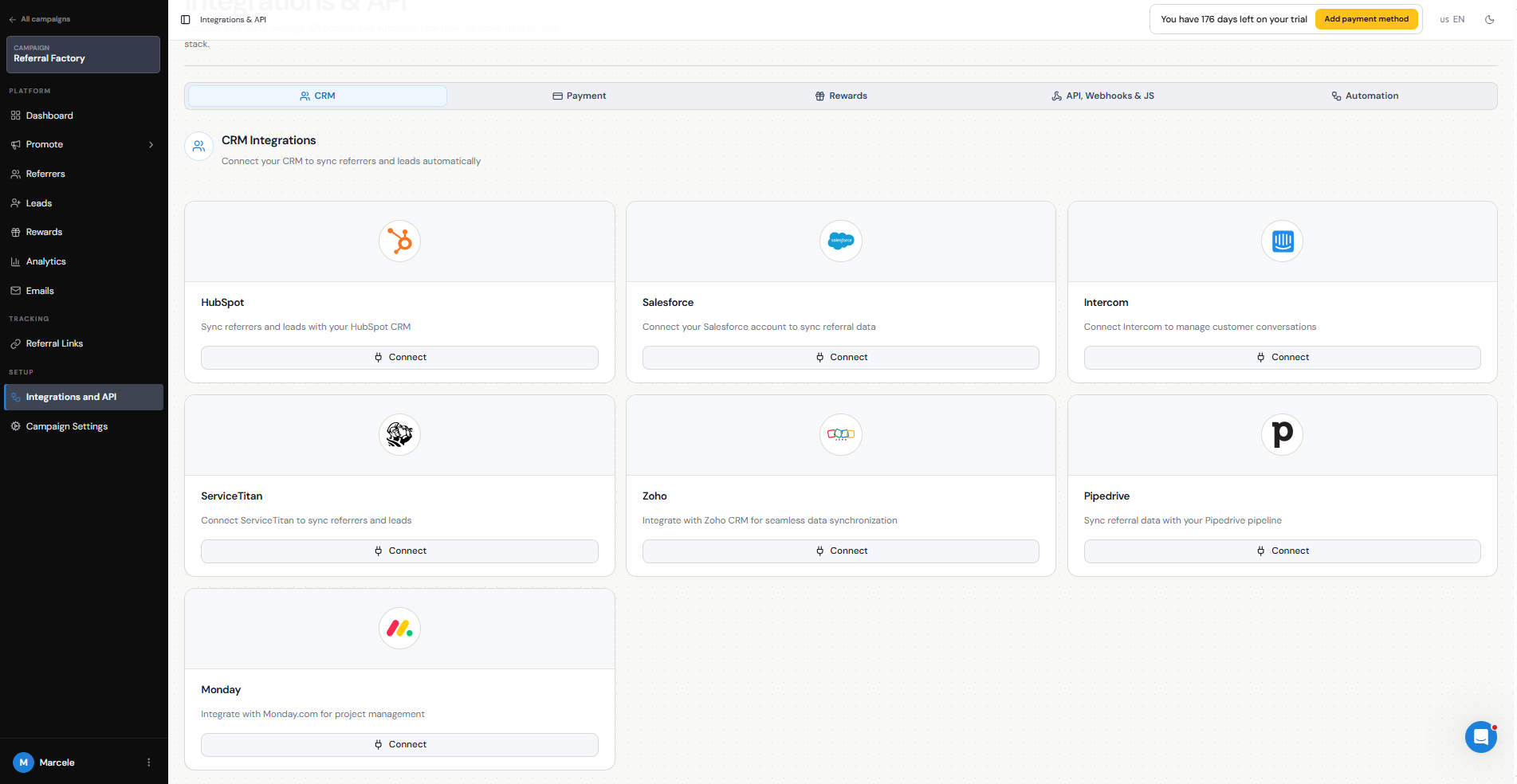
Referral Factory currently has native CRM integrations with:
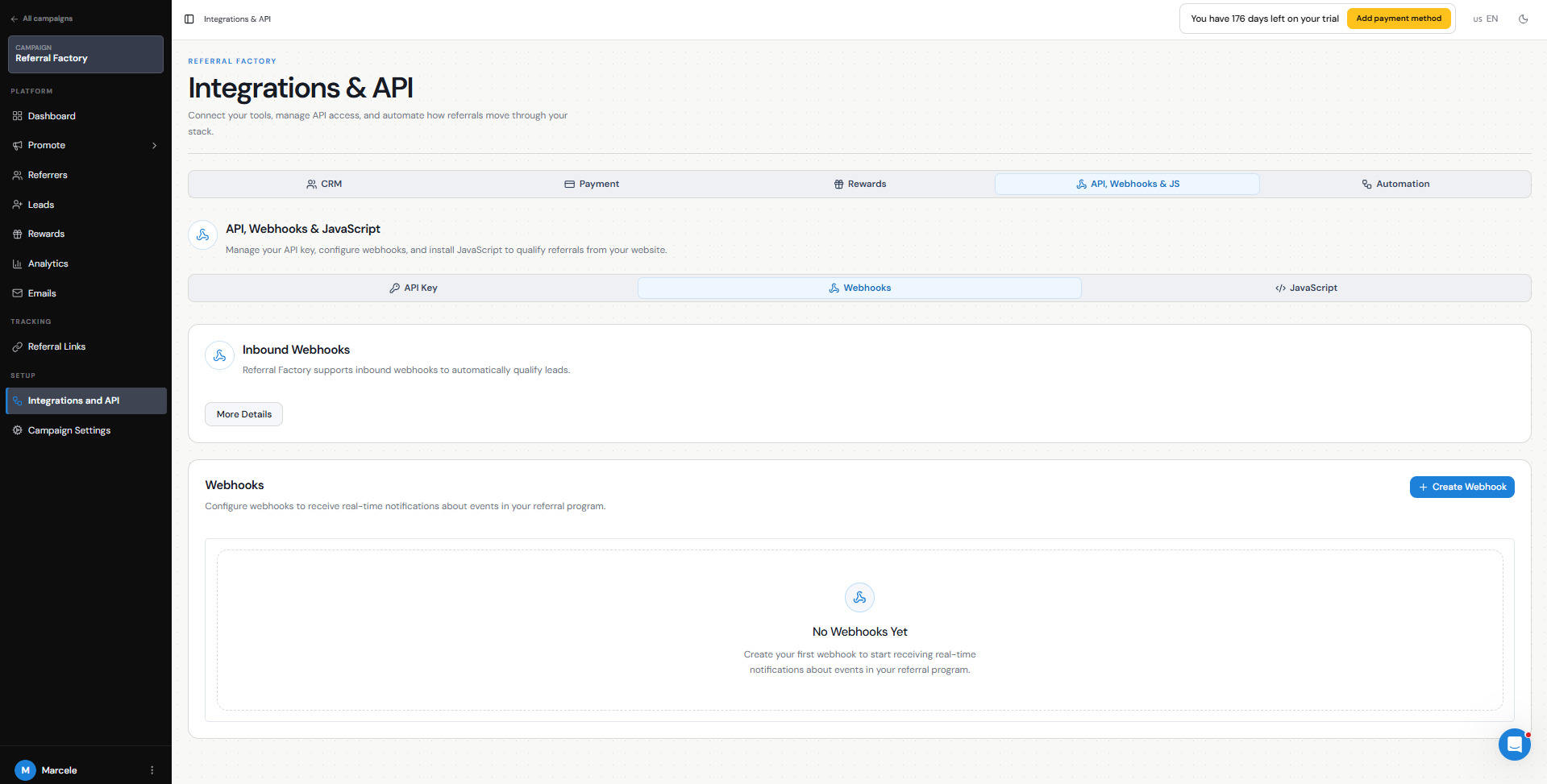
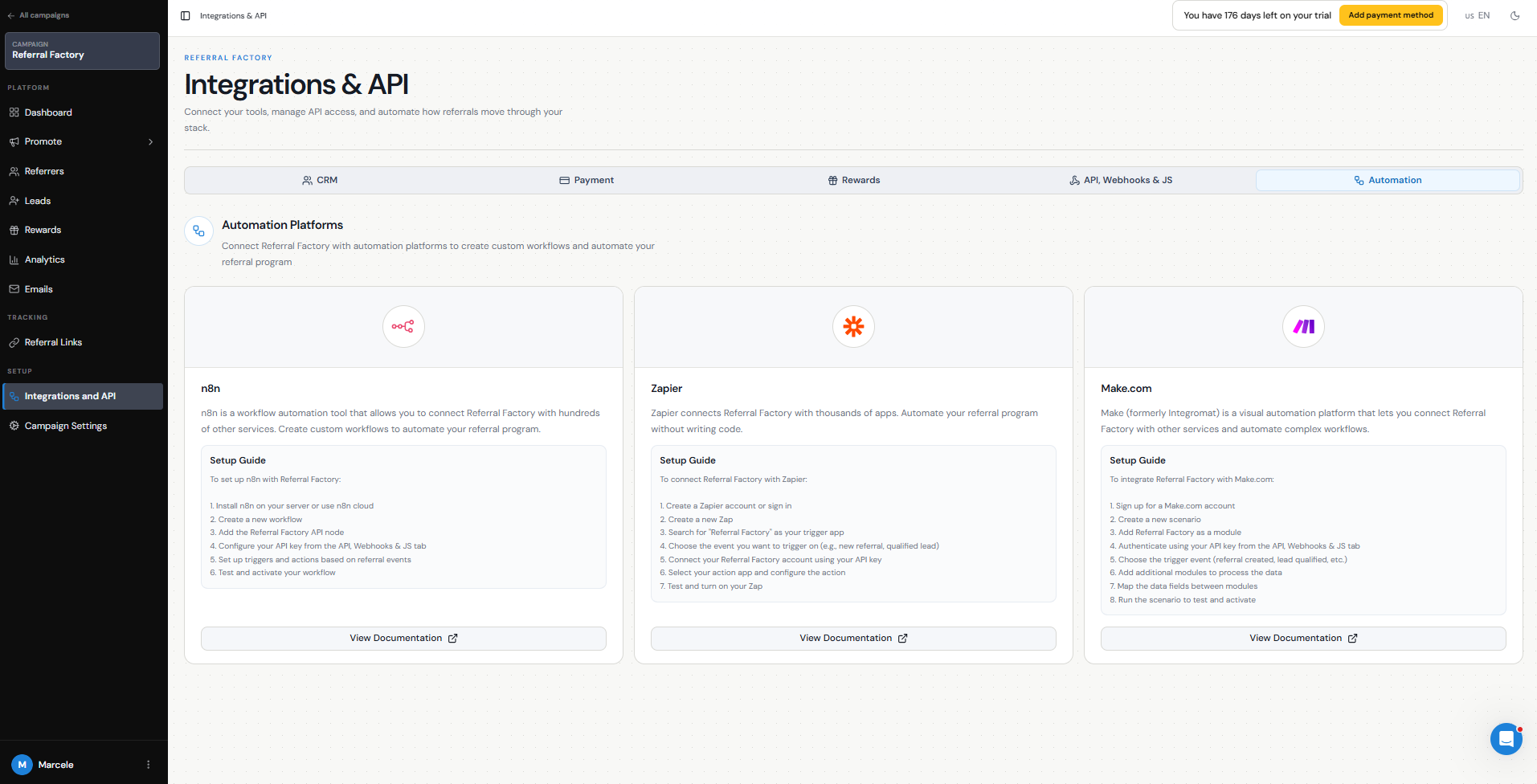
If your CRM is not natively supported, or you need a more customized workflow, you can connect Referral Factory using:
For example, you could use Make to detect when a CRM Contact reaches a specific status and then qualify the matching Lead in Referral Factory.
Use the native integration when it already supports the workflow you need. Use an automation platform, webhook, or API when you need more control over how and when data moves between systems.
- HubSpot
- Salesforce
- Intercom
- Zoho CRM
- Pipedrive
- Monday.com
- ServiceTitan
- Zapier
- Make
- n8n
- Webhooks
- API
Testing and duplicates
Always test the integration before using it with your full customer database.
Start with a small number of test records and check that:
Duplicate handling is particularly important. Your CRM may contain the same email address already, and the available behavior can depend on the integration, record type, and duplicate setting you choose.
For example, you may configure the integration to update an existing record rather than create another one. In some integrations, choosing Do nothing for an existing CRM record can also prevent Referral Factory from updating the record it needs for an automatic qualification workflow.
Test with both a new email address and an email that already exists in your CRM before turning the integration on for live users.
- Existing CRM customers are created as the correct Referrers.
- Each Referrer receives a unique Referral Link.
- The Referral Link is written back to the correct CRM record.
- New Leads and Referrers are created or updated in the expected CRM object.
- All required fields are populated correctly.
- Your qualification rule changes the correct Lead from Pending to Qualified.
- Existing CRM records are handled according to the duplicate option you selected.