
Need help applying this to your account?
Contact support and we will keep this article attached to your request.
Yes. You can turn existing CRM contacts into Referrers and automatically generate a unique Referral Link for each person.
This is useful when you already have customers in your CRM and want to enroll them in your referral program without asking them to sign up again.
How CRM Contacts can become Referrers and receive unique referral links
To generate Referral Links for existing CRM contacts, add or sync those contacts into your Referral Factory campaign as Referrers.
Once a contact becomes a Referrer, Referral Factory automatically generates their unique Referral Link.
The basic flow is:
CRM Contact → Added to Referral Factory as a Referrer → Unique Referral Link generated → Link can be written back to the CRM
This lets you use the Referral Link inside your existing CRM emails, workflows, or customer communications.
Supported sync/import approaches
Depending on your setup, you can bring CRM contacts into Referral Factory in several ways.
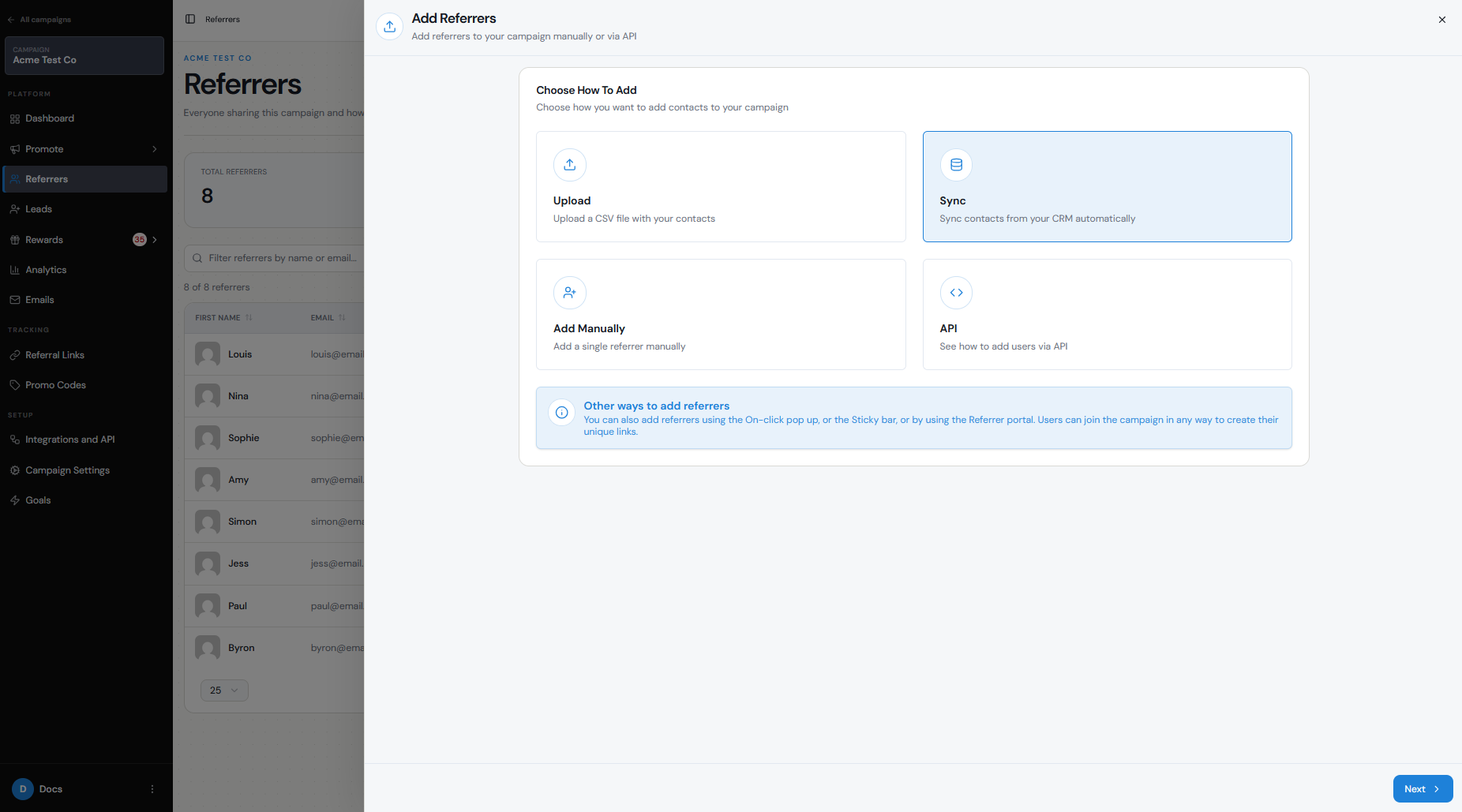
For supported native integrations, go to:
Referrers → Add Referrers → Sync
You can then select the connected integration and choose which contacts you want to enroll as Referrers.
You can run the sync as:
You can also add CRM contacts as Referrers using a CSV upload, or automate enrollment through Zapier, Make, n8n, webhooks, or the API if that better matches your workflow.
- One-Time Sync — imports the selected contacts once.
- Ongoing Sync — continues adding new contacts that match your selected criteria.
Required fields
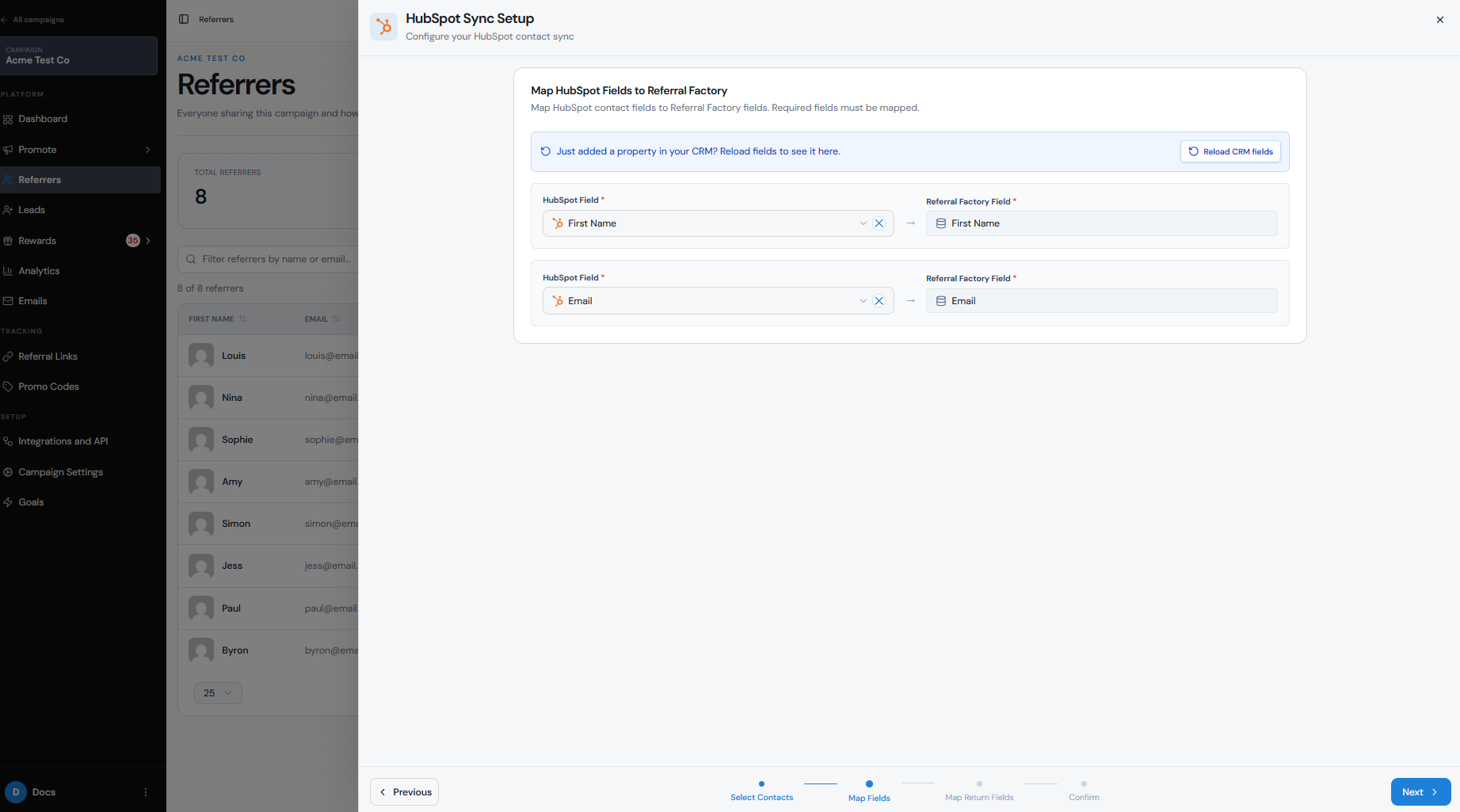
When syncing CRM contacts into Referral Factory as Referrers, the required fields are:
First Name and Email are required to create the Referrer, while Referral Link must be mapped back to a field in your CRM so the newly generated unique link can be stored on the contact record.
Your CRM or selected record type may also require additional mandatory fields, such as Last Name or Company.
- First Name
- Email
- Referral Link
Mapping
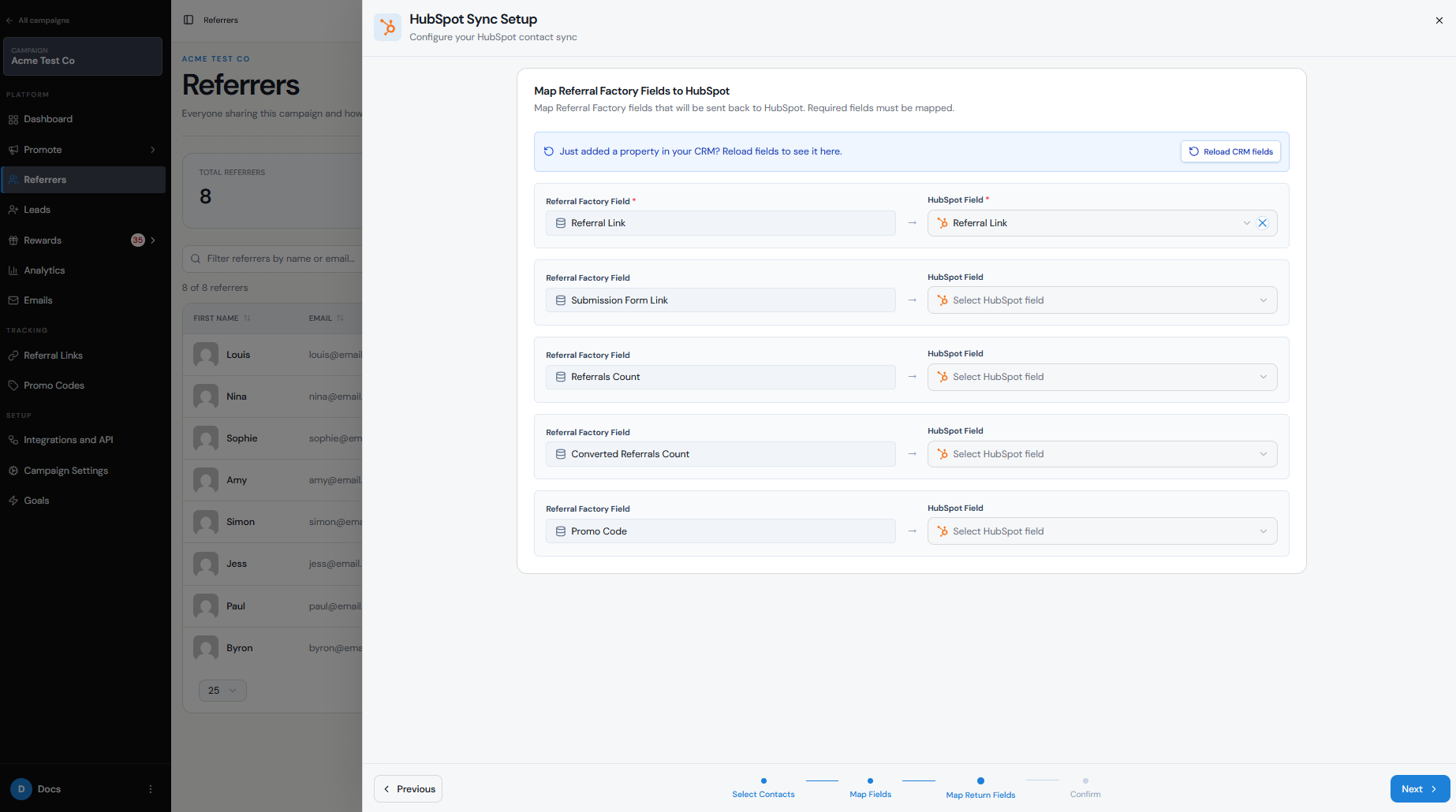
During the sync, map the CRM fields needed to create the Referrer, then map the generated Referral Link back into the CRM.
For example:
CRM First Name → Referral Factory First Name CRM Email → Referral Factory Email Referral Factory Referral Link → CRM Referral Link field
The Referral Link mapping is required so each Referrer's unique link can be written back to the corresponding CRM record.
You may need to create a custom field or property in your CRM first to store the Referral Link.
Depending on the integration, you may also be able to map additional Referral Factory data back into the CRM, such as referral counts or other Referrer information.
Duplicate handling
Referral Factory uses the Referrer's email address as their unique identifier within a campaign.
If the contact already exists as a Referrer in that campaign, work with the existing Referrer record rather than trying to create another one.
Duplicate handling inside your CRM is separate and depends on the integration settings you choose.
For example, when Referral Factory writes Referrer information back to your CRM, you may be able to update an existing record rather than create a duplicate.
Test your duplicate settings before running a large sync, especially if many of your customers are already participating in the campaign.
Where links are stored or returned
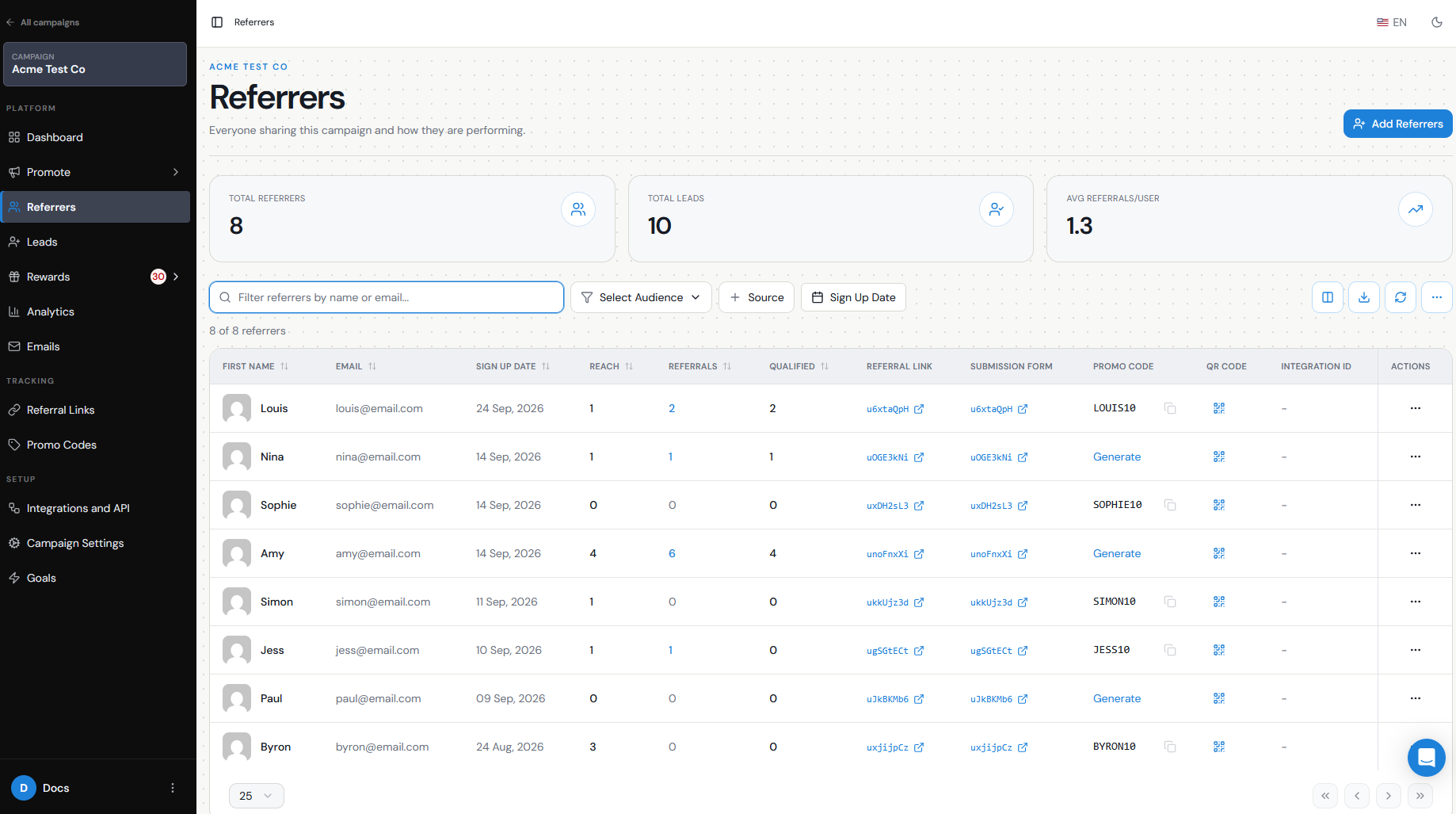
Once a CRM contact becomes a Referrer, their unique Referral Link is available in the Referrers section of Referral Factory.
If you mapped the Referral Link back to your CRM, it will also be stored in the CRM field or property you selected.
For example:
HubSpot Contact → Referral Link property → refer.yourbrand.com/ABC123
You can then use that property inside CRM emails, sequences, workflows, SMS campaigns, or other customer communications.
The Referrer can also access their link through the Branded Referrer Portal.
Testing
Before syncing your full customer database:
- Select one or two test CRM contacts.
- Sync them into Referral Factory as Referrers.
- Confirm that they appear under Referrers.
- Check that a unique Referral Link was generated for each person.
- Confirm that the Referral Link was written back to the correct CRM record, if you configured return mapping.
- Open the Referral Link and confirm that it loads the correct campaign.
- Test an existing contact as well to make sure your duplicate handling behaves as expected.