
Need help applying this to your account?
Contact support and we will keep this article attached to your request.
Referral Factory separates account-level settings from campaign-level settings, so you can control which changes apply to your whole business and which only affect a specific referral program.
Account-level settings include things like your business details, teammate access, account security settings, domains, and billing and subscription management. Campaign-level settings control how an individual referral campaign works, including its pages, emails, integrations, qualification rules, and rewards.
Where do I find these account settings?
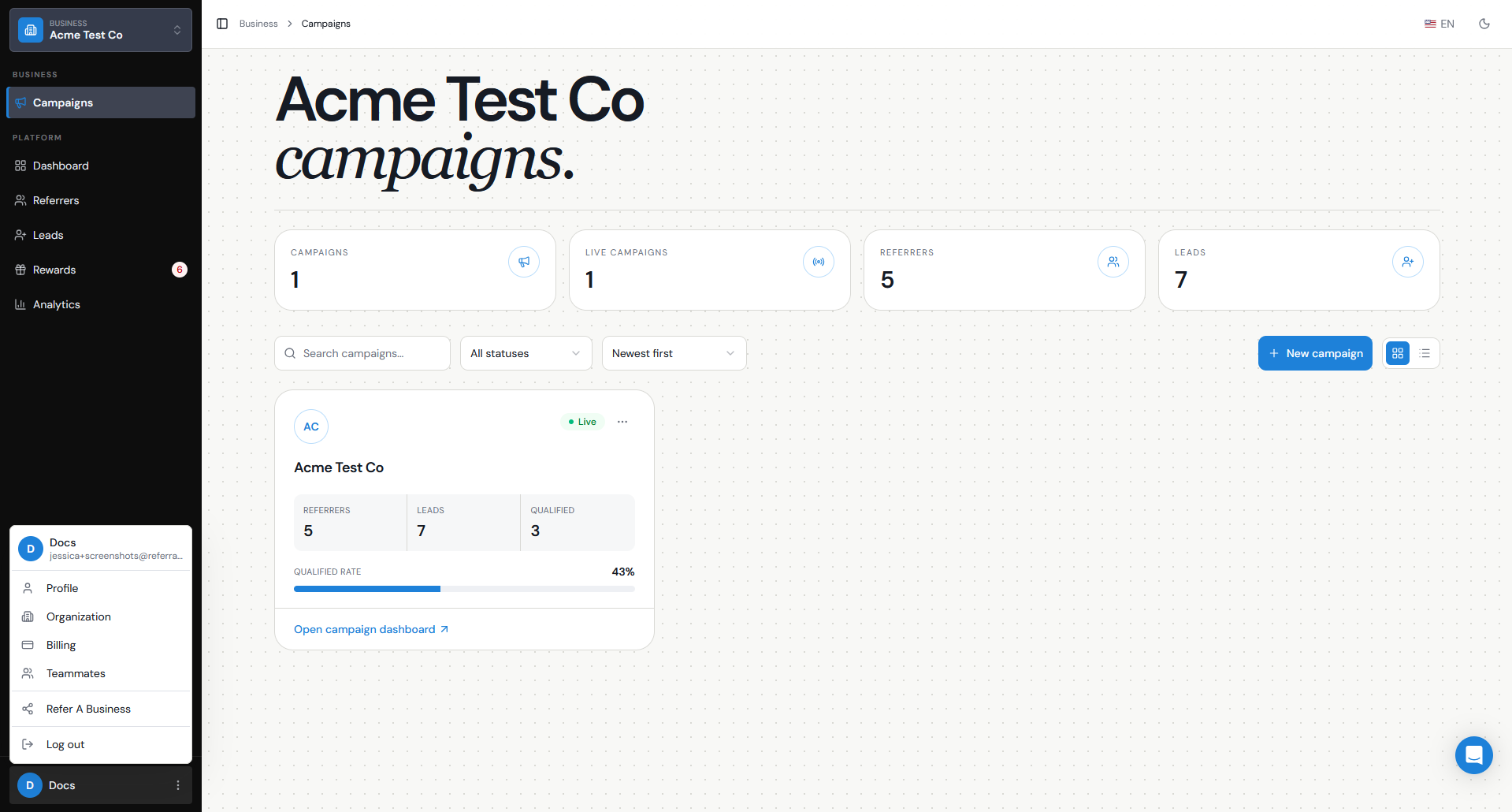
You can access the main account settings by clicking your name in the bottom-left corner of your Referral Factory dashboard.
From here, you can access areas such as:
- Profile — manage your personal account information and login settings.
- Organisation — manage business-level settings, including your organisation details, email settings, and domain and security settings.
- Teammates — invite other people to your account and control what they can access.
- Billing — manage your subscription, payment method, billing cycle, and invoices.
These settings are separate from the settings you see after opening an individual campaign.
Which settings apply to my whole account?
Account-level settings apply across your Referral Factory account rather than to one individual campaign.
These include:
- Your profile and login settings
- Your business or organisation information
- Teammates and access permissions
- Two-factor authentication (2FA) requirements
- Your custom referral domain, if your plan includes one
- Authorized Domains, which control where your campaigns can be embedded
- Account-level email and billing contact details
- Your subscription, payment method, billing cycle, and invoices
For example, your custom referral domain is an account-level setting. If you configure one, campaigns under that account use the same custom domain rather than having a different custom domain for each campaign.
Because these settings can affect your entire account, access to them depends on the permissions assigned to each teammate.
Which settings are specific to a campaign?
Campaign settings only affect the referral campaign you currently have selected.
When you open a campaign, you can configure things such as:
- The Branded Referrer Portal
- The Referral Link Page
- Campaign emails
- Rewards
- Qualification rules
- Campaign Terms & Conditions
- Referral link sharing details
- CRM, payment, reward, and automation integrations
- API and webhook settings
- Other campaign-specific configuration
For example, integrations are configured per campaign. Connecting HubSpot, Salesforce, Stripe, or another integration in one campaign does not automatically configure it for your other campaigns.
If you have more than one campaign, always check which campaign is selected before changing campaign-level settings.
Who can change these settings?
What a teammate can see or change depends on the Access Level assigned to them.
- Account Admin — has full access to the account and campaigns, including account-level settings.
- Campaign Admin — has full access to campaigns and can manage campaign integrations and settings, but does not have access to account-level settings.
- Campaign Manager — can manage campaigns but cannot delete campaigns, users, or rewards.
- Campaign Analyst — has read-only access to campaign information.
- Billing Admin — can manage the subscription, payment methods, and invoices without accessing campaigns or other account settings.
You can manage these permissions from Teammates.
We recommend giving each teammate the level of access they need rather than giving everyone Account Admin permissions.
What should I review for security and billing?
It is a good idea to review your security, teammate access, and billing settings regularly, particularly when people join or leave your team or when your payment information changes.
For security, check:
- That only the right people have access to your account.
- That each teammate has the appropriate access level.
- Whether 2FA should be required for your teammates.
- Your Authorized Domains if you want to control which websites are allowed to embed your referral campaigns.
- Your custom domain configuration if you are using your own referral URL.
For billing, check:
- Your current plan and billing cycle.
- That your payment method is current.
- Your invoice and billing history.
- That the correct Billing Email is set if invoices should go to your finance or accounts team.
Your Billing Email only receives billing emails and receipts. If that person also needs to log in and manage billing, add them separately under Teammates and give them Billing Admin access.
Keeping these settings up to date helps make sure the right people can manage your account, your referral programs remain secure, and important billing notices reach the correct person.