
Need help applying this to your account?
Contact support and we will keep this article attached to your request.
Overview
There are a few simple things you can do to help keep your Referral Factory account secure, especially if several people in your team have access.
Referral Factory provides account security features such as two-factor authentication, teammate access, roles and permissions, and SAML single sign-on on supported plans.
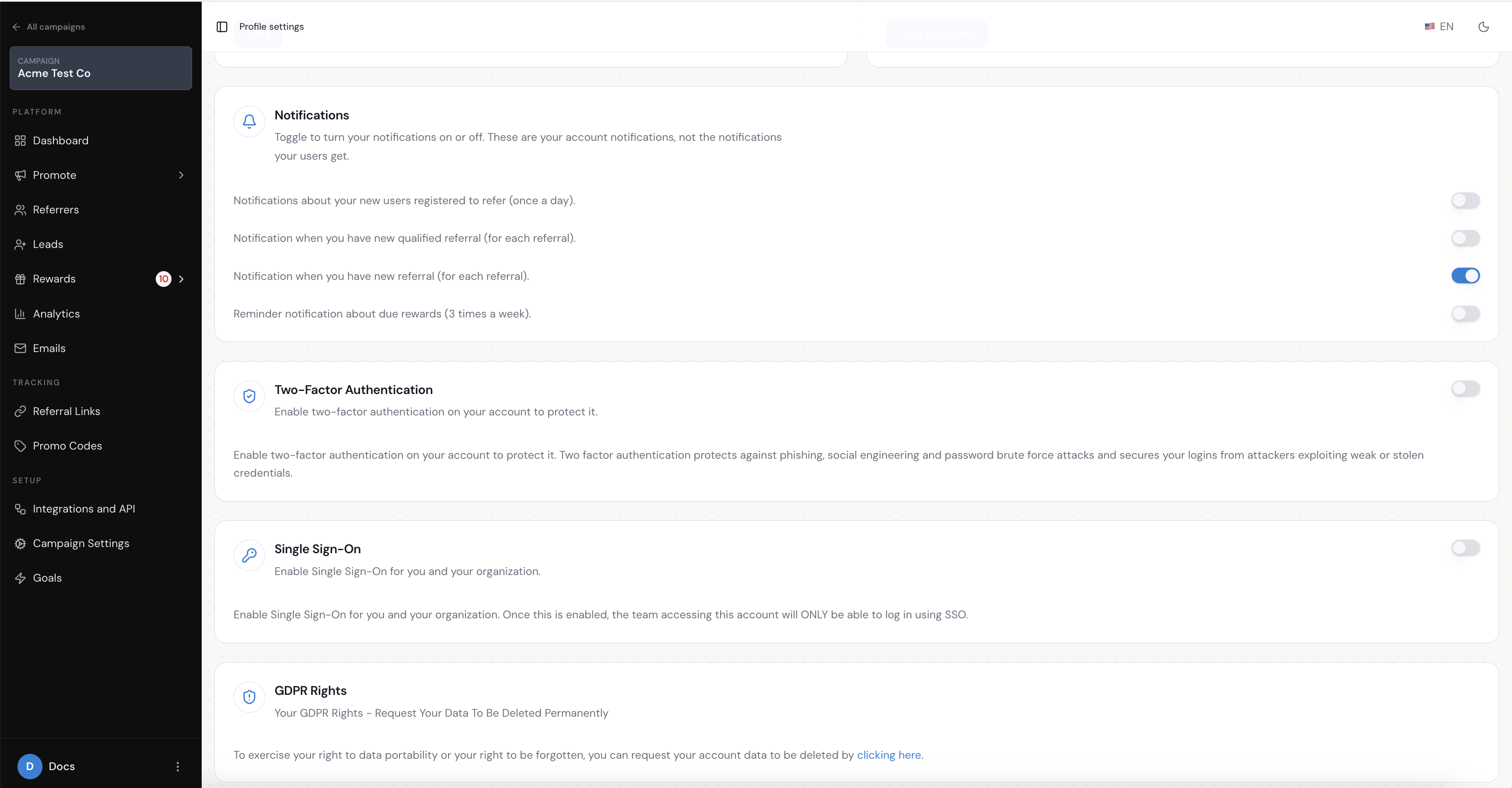
Turn on two-factor authentication
Two-factor authentication adds an extra layer of security when someone signs in to your account.
Instead of relying only on a password, the person logging in also needs to complete a second verification step.
We recommend enabling two-factor authentication wherever it is available, particularly for anyone who can:
- Change campaign settings
- Access customer or referral data
- Manage rewards
- Connect integrations
- Manage other teammates
Give each teammate their own login
Avoid sharing one Referral Factory login between several people.
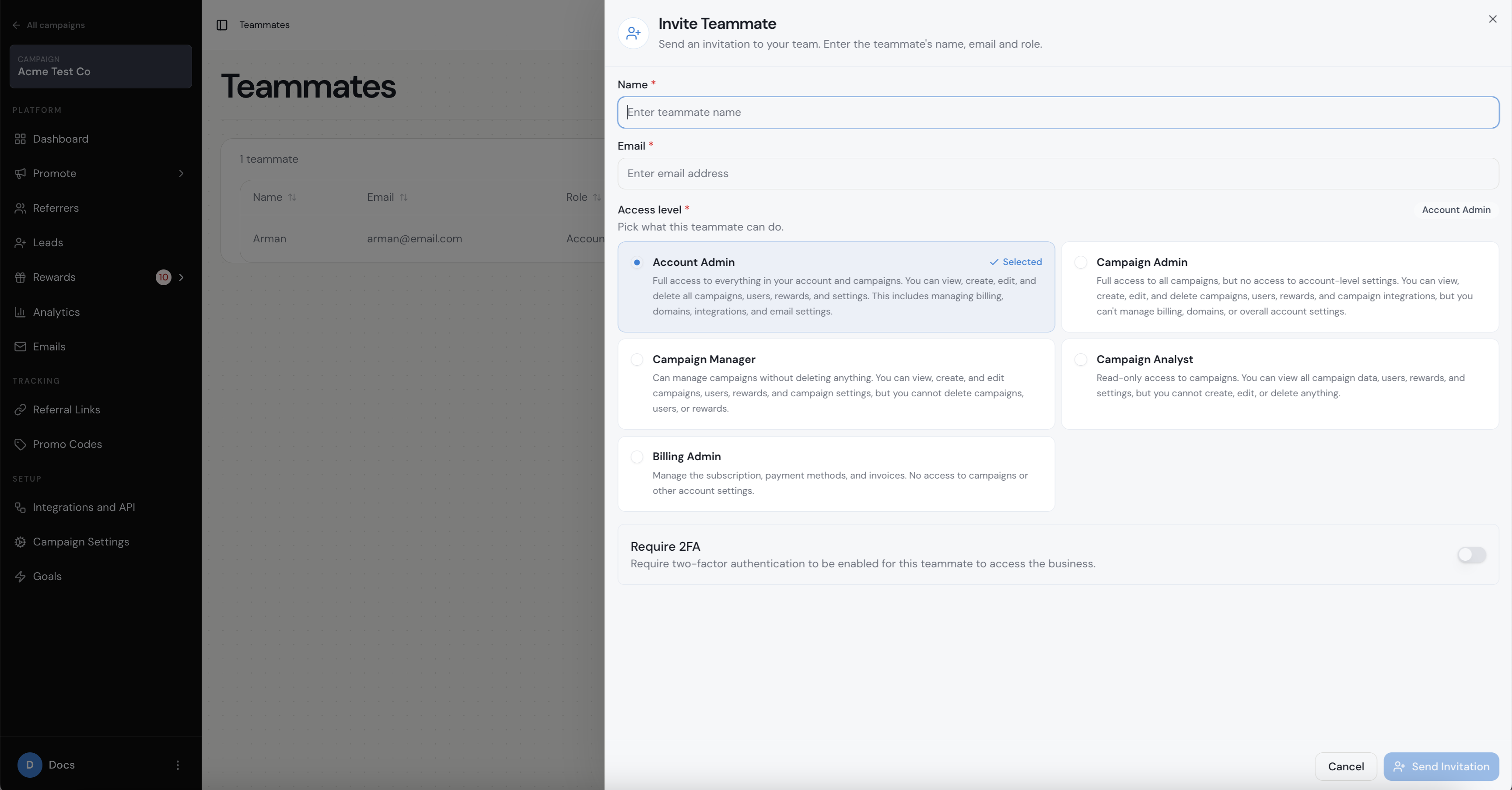
Add each teammate separately so everyone has their own access. This makes it easier to control who can access your account and remove access when someone leaves your team.
Only give people the access they need
Your account supports different roles or permissions, use them to limit what each teammate can access.
For example, someone who only manages campaigns may not need the same level of access as the person managing integrations, billing, or account settings.
This is especially useful for larger teams where several departments use Referral Factory.
Remove access when someone leaves your team
Review your teammates from time to time and remove anyone who no longer needs access.
A quick access review every few months can help prevent old accounts from being forgotten.
- Leaves your company
- Changes role
- Finishes a temporary project
- No longer works on your referral program
Use saml single sign-on if your organisation requires it
Referral Factory supports SAML single sign-on (SSO) on supported plans.
SSO allows your organisation to manage access through your existing identity provider, which can make it easier for larger companies to control who can sign in.
This is especially useful when your IT or security team wants access to be managed centrally.
If you need SSO, speak to your Referral Factory account manager or support team about the options available on your plan.
Keep integration and API credentials secure
If you connect Referral Factory to other systems such as your CRM, automation platform or your own application, treat those credentials carefully.
Do not share API keys, access tokens or integration credentials in places where people outside the relevant team can see them.
If someone who had access to those credentials leaves your organisation, review whether the credentials should be replaced.
Review account access regularly
A simple security check every few months can go a long way.
Check:
Keeping access tidy is one of the easiest ways to reduce unnecessary security risk.
- Who currently has access and still needs it?
- Are the correct permissions being used?
- Is two-factor authentication enabled where appropriate?
- Are former teammates still listed?
- Are integrations still used and managed by the correct people?
Need help with account security?
If you are not sure which security features are available on your plan, or your IT team has specific requirements around SSO, permissions or data access, contact Referral Factory support.
For an overview of platform controls and standards, read the Referral Factory security overview.