
Need help applying this to your account?
Contact support and we will keep this article attached to your request.
Overview
Referral Factory gives you a few ways to reduce referral abuse. Use reCAPTCHA and email verification to make fake sign-ups harder. You can also wait until a referral qualifies before issuing a reward, review rewards yourself, and check the Leads view when something looks unusual.
Effective referral program software should help you protect reward budgets as your program grows.
Start with the Campaign Settings
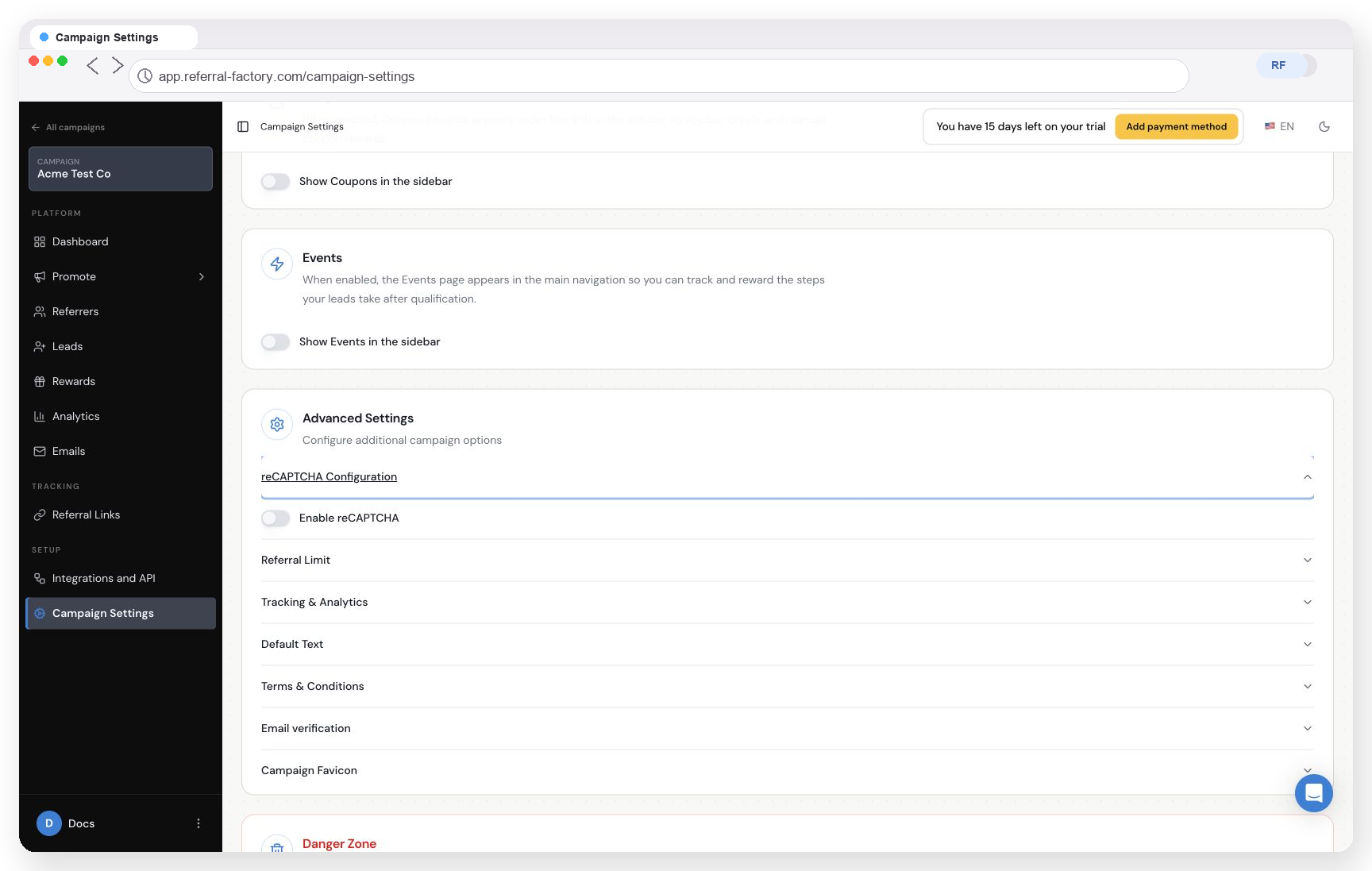
In Campaign Settings, open Advanced Settings. From there, you can use:
reCAPTCHA Configuration to turn on Enable reCAPTCHA;
Email verification for referrers joining through the portal, leads joining through referral links, and referrers logging in to the portal; and
Referral Limit to limit the number of referrals a referrer can make.
Qualify referrals before you reward them
For a higher-value program, set your Reward Rule around a real conversion, such as a purchase or an approved application. The New referral trigger rewards every new referral, and the current editor warns that it has no fraud protection.
If you use manual issuing, rewards can stay Due while you review them. You can then choose Issue Now or Cancel reward. This gives you a useful check before a reward is sent.
Review unusual activity
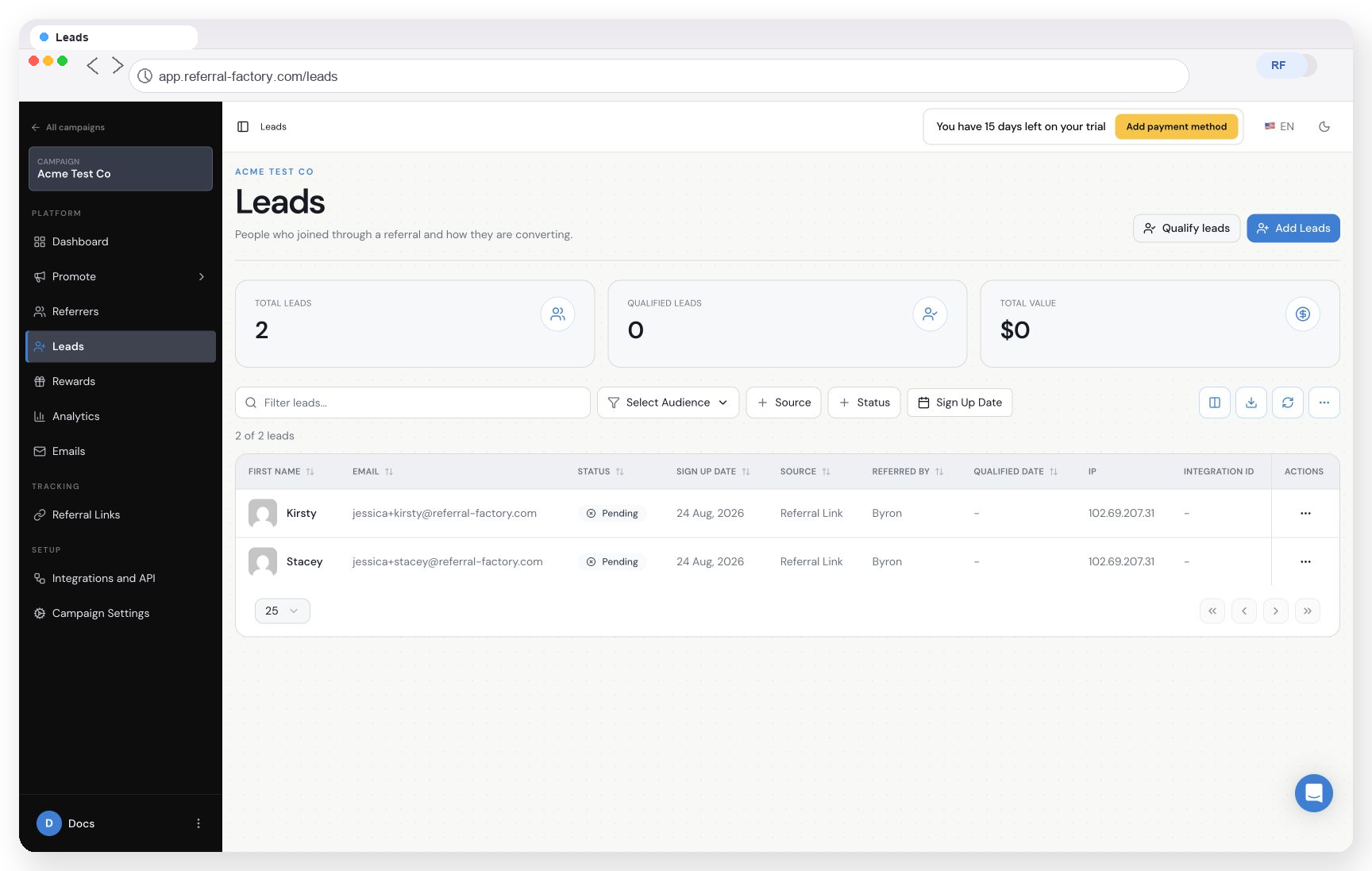
In the Leads view, you can see Status, Source, Referred By, Qualified Date, IP, and Integration ID. Look for lots of sign-ups in a short time, repeated IP addresses, or leads that never qualify.
Matching IP addresses are a signal to investigate, but they do not automatically block a referral.
Set clear rules
Add clear Terms & Conditions that explain who qualifies, when rewards can be cancelled, and what is not allowed. Make sure your team uses the same review process for refunds, failed conversions, and suspicious referrals.
These controls reduce common abuse, but no single control catches every fraud pattern. Someone may use another email address, device, or network, so your qualification and reward-review process still matters.
For a focused setup, follow the guides to enable reCAPTCHA, reduce bot sign-ups and reduce self-referrals.