
Need help applying this to your account?
Contact support and we will keep this article attached to your request.
You can use Make to automatically send new Referral Factory Leads into a CRM or another app whenever someone is referred to your campaign.
The basic workflow is:
New Lead joins Referral Factory → Make receives the Lead → Make creates or updates a record in your CRM
This is useful when you want your sales team to work with referred Leads in an existing CRM that is not connected through the workflow you need.
When a new Referral Factory Lead is sent to make
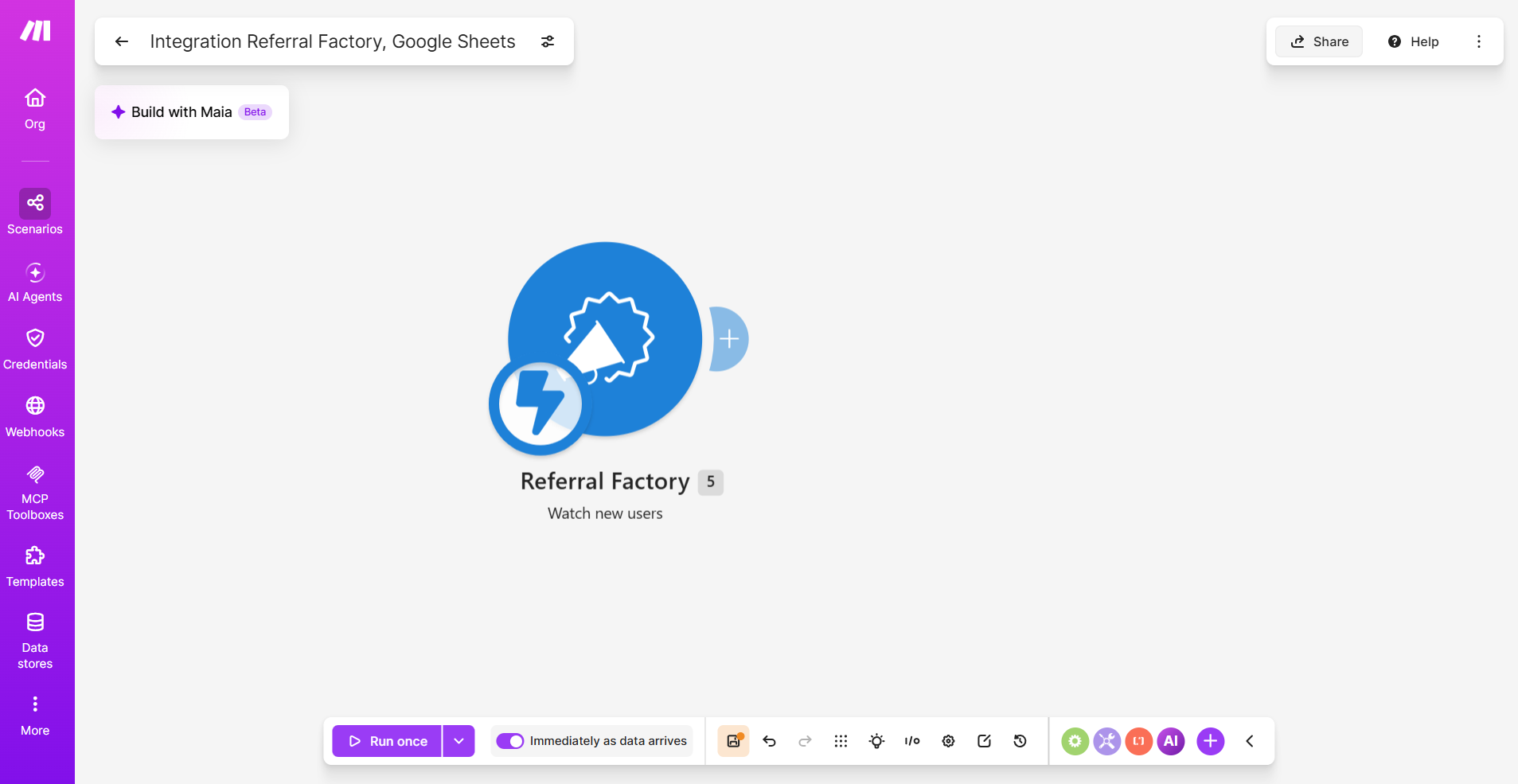
Create a scenario in Make using Referral Factory as the trigger.
The Watch New Users trigger fires when a new referred Lead enters Referral Factory.
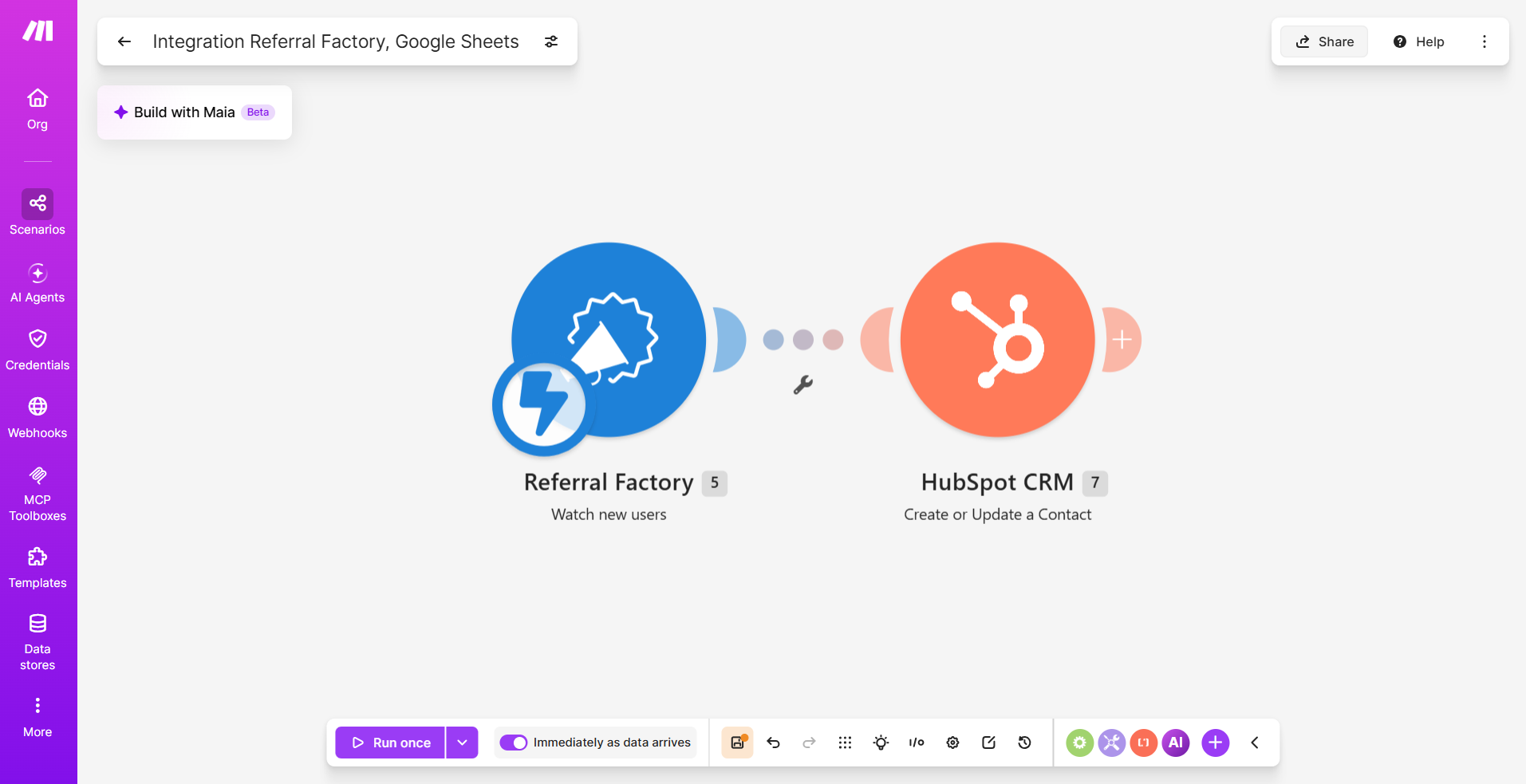
Next, add your CRM as the second module and choose what should happen when Make receives the new Lead.
- Create a new scenario in Make.
- Add Referral Factory as the first module.
- Select Watch New Users.
- Connect your Referral Factory account.
- Select the campaign you want to use.
- For Which users should we send?, select Referral Link.
- Save the module and use Run once to capture a test referred Lead.
Which record/object is created or updated
Referral Factory sends the Lead information to Make, but the action you select in your CRM determines what type of record is created or updated.
Depending on your CRM, you might choose an action such as:
Choose the CRM record type that matches the way your team normally manages new prospects.
For example:
Referral Factory → Watch New Users → CRM → Create Contact
or:
Referral Factory → Watch New Users → CRM → Create Lead
If you want to update existing records instead of always creating new ones, choose an appropriate update or search-and-update workflow in Make.
- Create a Contact
- Create a Lead
- Create a Deal
- Create an Opportunity
- Update an existing Contact or Lead
Required fields and mapping
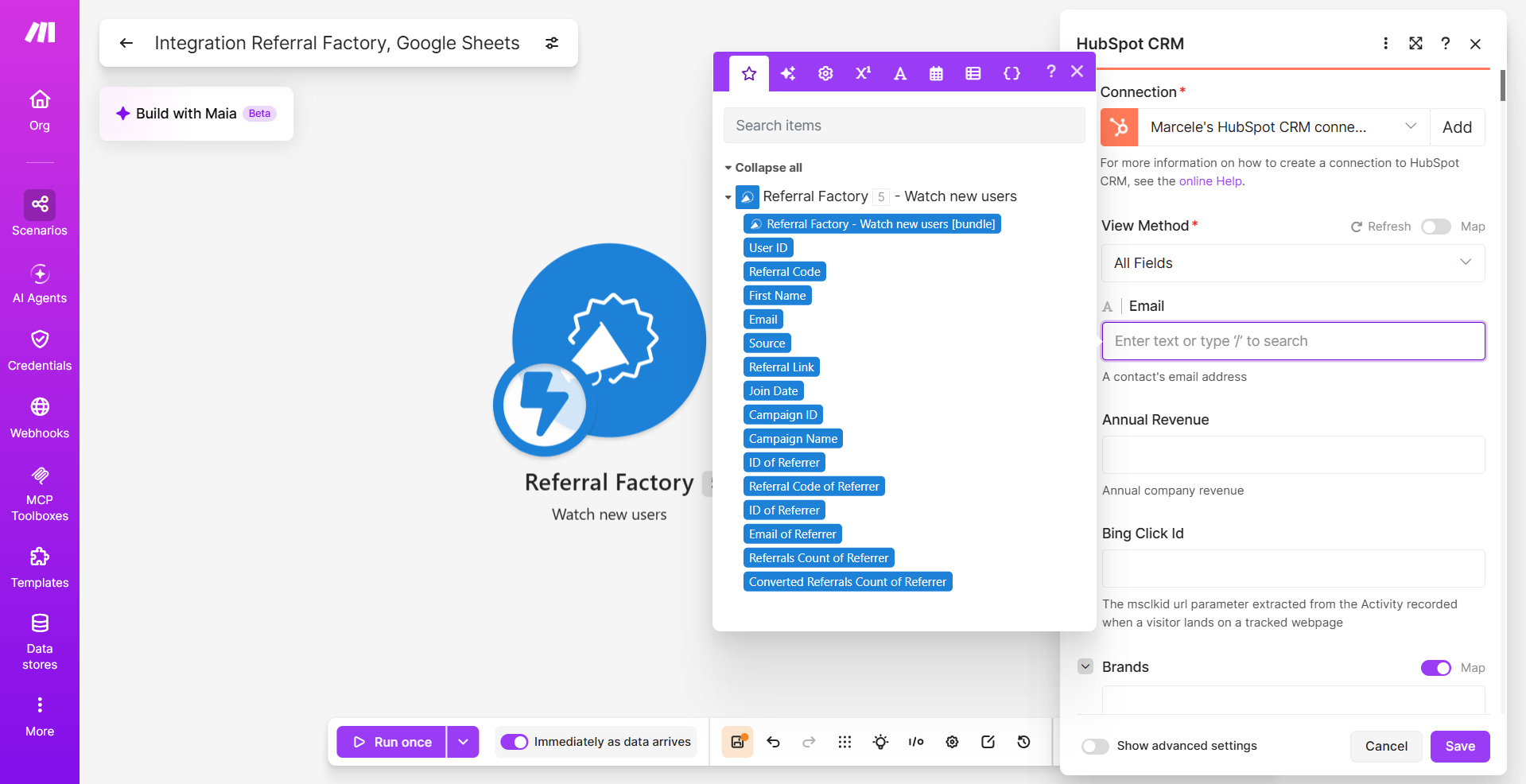
Once you have selected your CRM action, map the information from Referral Factory into the corresponding CRM fields.
In most cases, you will want to map at least:
You can also send additional referral information when useful, such as:
If your CRM requires additional fields for the record or object you selected, those fields must also be provided before the record can be created successfully.
You can create custom fields in your CRM first if you want somewhere to store referral-specific information.
You can also use fixed values in Make. For example, you could set:
Lead Source → Referral Factory
for every Lead created through the scenario.
- First Name
- Email
- Last Name
- Phone Number
- Referrer First Name
- Referrer Email
- Campaign information
- Referral Link
- Other information collected from the Lead
Duplicate handling
Before activating the scenario, decide what should happen if the Lead already exists in your CRM.
Duplicate handling depends on the CRM modules available in Make and the workflow you choose to build. Referral Factory sends the Lead data into Make, but the CRM action determines whether a new record is created or an existing one is updated.
Depending on your CRM, Make may offer modules that let you:
For example, if your CRM supports searching contacts by email, you can build a scenario that checks whether the Lead already exists before deciding whether to create a new record or update an existing one.
The exact duplicate-handling workflow will vary by CRM, so check which search, create, and update modules are available for the CRM you are connecting.
Before going live, test the scenario with both a new email address and an email that already exists in your CRM to confirm it behaves as expected.
- Create a new Contact, Lead, or other record.
- Update an existing record.
- Search for an existing record before taking the next action.
- Use filters or a Router to control what happens based on the search result.
Sync timing
Once the scenario is active, Watch New Users starts the workflow when a new referred Lead enters the selected campaign.
The time it takes for the record to appear in your CRM can depend on your Make scenario settings, the modules used, and the destination CRM.
If your scenario uses a schedule, check how frequently it is configured to run. Also remember that processing or API delays in the destination app can affect when the new record becomes visible.
The scenario must be active for new Leads to continue flowing automatically.
How to verify the record and troubleshoot failures
Before relying on the scenario for live Leads, test the complete workflow.
If the CRM record is not created, check:
Make's execution history is particularly useful when troubleshooting because you can see which module failed and inspect the data that reached each step.
- In Make, use Run once so you can capture test data.
- Create a test Lead through a Referrer’s referral link.
- Confirm that Watch New Users receives the Lead.
- Check that the Lead data passes into the CRM module.
- Open your CRM and confirm that the expected Contact, Lead, Deal, or other record was created or updated.
- Check that all mapped fields contain the correct values.
- Activate the scenario once the test works correctly.
- The Make scenario is active.
- The correct Referral Factory campaign is selected.
- Referral Link is selected under Which users should we send?
- The Referral Factory trigger received the test Lead.
- Your CRM connection is still authorized.
- All required CRM fields are mapped.
- Your CRM accepts the values being sent.
- Your duplicate workflow is not preventing the action.
- The scenario's execution history does not show an error.