
Need help applying this to your account?
Contact support and we will keep this article attached to your request.
Control how your referral campaign appears in search and browser tabs
Referral Factory's SEO Settings control how your campaign is described to search engines and whether crawlers may index it. The Campaign Favicon controls the small icon shown for the campaign in a browser tab. You can manage all four settings from Campaign Settings in Referral Factory.
Use this guide when you want to change the information people see in search results, the icon shown in a browser tab, or whether search engines can access a referral page.
How do I change the page title and meta description?
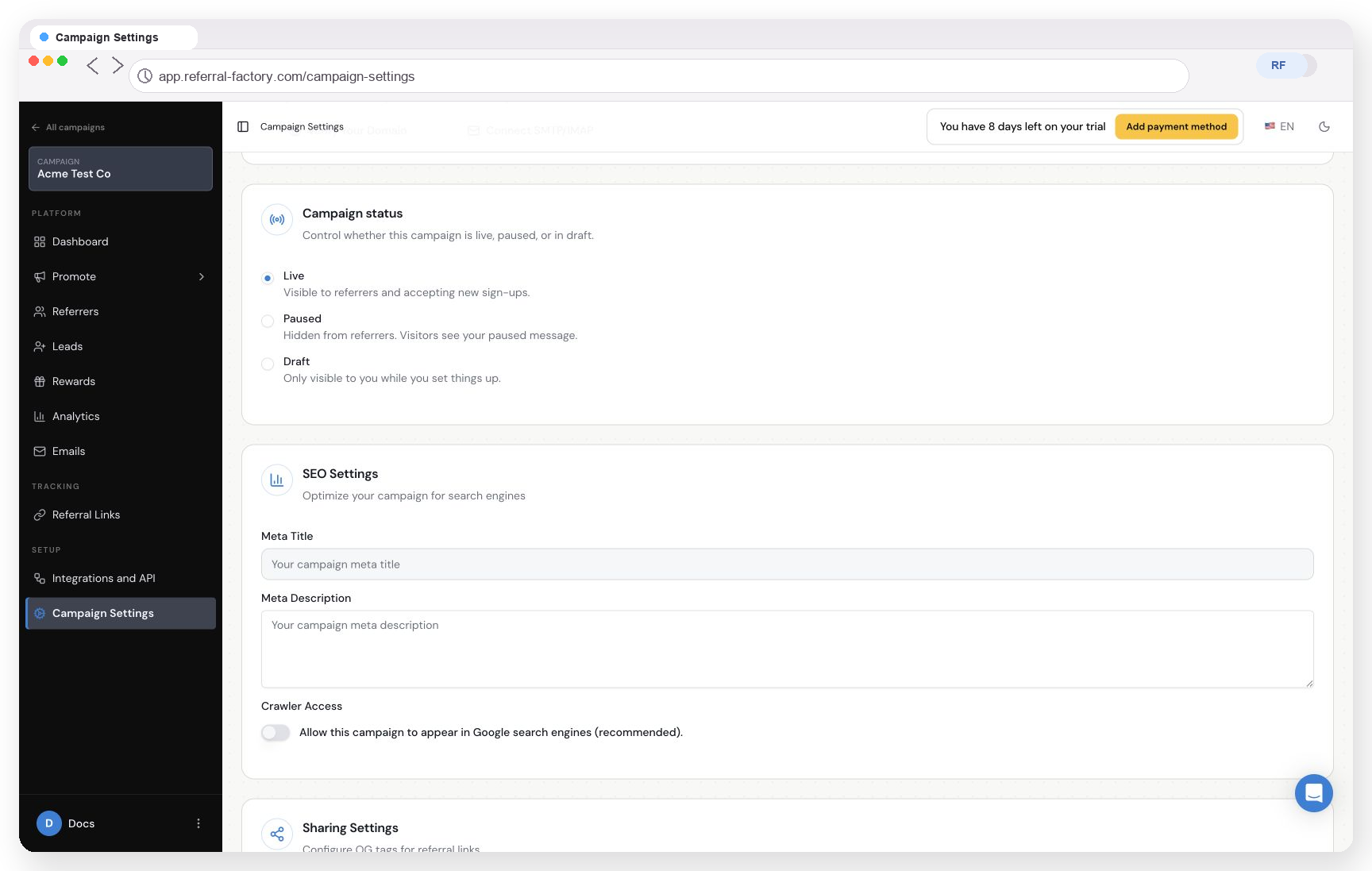
Select the campaign first, then open Campaign Settings from the campaign sidebar. Find SEO Settings and update Meta Title and Meta Description. The title identifies the referral page in search results; the description explains what the page offers.
1. Select the campaign. Choose the campaign whose referral page you want to update.
2. Open Campaign Settings. Select Campaign Settings in the campaign sidebar, then find SEO Settings.
3. Update the Meta Title and Meta Description. Enter the title and description you want searchers to see, then save the campaign settings.
How do I change the favicon?
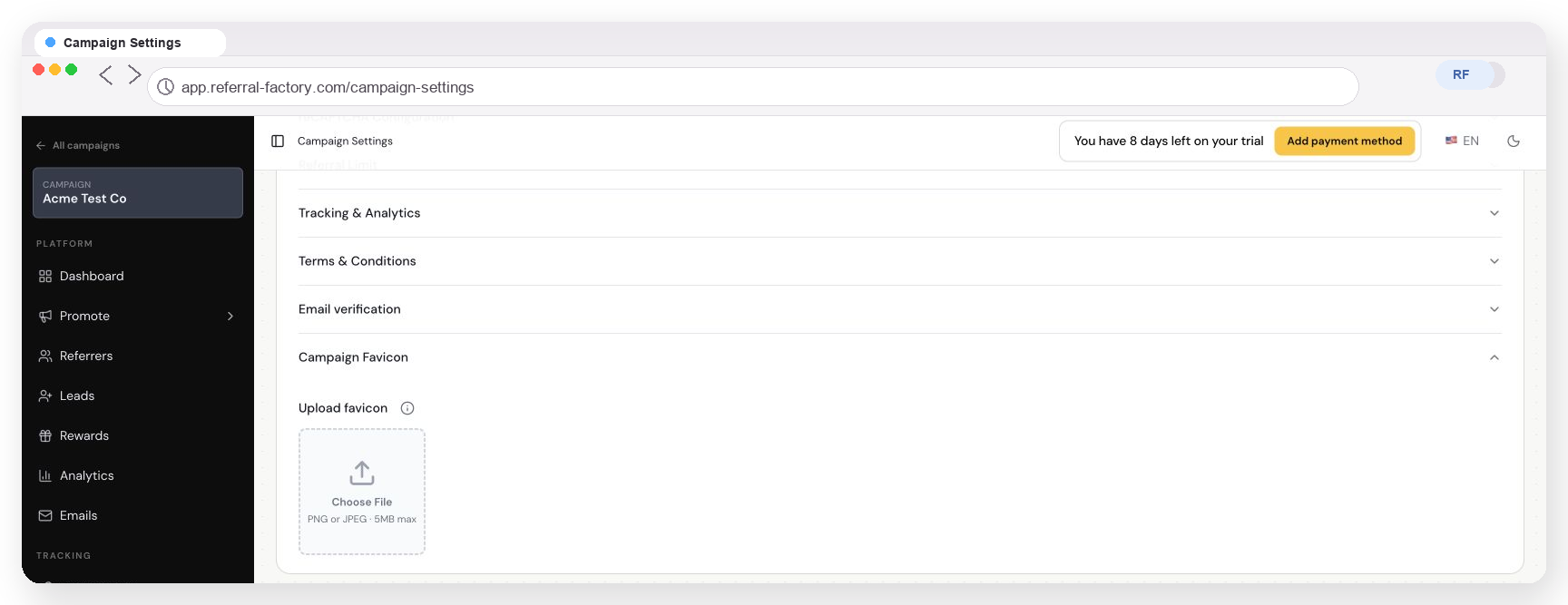
The favicon is the small icon shown for your referral page in a browser tab. In Campaign Settings, open Advanced Settings and expand Campaign Favicon. Upload a PNG or JPEG file up to 5 MB.
1. Open Campaign Favicon. In Campaign Settings, open Advanced Settings and expand Campaign Favicon.
2. Choose the file. Select Choose File and upload a PNG or JPEG favicon no larger than 5 MB.
Can I control whether search engines crawl or index a referral page?
Yes. Use Crawler Access in SEO Settings. Turn on “Allow this campaign to appear in Google search engines (recommended)” when you want search engines to be able to crawl the referral page. Leave it off when the page should not be discoverable through search.
Allowing crawler access does not guarantee that Google or another search engine will index the page or show it in a particular position.
When should a referral page be indexed or kept out of search?
Allow search access when the referral page is public, useful to people who search for your campaign, and ready to be found. Keep crawler access off when the page is private, temporary, intended only for people who receive a direct link, or not ready for public search.
How do I preview and test the browser/search appearance?
Open the referral page in a browser after updating the settings. Check the browser tab for the new favicon and review the page title in the browser. To check the search appearance, use the page URL in your normal search-preview or webmaster tools; enabling crawler access alone will not make the page appear immediately or guarantee an index result.