Read this page as a quick path: scan the headings, use the step blocks, and escalate if the expected result does not happen.
Need help applying this to your account?
Contact support and we will keep this article attached to your request.
API access and outbound webhooks are available on the Basic plan and above. If you're on the Starter plan, you'll see a "You do not have permission to perform this action" message when trying to create a webhook.
Setting up outbound webhooks
Your webhook will begin sending real-time notifications to the configured URL whenever the selected event occurs.
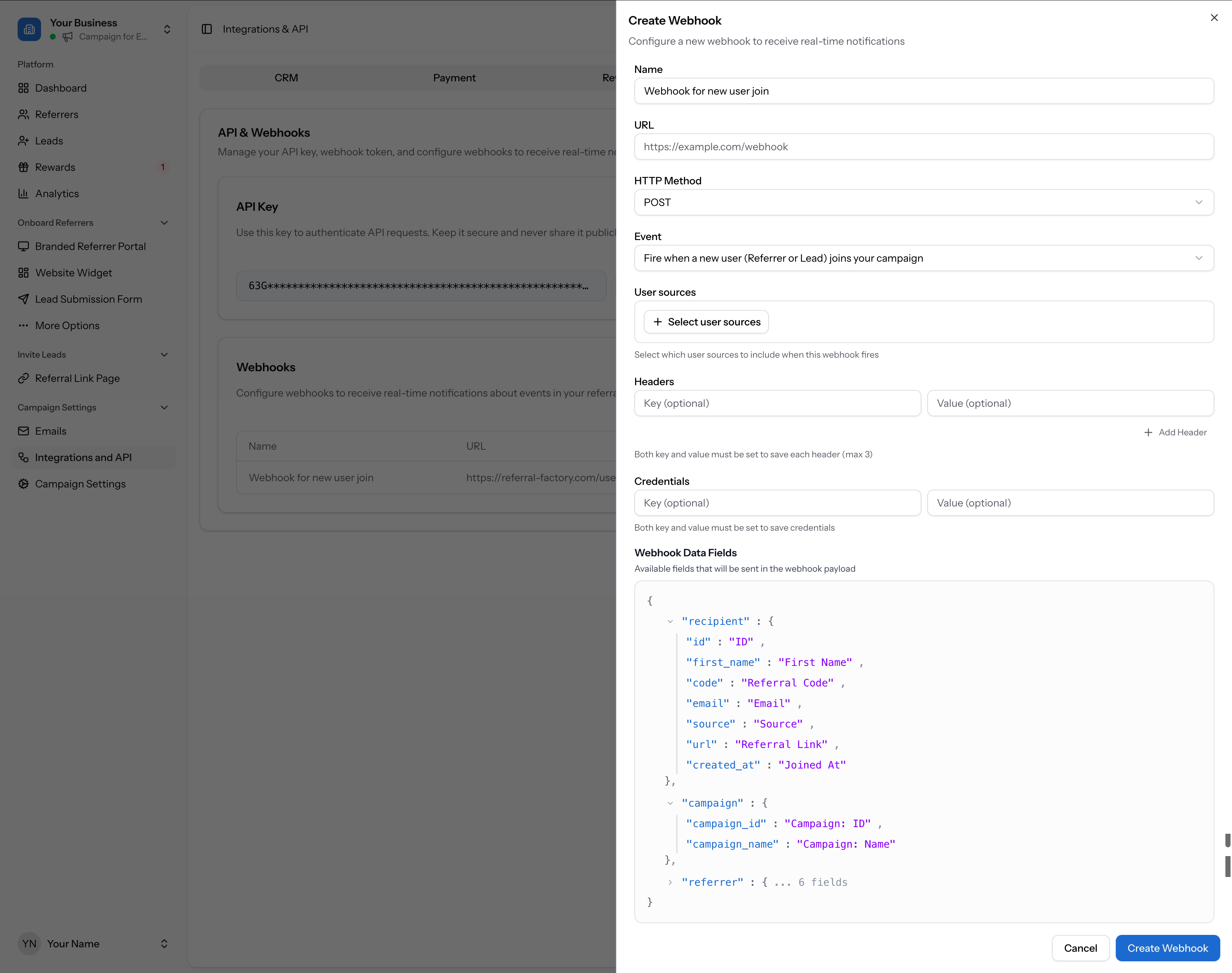
- Go to Campaign Settings → Integrations and API in the left sidebar
- Click the API & Webhooks tab
- In the Webhooks section, click + Create Webhook
- Fill in the webhook form: give it a name, enter the destination URL, choose the HTTP method, select the event that triggers the webhook (e.g. new user joins), and optionally configure headers and credentials
- Click Create Webhook to save
Setting up inbound webhooks
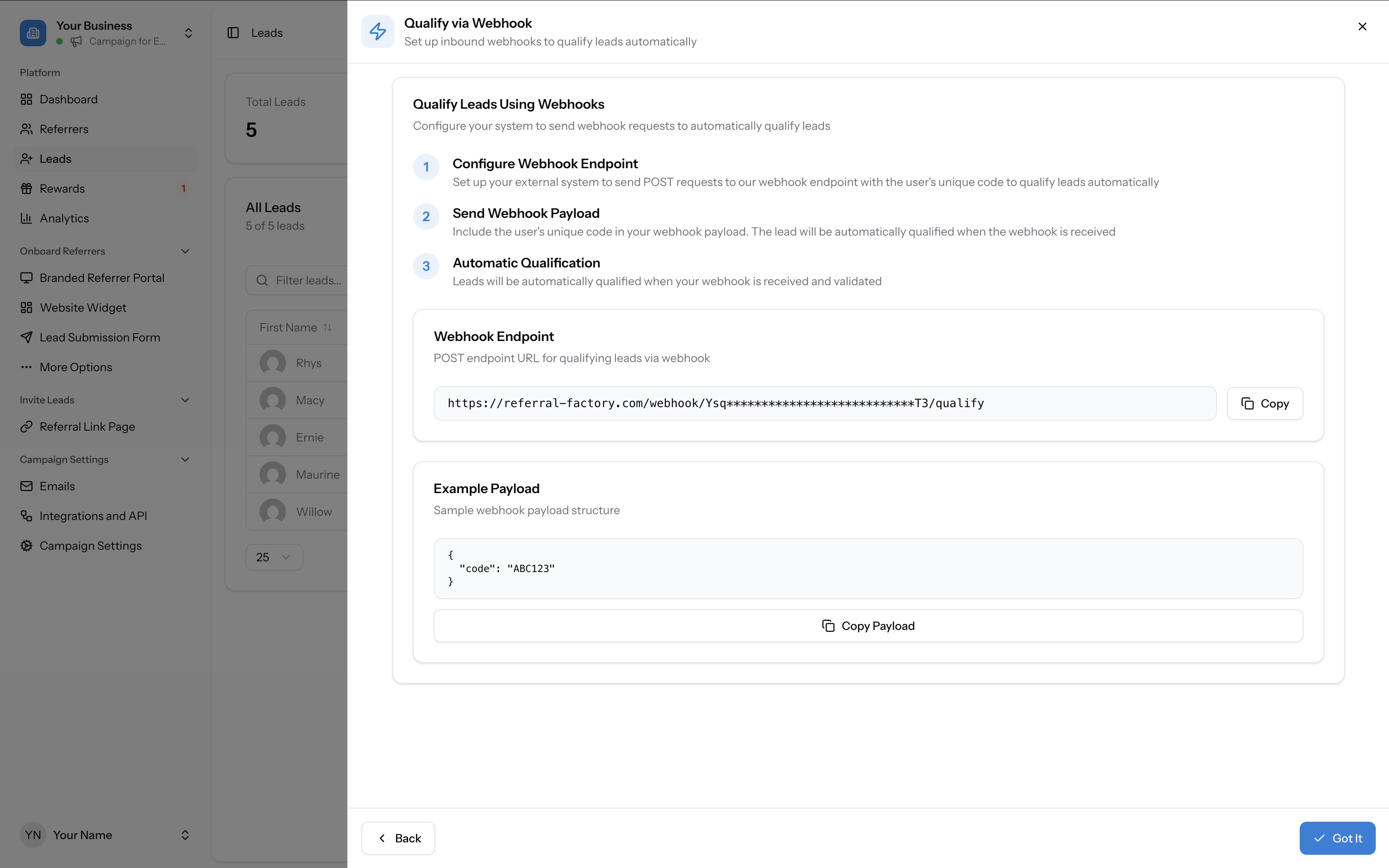
Inbound webhooks allow external systems to trigger actions in Referral Factory — most commonly to qualify referrals. The qualification webhook URL is found in your campaign's Leads tab under Qualify leads → Qualify via Webhook. Use this to automatically qualify referrals when a conversion event happens in your own system.