
Need help applying this to your account?
Contact support and we will keep this article attached to your request.
When someone clicks a Referrer’s unique Referral Link, Referral Factory connects that visitor to the correct Referrer and guides them through the Lead journey you configured for the campaign.
The click-to-Lead journey step by step
A typical journey looks like this:
Referrer shares their Referral Link → Visitor clicks it → Referral Link Page opens → Visitor submits their details → Lead is created and attributed to the Referrer → Visitor continues to your next step
The next step can be a thank-you page or a redirect to your website, booking page, checkout, or another destination.
How the Referrer is identified
Every Referrer has their own unique Referral Link.
When someone uses that link, Referral Factory knows which Referrer sent them. If the visitor then submits their details, the new Lead is connected to that Referrer automatically.
What page/form the visitor sees
In most campaigns, the visitor lands on your Referral Link Page.
This page can explain your business, offer, or referral incentive and collect the Lead information you need.
Depending on how your campaign is set up, you may also capture Leads through other Referral Factory tools, such as a Lead Submission Form or On-Click Pop Up.
When the Lead record is created
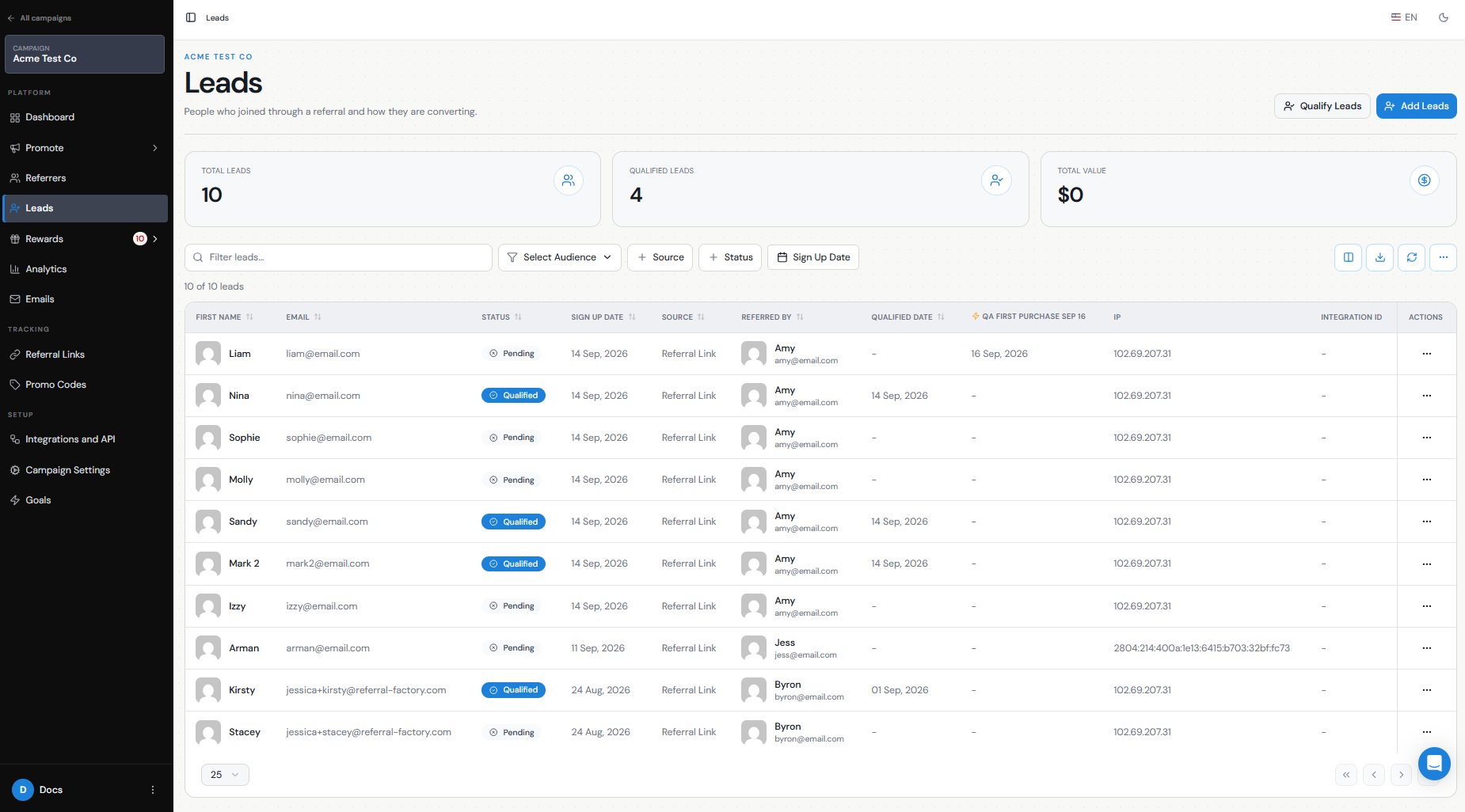
A click by itself does not create a Lead.
The Lead record is created when the visitor submits their information through the referral journey.
At that point, you can see the Lead in Leads, together with the Referrer who referred them.
Redirects
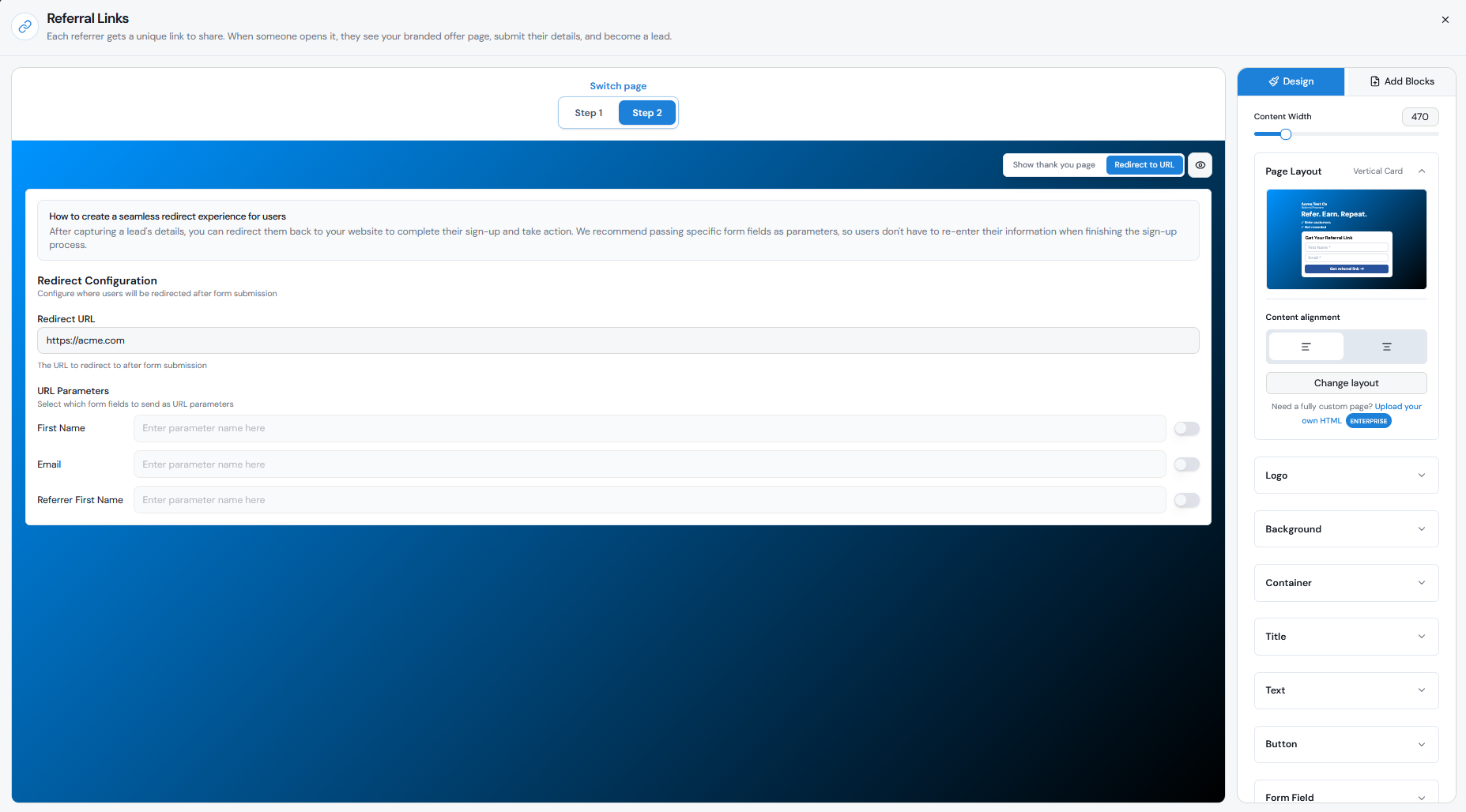
After the Lead submits their details, you can either show a thank-you step or redirect them to another URL.
For example:
Referral Link → Lead submits details → Redirect to your website checkout
The referral has already been captured before the redirect takes place.
Qualification/reward next steps
New Leads normally start as Pending.
They can later become Qualified when they complete the action your business considers a successful referral, such as becoming a customer, completing a purchase, or reaching a particular CRM stage.
Leads can be qualified in several ways, including:
Once the Lead becomes Qualified, any reward rules tied to qualification can be triggered.
- Manually from the Leads section.
- Automatically through a connected CRM when the Lead reaches the field, status, or stage you define as successful.
- Through Stripe when a qualifying payment or purchase happens.
- Through Make, Zapier, or n8n when a conversion event occurs in another app.
- Through a webhook or the Referral Factory API for custom qualification workflows.