Connect Intercom to the referral workflow you already run.

Intercom is useful when referral growth should stay close to the customer lifecycle. If your team already uses Intercom to manage onboarding, engagement, support, and account signals, it can become the place where referral timing and qualification feel much more natural.
Best when referral prompts and qualification should follow customer engagement or lifecycle signals.
Live workflow
Intercom referral workflow

Lifecycle

Customer moment

Intercom works well when the referral ask should happen close to onboarding, support wins, and product engagement.

Milestone

Qualification rule

Tie referral qualification to the lifecycle, engagement, or custom data signal that proves the referral is progressing so rewards only move when the commercial milestone is real.

Why this matters

Why Intercom is a practical referral operations layer

Intercom is a strong referral operations layer when the team wants referral timing to match live customer moments instead of running on a generic schedule.
Operational leverage
Referral asks can follow real engagement

Referral asks can follow real engagement

Ask too early and the customer has no confidence. Ask too late and the moment is gone. Intercom helps you time the prompt better.
Customer-facing teams can stay in one workflow

Customer-facing teams can stay in one workflow

Support, lifecycle, and onboarding teams do not need a second system just to understand what happened with a referral.
Qualification can follow customer signals

Qualification can follow customer signals

Use lifecycle state, conversation outcomes, or custom data the team already trusts when deciding what counts as real progress.
The strongest integrations remove handoffs between customer data, qualification logic, and reward operations.
A clean milestone is more useful than a flashy automation because it protects both ops and unit economics.
Teams get more value when the referral workflow runs where they already track the customer relationship.

What this unlocks

What Intercom unlocks once Referral Factory is connected

The useful pattern is simple: enrol the right people, route the right referrals, and qualify the right outcomes without spreadsheet cleanup.
Built for live programs
Enrol customers from the lifecycle you already run

Enrol customers from the lifecycle you already run

Move the right customers into referral prompts from the same customer operating layer you use for messaging and support.
Send referred people into an existing follow-up path

Send referred people into an existing follow-up path

Make referrals visible to the team without creating another inbox or another handoff queue.
Qualify from customer state changes

Qualify from customer state changes

Use the engagement and lifecycle logic already in Intercom to help decide when a referral should progress.

How the workflow runs

How the workflow runs when Intercom is the source of truth

This setup works best when customer success, onboarding, or lifecycle teams already think in Intercom-first terms.
Target the right customer moment

Step 1

Target the right customer moment

Choose the points where customers are most likely to share, not just the points where the system can send a message.
Track the referral inside Referral Factory

Step 2

Track the referral inside Referral Factory

Keep attribution and referral mechanics separate from the messaging layer, but connected to it.
Watch for the customer milestone that matters

Step 3

Watch for the customer milestone that matters

Use Intercom data to signal when the referred person became meaningful enough to qualify.
Trigger reward or follow-up logic

Step 4

Trigger reward or follow-up logic

Once the lifecycle condition is met, the team no longer has to manually reconcile referral success.

Who this fits best

Best fit for teams already operating in Intercom

Best for teams that already manage customer engagement, onboarding, or support-led growth inside Intercom.

Customer success teams

Useful when referral prompts should align with successful onboarding, support wins, or usage momentum.

Lifecycle marketing teams

Useful when referral asks should be segmented and timed according to the customer journey.

Product-led businesses

Good fit when customer engagement data is already the best indicator of who is ready to refer.

Launch checklist

What needs to be true before you switch this on

The fastest launches happen when the milestone is clear, the owner is known, and the data already lives where your team works.

Clean records in the source system

Make sure Intercom already contains the customer or conversion data you want to use for referral operations.

A simple enrolment path

Decide whether you want to generate links from existing records, sign people up through a form, or support both motions.

One qualifying milestone: the lifecycle, engagement, or custom data signal that proves the referral is progressing

Pick a milestone the business already trusts so rewards are tied to real commercial progress instead of guesswork.

Automation ownership

Assign one customer success or lifecycle owner to own mappings, qualification rules, and what should happen after a referral converts.

Review and exception handling

Decide which scenarios can run automatically and which ones should pause for review before a reward is issued.

A reporting loop

Track enrolments, referred leads, qualification rate, and issued rewards so the team can improve the workflow instead of babysitting it.

Next step

Put Intercom to work in the referral channel

If the team already uses Intercom to spot the right customer moment, it can also become the operating layer that tells referral automation what should happen next.
Intercom referral workflow

Use existing data

Keep customer, lead, or payment context inside Intercom instead of rebuilding the workflow somewhere else.

Qualify on real outcomes

Base rewards on the lifecycle, engagement, or custom data signal that proves the referral is progressing so the business can trust the trigger.

Reduce admin drag

Give the team a cleaner referral workflow without creating one more system to monitor manually.

FAQ

Questions teams ask before they wire this into a live program

The pattern only works when qualification, routing, and reward rules are clear. These are the questions most teams need answered before rollout.
What does the Intercom integration actually automate?+
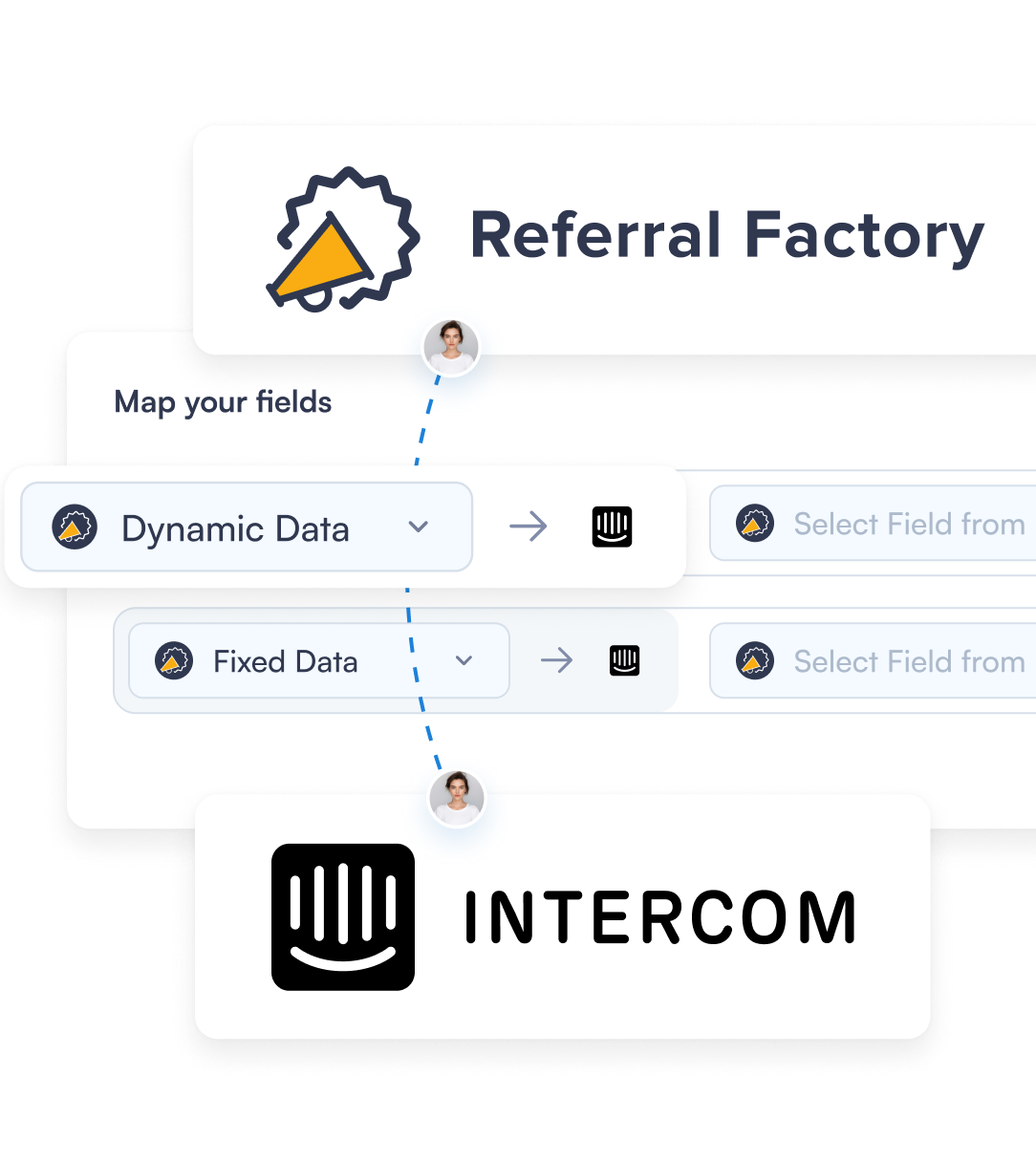
Intercom helps you time referral enrolment around real customer moments, surface referred people to the right team, and qualify progress from the lifecycle signals already in Intercom. The point is to move referral operations into the same workflow the team already trusts instead of creating a second admin process.
Do we have to change the way we already use Intercom?+
No. Intercom remains the customer lifecycle layer. Referral Factory adds referral tracking and reward logic without asking the team to leave the workflow it already uses.
What should count as a qualified referral in Intercom?+
Use one milestone the business already believes in, such as the lifecycle, engagement, or custom data signal that proves the referral is progressing. When the qualifying event is obvious, rewards become easier to defend and easier to automate.
Who should own the setup?+
Give ownership to the person closest to the Intercom workflow. They should understand the data, the milestone, and what the team wants to happen after a referral is qualified.